
Attendance & workforce · PRODUCT CASE STUDY
ScanAttendance
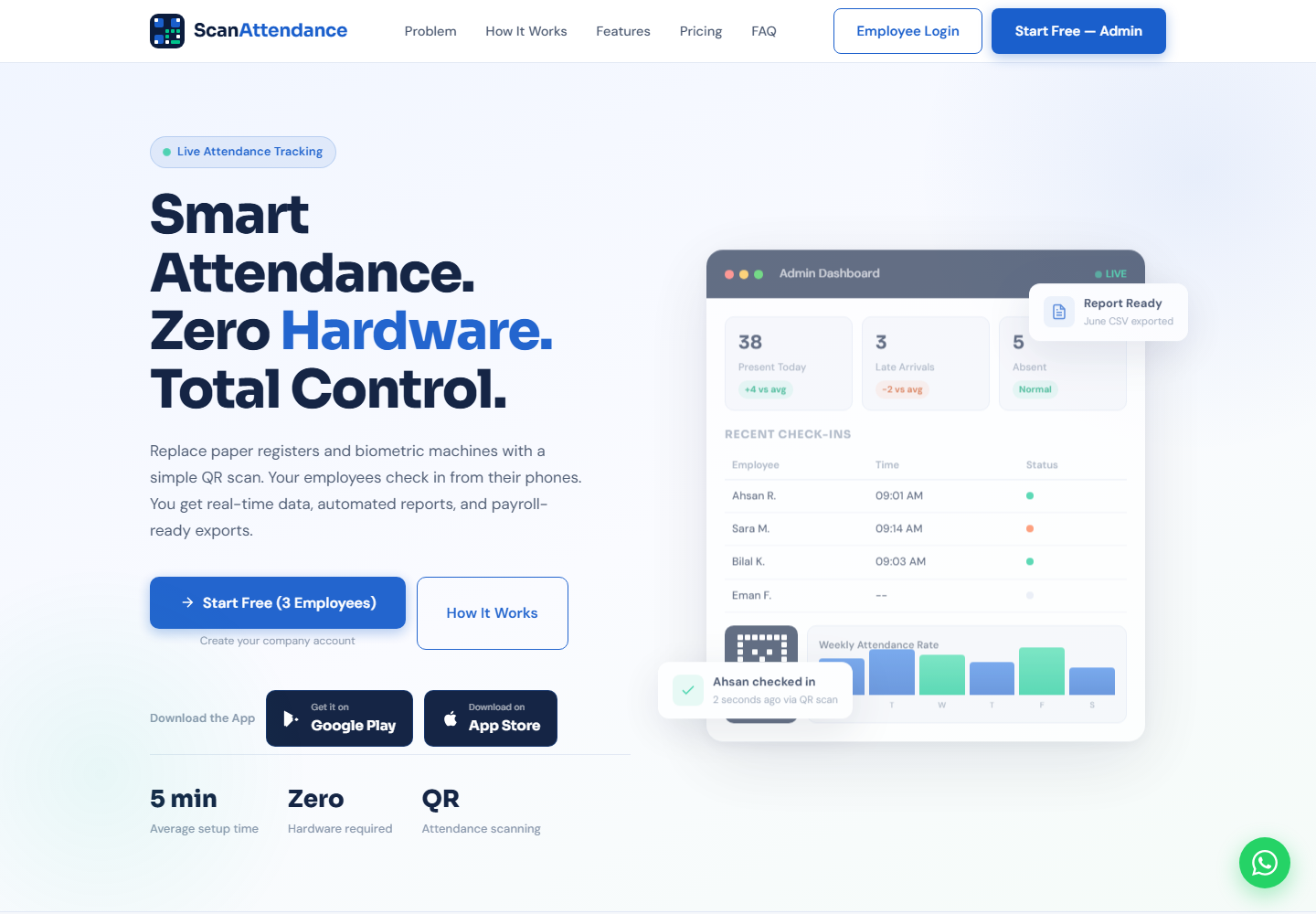
QR-based employee check-ins, attendance visibility and reports in a connected company workspace.
SEE HOW IT WORKS
Watch the ScanAttendance tutorial
Watch on YouTube ↗Picture walkthrough
Follow the setup and attendance workflow below alongside the video.
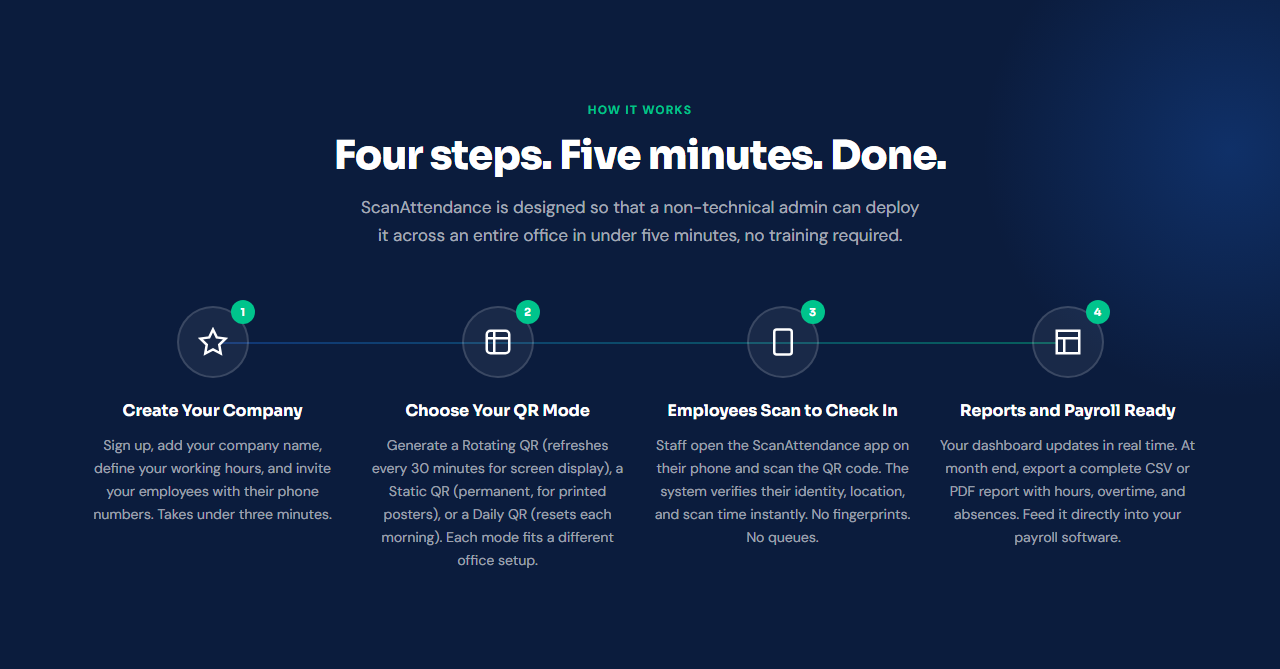
Create your company workspace
Open ScanAttendance and choose Start Free — Admin. Set up your company, working hours and employee invitations.
Choose a QR attendance mode
Use the QR mode that fits your workplace: rotating, static or daily. Display or print the code as appropriate.
Employees scan to check in
Employees use their phones to scan the workplace code and submit their check-in. The product describes identity, time and location checks in this flow.
Review attendance and export reports
Use the company dashboard to review records and prepare attendance exports for your reporting or payroll workflow.
Project overview
ScanAttendance is an attendance platform designed around QR check-ins and a connected company dashboard. It gives administrators a workspace for staff and attendance records, while employees use their phones for the check-in flow.
The product brings company setup, QR attendance, record review and reporting into one experience, without requiring a dedicated biometric machine.
The problem it addresses
Paper registers, disconnected spreadsheets and scattered messages make it difficult for a team to maintain an understandable attendance record. Administrators need a clear view of check-ins, while employees need a consistent way to submit and review their own attendance.
A connected workflow
The product is organized around two roles: the company administrator and the employee. Administrators define the company setup and QR attendance mode; employees follow the check-in flow. Records then feed into a dashboard and reporting workflow.
- Company workspace and employee organization.
- Rotating, static and daily QR attendance options.
- Employee check-ins with time and location checks described by the product.
- Attendance visibility and downloadable reports.
What the product brings together
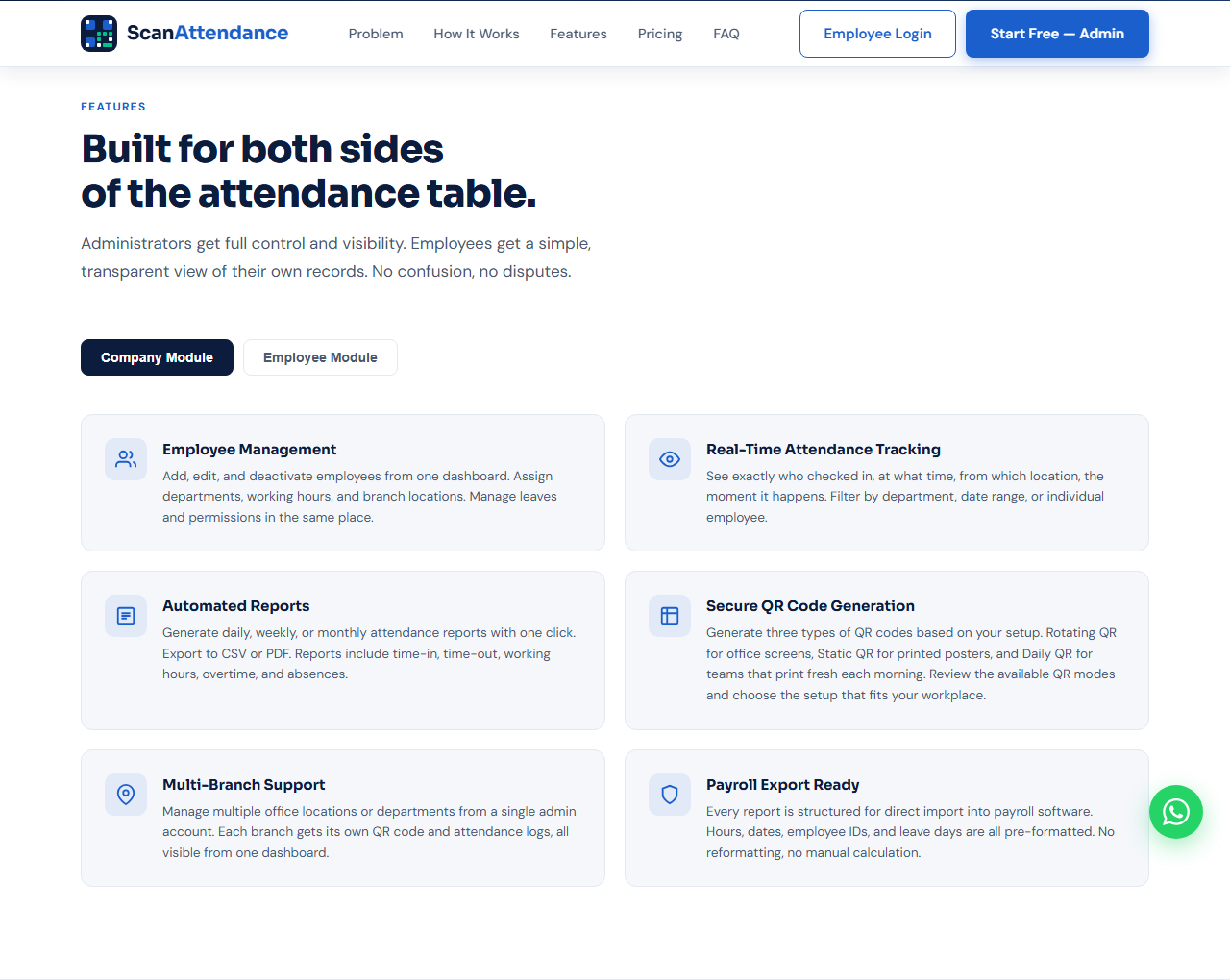
Company administration
A company workspace connects employees, departments, working hours and branch-related settings to attendance records.
Phone-based check-ins
The QR workflow provides a practical entry point for attendance from an employee’s phone.
Reporting and exports
Attendance data is presented for review and export so it can support the company’s reporting and payroll process.
The delivered experience
The completed experience connects company setup, employee check-ins and attendance reporting in a single product. Explore the public website or follow the picture walkthrough above to see how the workflow fits together.
Have a similar project in mind?
Let’s discuss the users, workflows and features your product needs.


