A facilities portal asks for the width of a replacement panel. One supplier enters 120 and means centimetres; another enters 1.2 and means metres. If the field stores only a number, the portal cannot safely compare the submissions. Adding a unit label to the screen later does not recover the meaning that was lost at entry.
A robust measurement field treats the quantity, numerical value, and unit as a connected record. It also preserves the original entry when conversion or rounding could matter to a later review. This article outlines a practical design for ordinary operational portals, using dimensions and similar business measurements as examples. Specialized scientific or safety-critical workflows require their own domain rules in addition to these software foundations.
Name the quantity before selecting units
Start with the property being measured: panel width, packaged mass, storage volume, or another defined quantity. A generic field labeled “measurement” invites incompatible entries. State whether the value refers to an internal dimension, an external dimension, a nominal specification, or an observed result when that distinction affects the workflow. The label should answer what the number describes before asking how it is expressed.
The BIPM’s SI Brochure and concise summary explain the relationship between a quantity’s numerical value and its unit, and note that a unit alone does not identify the quantity. Use that principle in the data model. A width and a height can both use metres while remaining different fields with different business meanings and validation rules.
Store the original entry alongside normalization
A proposed record might include quantity type, entered numerical value, entered unit code, normalized value, normalized unit, and the conversion-rule version. Retain an appropriate representation of the original input when staff need to explain a conversion later. Do not overwrite the entered value with a rounded display string and then treat that string as the only surviving measurement.
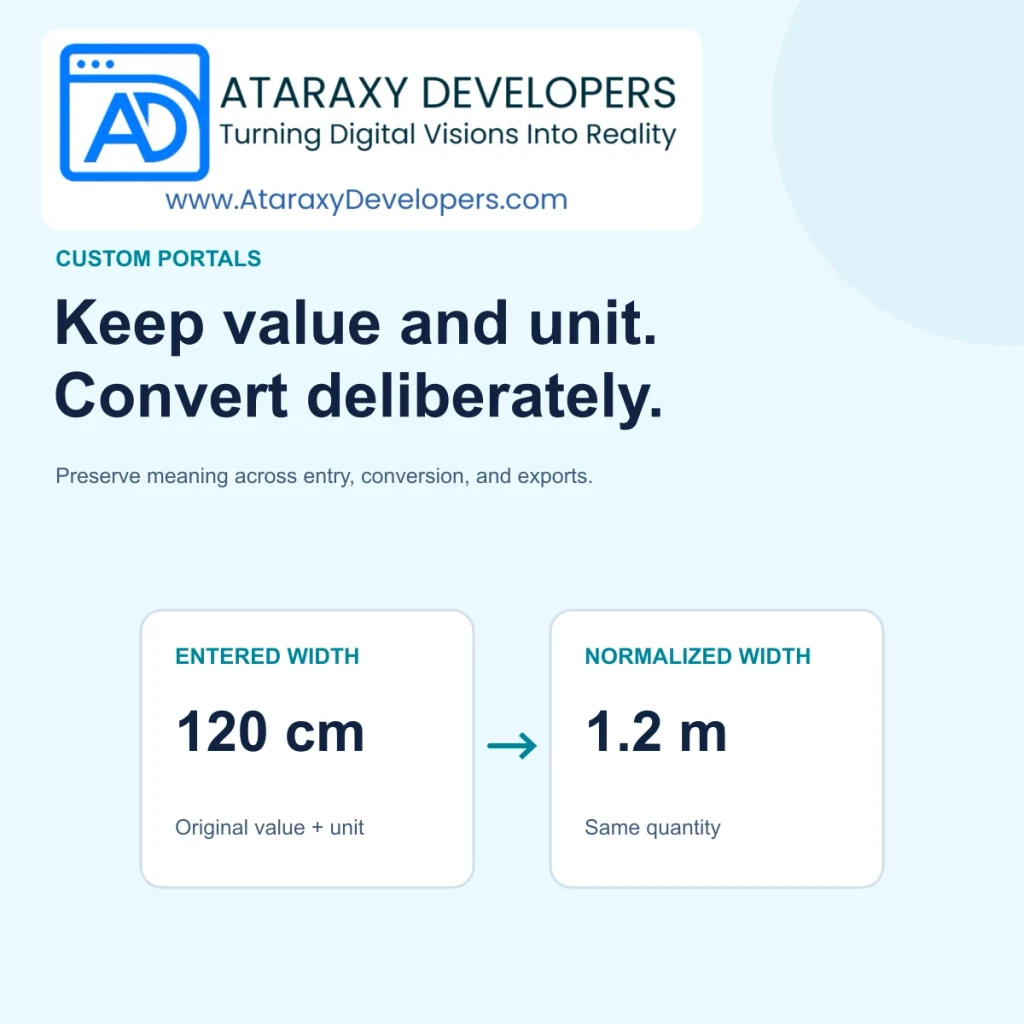
For example, a width entered as 120 cm can normalize to 1.2 m. The portal can display the original value on the supplier submission and use the normalized value for a consistent comparison. Record which value is authoritative for downstream decisions. If a user corrects the original entry, recompute derived values through the defined conversion path rather than allowing independent edits that leave the two representations inconsistent.
Use controlled unit identifiers
Store a stable unit identifier and render its label separately. Avoid interpreting arbitrary free text such as “mtr,” “meters,” or “M” differently across screens and imports. Offer only units compatible with the quantity field, with labels clear enough for the intended audience. If the business accepts several unit systems, document the exact definitions used for each accepted unit.
Be especially careful with ambiguous names. “Ton” can refer to different units in different contexts, so a dropdown should identify the intended unit explicitly. A display preference should not silently change the meaning of a stored value. When adding a new unit, update entry, conversion, validation, export, and reporting behavior together. A unit is part of the field’s contract, not merely an extra dropdown option.
Keep conversion rules explicit and reviewable
Use a tested conversion implementation with a defined source of unit relationships. Simple metric length conversions can use straightforward factors, but do not assume every quantity conversion is multiplication by a scale alone. The SI materials describe the offset relationship between Celsius and kelvin, for example. A general conversion helper needs to understand the supported quantity and unit relationship rather than applying one formula indiscriminately.
Keep the supported scope small enough to verify. For a portal that collects panel dimensions, length units may be sufficient; there is no need to accept temperature or pressure because a library happens to support them. Version the application’s conversion policy when a change could alter stored derived results. Decide whether older records retain their historical normalized value or are recalculated under a documented migration.
Separate precision from display formatting
Define how many digits the field accepts, how calculation is performed, and where rounding occurs. These decisions should follow the business task. A rounded table cell may be suitable for scanning, while an approval or export needs more detail. Do not repeatedly convert the rounded display value back into storage, because successive edits can change the value even when the user did not intend a new measurement.
Distinguish zero from missing information and from a value too small for the chosen display precision. A blank width should not become zero during import. If a nonzero normalized value displays as zero after rounding, use a more suitable representation or explain the precision. Preserve meaningful uncertainty or tolerance separately when the workflow collects it; a decimal’s appearance alone does not establish how accurately the measurement was made.
Make entry and validation understandable
Place the unit close to the value and include it in accessible labeling. When a user changes the unit, define whether the portal converts the existing quantity or reinterprets the entered number in the newly selected unit. Those behaviors are very different. Make the transition visible and, when appropriate, offer an explicit confirmation or a clear preview of the resulting value.
Validate compatibility and plausible ranges on the server as well as in the interface. Use domain-specific ranges carefully: an unusually large panel may be legitimate and need review, while a negative width may be invalid for this field. Explain which rule failed and retain the user’s entry so it can be corrected. Avoid an error message that says only “invalid number” when the actual problem is a missing or incompatible unit.
Design imports and exports as contracts
For imports, require an explicit unit column or a clearly documented unit fixed for the entire field. Preview representative rows before acceptance, including blanks, decimal separators, and unit aliases. Do not infer a unit solely from the magnitude of a number. If a source says 120 without a unit and its convention is unknown, flag the ambiguity for resolution rather than guessing centimetres because that seems plausible.
For exports, include the unit in a column heading or a separate field, and state whether values are original or normalized. If rows can use different units, a single heading that implies one unit is misleading. Include conversion or rounding information when consumers need reproducibility. Test the export by importing it into a separate tool under the documented contract and checking that the quantity retains its meaning.
Review the complete measurement lifecycle
Test entry, unit switching, correction, conversion, filtering, comparison, approval, and export with known examples. Include equivalent values entered in different units, missing values, extreme accepted values, and a locale-sensitive decimal entry. Confirm that sorting and thresholds use the intended normalized representation rather than comparing the original numeric strings. Check history screens so reviewers can see what changed and who changed it.
AI extraction from supplier documents can propose a quantity, value, and unit together, with the supporting source location. Require review when the source is ambiguous or the decision matters. A model should not supply an omitted unit or discard a tolerance merely to fit the portal’s fields. Keep the original evidence available under the portal’s access rules so the proposed measurement can be checked and corrected.
Conclusion
Measurement fields need meaning that survives every transformation. Name the quantity, store the entered value and unit, normalize through explicit rules, and keep rounding separate from storage. Validate the full entry-to-export workflow with equivalent and ambiguous examples. This lets a portal compare useful quantities while preserving the information a later reviewer needs to understand the original submission.