

The Best Web Development Courses for Beginners in 2024 Web development continues to be one of the most in-demand skills in the tech industry. As businesses worldwide increase their online presence, the need for skilled web developers grows. For beginners, breaking into this field can be overwhelming, given the variety of languages, tools, and technologies available. Fortunately, there are numerous online courses designed to take aspiring developers from zero to proficient. In this guide, we will explore the best web development courses for beginners in 2024, helping you get started on your journey toward mastering web development. Why Learn Web Development in 2024? Before diving into the best courses, let’s look at why web development remains a great career choice in 2024: High Demand: With the rise of e-commerce, SaaS platforms, and digital transformation, businesses are constantly looking for web developers to build, maintain, and enhance websites and applications. Lucrative Career: Web developers enjoy attractive salaries, with an average income that often surpasses many other professions. Flexibility: Many web developers work remotely, offering the freedom to choose your work environment and schedule. Continuous Learning: The web development field constantly evolves, ensuring you’ll always have new skills to learn and apply. Now, let’s dive into the best web development courses for beginners in 2024. 1. The Complete Web Developer Bootcamp – Udemy Duration: ~60 hours Price: Often available on sale (starting from $10-$15) This course, taught by Colt Steele, is one of the most popular beginner courses on Udemy. It covers a comprehensive range of topics, including HTML, CSS, JavaScript, and Node.js, providing a full-stack development experience. The bootcamp starts from the very basics, making it ideal for those with no prior experience. Key Features: Full-stack learning with both front-end and back-end technologies. Hands-on projects to reinforce learning. Lifetime access to course content with regular updates. Why it’s Great: It’s beginner-friendly but comprehensive enough to help you build real-world projects by the end of the course. You’ll also dive into responsive design and how to deploy your applications. 2. CS50’s Introduction to Computer Science – Harvard University (edX) Duration: ~12 weeks Price: Free (with an option for a certificate for $149) Harvard’s CS50 is world-renowned and offers an introduction to computer science and web development. While this course isn’t strictly a web development course, it provides a solid foundation in programming, algorithms, and problem-solving, which is essential for any aspiring web developer. Key Features: Taught by Harvard professor David J. Malan. Covers the basics of programming with languages like C, Python, and JavaScript. No prior programming experience required. Why it’s Great: This course equips you with a deeper understanding of how programming works behind the scenes, making future learning easier. 3. The Odin Project – Free Full-Stack Curriculum Duration: Self-paced (100+ hours) Price: Free The Odin Project offers a complete full-stack web development curriculum, covering everything from the fundamentals to building real-world applications. This self-paced, open-source project is entirely free and covers HTML, CSS, JavaScript, and Ruby on Rails. Unlike many other courses, The Odin Project emphasizes practical application with plenty of projects for beginners to work on. Key Features: Free, open-source curriculum with active community support. Structured around real-world development scenarios. Focuses on both front-end and back-end technologies. Why it’s Great: If you prefer learning through practice rather than lectures, this course offers hands-on projects that help you apply what you’ve learned immediately. 4. FreeCodeCamp – Responsive Web Design Certification Duration: 300 hours (self-paced) Price: Free FreeCodeCamp is a popular platform for beginners, offering completely free coding lessons and certifications. The Responsive Web Design Certification covers the essential technologies of web development, including HTML, CSS, Flexbox, and CSS Grid. It’s an ideal starting point for someone who wants to build visually appealing websites and ensure they work well across different devices. Key Features: 100% free with no hidden fees. Learn by building projects as you go. Self-paced, allowing you to complete lessons on your own time. Why it’s Great: FreeCodeCamp’s certification provides a solid introduction to web development and includes hands-on coding exercises that let you apply your new skills in real projects. 5. Web Development for Beginners – Microsoft (GitHub) Duration: ~12 weeks Price: Free This free web development course from Microsoft is available on GitHub and targets absolute beginners. It provides a 12-week, 24-lesson curriculum that covers all the fundamentals of web development, including HTML, CSS, JavaScript, Accessibility, and GitHub basics. This course is perfect for anyone looking to start their web development journey without any prior knowledge. Key Features: Designed and maintained by Microsoft developers. Beginner-friendly with clear explanations and resources. Includes quizzes and assignments to test your understanding. Why it’s Great: Microsoft’s curriculum is hands-on, offering beginner developers the chance to immediately apply their learning through mini-projects. 6. The Modern JavaScript Bootcamp – Udemy Duration: ~30 hours Price: Varies (usually around $10-$15) This course focuses specifically on JavaScript, one of the core programming languages for web development. Taught by Andrew Mead, the Modern JavaScript Bootcamp covers ES6+ JavaScript, asynchronous programming, and integrating JavaScript into web development projects. It’s perfect for beginners who want to get a deeper understanding of JavaScript for both front-end and back-end development. Key Features: JavaScript-focused, perfect for beginners looking to master this essential language. Hands-on projects, including building web applications with real-world functionality. Focus on modern JavaScript features like ES6+ and async functions. Why it’s Great: Since JavaScript is a must-know for any web developer, this course provides a deep dive into the language with plenty of practical examples to solidify your understanding. 7. Build Responsive Real World Websites with HTML & CSS – Udemy Duration: ~37 hours Price: Often available on sale ($10-$15) If you’re looking to master HTML and CSS, the backbone of web design, this Udemy course is ideal. Taught by Jonas Schmedtmann, this course offers a practical approach to building responsive, modern websites from scratch. You’ll dive deep into responsive design, Flexbox, CSS Grid, and real-world project examples. Key Features: Focuses on building real-world projects. Covers both

Why Serverless Architecture is the Future of Web Development
Why Serverless Architecture is the Future of Web Development The web development landscape is constantly evolving, and in recent years, serverless architecture has emerged as a transformative trend. The traditional model of managing servers, handling infrastructure, and scaling applications has shifted dramatically with the introduction of serverless computing. Serverless architecture offers a new way to build and deploy web applications with a focus on reducing complexity, cutting costs, and improving scalability. In this blog, we’ll explore why serverless architecture is becoming the future of web development and how it benefits developers and businesses alike. What is Serverless Architecture? Serverless architecture refers to a cloud-computing execution model where cloud providers dynamically manage the allocation of machine resources. Despite the name, “serverless” doesn’t mean there are no servers. Instead, it means developers don’t have to worry about managing or provisioning servers. Cloud providers like AWS, Microsoft Azure, and Google Cloud handle everything from scaling to resource management, allowing developers to focus solely on writing code. In a serverless model, developers deploy functions or microservices, which are executed in response to events. These events can be anything from HTTP requests, file uploads, or database updates. The cloud provider charges based on the actual usage, meaning you only pay for the time your code is running. Key Features of Serverless Architecture No Server Management: Developers do not need to provision, scale, or maintain servers. The cloud provider takes care of everything related to infrastructure management. Pay-Per-Use: You only pay for the compute time you consume. This is in contrast to traditional server models where you pay for server uptime regardless of usage. Automatic Scaling: Serverless architectures automatically scale your application in response to incoming traffic, ensuring your app can handle high volumes without intervention. Event-Driven: Serverless functions are triggered by events, making it easy to build microservices that respond to specific actions or requests. Why Serverless Architecture is the Future of Web Development 1. Reduced Infrastructure Complexity One of the primary reasons serverless architecture is the future of web development is its ability to eliminate the complexity associated with managing servers. In traditional architectures, developers are often responsible for tasks such as configuring servers, handling security updates, and scaling resources as traffic increases. With serverless architecture, all of these tasks are handled by the cloud provider. This allows developers to focus on writing and deploying code, which significantly accelerates the development process. By abstracting away infrastructure management, serverless architecture simplifies the development pipeline and enables faster iteration, ultimately leading to shorter time-to-market. 2. Cost Efficiency For startups, small businesses, or even large enterprises, reducing operational costs is a priority. In traditional server-based architectures, businesses must maintain servers that run 24/7, even during off-peak hours. This leads to underutilization and wasted resources. Serverless architecture eliminates this problem by using a pay-as-you-go pricing model. You only pay for the time your functions are actively running. When the demand is low, costs drop to almost zero, providing a more predictable and efficient pricing model. This cost-efficient model is particularly beneficial for startups or projects with unpredictable traffic patterns, as they no longer need to over-provision resources to account for potential traffic spikes. 3. Automatic Scaling Serverless architecture is designed to scale automatically, making it ideal for applications with fluctuating traffic. Traditional servers require manual scaling, which can be both time-consuming and costly, especially if you need to provision additional servers to handle unexpected traffic spikes. With serverless, the cloud provider automatically adjusts the resources based on demand. For instance, if you launch a new product or service and experience a sudden influx of traffic, serverless architecture ensures your application remains responsive without any manual intervention. This capability ensures high availability and performance under heavy workloads. 4. Improved Developer Productivity The main focus of serverless architecture is to remove the operational overhead from developers, allowing them to concentrate on building and deploying features. Since serverless abstracts away infrastructure concerns, developers can deliver new features faster, iterate quickly, and respond to user feedback in real-time. With traditional architectures, developers spend a significant amount of time managing servers, troubleshooting infrastructure issues, and configuring environments. In a serverless model, developers can focus solely on writing code, leading to higher productivity and more innovation. 5. Event-Driven Execution Serverless architecture is particularly well-suited for applications that need to respond to events, such as user interactions, file uploads, or database changes. Since functions are triggered by specific events, developers can build highly modular and scalable applications. This event-driven architecture also integrates seamlessly with other cloud services, such as databases, storage, or authentication, creating a smooth workflow. For example, in e-commerce applications, serverless functions can handle individual tasks like processing payments, sending order confirmation emails, or generating invoices—each triggered by user actions. This modularity and flexibility help in building complex applications while keeping them lightweight and manageable. 6. Faster Time-to-Market The ability to build and deploy web applications faster is a significant competitive advantage. By reducing the need to manage infrastructure and automating scaling and monitoring, serverless architecture speeds up the entire development cycle. This agility enables businesses to get products to market faster, test new features quickly, and respond to customer feedback in real-time. Additionally, serverless encourages the use of microservices, which can be independently deployed and updated. This means smaller, focused teams can work on different components simultaneously, further speeding up development. 7. Better Resource Utilization In traditional architectures, businesses must predict resource requirements in advance, often leading to either over-provisioning or under-provisioning. Serverless architecture eliminates the need for such predictions. Resources are allocated dynamically based on the current workload, and there’s no need to maintain idle servers during off-peak hours. This leads to more efficient resource utilization and minimizes waste. Challenges and Considerations While serverless architecture offers numerous benefits, it’s important to consider the following challenges: Cold Starts: When a function hasn’t been used for a while, it may take longer to execute due to cold starts. Cloud providers are continually improving cold start times, but it’s still something to be
How to Build a Portfolio Site Using React.js
How to Build a Portfolio Site Using React.js In the digital age, having a personal portfolio site is essential for showcasing your skills and projects to potential employers and clients. A portfolio site not only reflects your professional brand but also demonstrates your web development abilities. In this blog, we will walk through the steps to create a stunning portfolio site using React.js, one of the most popular front-end libraries for building user interfaces. Why Choose React.js for Your Portfolio Site? React.js is a powerful JavaScript library developed by Facebook for building user interfaces. It allows developers to create dynamic and interactive web applications efficiently. Here are some reasons why React.js is an excellent choice for your portfolio site: Component-Based Architecture: React promotes the reuse of components, making it easier to manage and maintain your codebase. High Performance: React’s virtual DOM optimizes rendering, resulting in faster performance for dynamic applications. Rich Ecosystem: The vast array of libraries and tools available in the React ecosystem makes it easy to enhance your portfolio site with additional functionalities. Step 1: Setting Up Your Development Environment Before diving into the development process, you need to set up your environment. Here’s how to get started: Install Node.js and NPM: Node.js is required to run JavaScript on the server side and manage packages. Download and install Node.js from the official website. This installation also includes NPM (Node Package Manager). Create a New React App: Use the Create React App CLI to set up your project easily. Open your terminal and run: bash Copy code npx create-react-app my-portfolio cd my-portfolio Step 2: Structure Your Portfolio Site Once your project is set up, it’s essential to plan the structure of your portfolio site. Here are some key components you might want to include: Header: Navigation links to different sections of your portfolio. About Section: A brief introduction about yourself, your skills, and your background. Projects Section: Showcase your work with descriptions, technologies used, and links to live demos or GitHub repositories. Contact Section: A form or contact information for potential employers or clients to reach you. Step 3: Creating Components Now, let’s create the necessary components for your portfolio site. Create a new folder named components inside the src directory. Inside the components folder, create the following files: Header.js jsx Copy code import React from ‘react’; import ‘./Header.css’; // Create a CSS file for styling const Header = () => { return ( <header> <nav> <ul> <li><a href=”#about”>About</a></li> <li><a href=”#projects”>Projects</a></li> <li><a href=”#contact”>Contact</a></li> </ul> </nav> </header> ); }; export default Header; About.js jsx Copy code import React from ‘react’; import ‘./About.css’; // Create a CSS file for styling const About = () => { return ( <section id=”about”> <h2>About Me</h2> <p>Hello! I’m a web developer with a passion for creating beautiful and functional applications.</p> </section> ); }; export default About; Projects.js jsx Copy code import React from ‘react’; import ‘./Projects.css’; // Create a CSS file for styling const Projects = () => { const projectList = [ { title: “Project One”, description: “Description of project one.”, link: “https://github.com/yourusername/project-one” }, { title: “Project Two”, description: “Description of project two.”, link: “https://github.com/yourusername/project-two” } // Add more projects as needed ]; return ( <section id=”projects”> <h2>My Projects</h2> <ul> {projectList.map((project, index) => ( <li key={index}> <h3>{project.title}</h3> <p>{project.description}</p> <a href={project.link}>View Project</a> </li> ))} </ul> </section> ); }; export default Projects; Contact.js jsx Copy code import React from ‘react’; import ‘./Contact.css’; // Create a CSS file for styling const Contact = () => { return ( <section id=”contact”> <h2>Contact Me</h2> <form> <label> Name: <input type=”text” name=”name” required /> </label> <label> Email: <input type=”email” name=”email” required /> </label> <label> Message: <textarea name=”message” required></textarea> </label> <button type=”submit”>Send Message</button> </form> </section> ); }; export default Contact; Step 4: Integrating Components in App.js Now, integrate these components into your main App.js file: jsx Copy code import React from ‘react’; import Header from ‘./components/Header’; import About from ‘./components/About’; import Projects from ‘./components/Projects’; import Contact from ‘./components/Contact’; import ‘./App.css’; // Create a CSS file for overall styling function App() { return ( <div> <Header /> <About /> <Projects /> <Contact /> </div> ); } export default App; Step 5: Styling Your Portfolio To make your portfolio visually appealing, add some CSS styles. Create a CSS file for each component in the components folder (e.g., Header.css, About.css, Projects.css, Contact.css) and an App.css file for global styles. Here’s a basic example for App.css: css Copy code body { font-family: Arial, sans-serif; margin: 0; padding: 0; } header { background: #282c34; padding: 20px; color: white; } nav ul { list-style-type: none; display: flex; justify-content: center; } nav ul li { margin: 0 15px; } h2 { color: #333; } section { padding: 40px; margin: 20px; } Step 6: Adding Functionality You can further enhance your portfolio site by: Implementing React Router: Use React Router to create a multi-page experience if desired. Fetching Data from APIs: Display projects dynamically by fetching data from a JSON file or an API. Adding Animations: Use libraries like Framer Motion or React Spring for smooth transitions and animations. Step 7: Deploying Your Portfolio Site Once your portfolio site is ready, it’s time to showcase it to the world. Here are some popular platforms to deploy your React application: Netlify: Simple and efficient, ideal for static sites. Vercel: Optimized for React applications, offering fast deployments. GitHub Pages: Great for hosting your portfolio directly from your GitHub repository. To deploy on Netlify, for instance: Create an account on Netlify. Link your GitHub repository. Choose your build command (npm run build) and publish directory (build). Click on “Deploy” to make your portfolio live! Conclusion Building a portfolio site using React.js is a rewarding experience that not only showcases your skills but also serves as a powerful tool in your job search. By following the steps outlined in this blog, you can create a professional and interactive portfolio that reflects your unique style and abilities. Embrace the power of React and take your first steps toward a stunning online presence!

The Benefits of Learning Node.js for Web Developers
The Benefits of Learning Node.js for Web Developers In the ever-evolving landscape of web development, new technologies emerge frequently, shaping the way developers build applications. One such technology that has gained significant traction is Node.js. As a powerful runtime environment, Node.js allows developers to execute JavaScript on the server side, enabling the creation of scalable and high-performance applications. In this blog, we’ll explore the benefits of learning Node.js and how it can enhance your web development skills. What is Node.js? Node.js is an open-source, cross-platform JavaScript runtime environment built on Chrome’s V8 JavaScript engine. It allows developers to execute JavaScript code on the server side, making it possible to build dynamic web applications. Node.js is known for its non-blocking, event-driven architecture, which enables efficient handling of multiple connections simultaneously. 1. JavaScript Everywhere One of the most significant advantages of learning Node.js is that it allows developers to use JavaScript for both client-side and server-side development. This “JavaScript everywhere” approach simplifies the development process and streamlines collaboration between frontend and backend teams. By using a single language across the stack, developers can: Reduce Context Switching: Developers can focus on one language, reducing the cognitive load of switching between different programming languages. Reusability of Code: Code written for the frontend can often be reused on the backend, promoting DRY (Don’t Repeat Yourself) principles. 2. Scalability Node.js is designed to handle a large number of simultaneous connections with high throughput, making it an excellent choice for scalable applications. Its non-blocking I/O model allows it to process multiple requests without getting bogged down by heavy operations. As a result, Node.js is particularly well-suited for: Real-Time Applications: Applications like chat services, collaborative tools, and gaming platforms benefit from Node.js’s ability to manage concurrent connections effortlessly. Microservices Architecture: Node.js is ideal for building microservices, where each service can scale independently, allowing for more flexible and efficient application development. 3. Fast Performance Node.js is known for its exceptional performance due to its non-blocking architecture and the V8 JavaScript engine, which compiles JavaScript directly to machine code. This results in faster execution times compared to traditional server-side languages. Key performance benefits include: Quick Response Times: The event-driven architecture of Node.js allows it to respond to requests quickly, making it suitable for high-performance applications. Efficient Resource Usage: Node.js can handle a large number of requests with minimal overhead, making it more efficient in resource utilization. 4. Rich Ecosystem with NPM Node.js boasts a rich ecosystem of libraries and frameworks available through the Node Package Manager (NPM). NPM is the largest package registry in the world, offering thousands of open-source libraries that can be easily integrated into your projects. This vast ecosystem provides: Rapid Development: Developers can leverage existing libraries to speed up the development process and avoid reinventing the wheel. Community Support: The extensive Node.js community contributes to the growth of the ecosystem, ensuring that developers have access to resources, tutorials, and support. 5. Real-Time Applications The ability to create real-time applications is one of the standout features of Node.js. By utilizing WebSockets, developers can establish a two-way communication channel between the client and server. This capability enables the development of applications that require real-time data updates, such as: Chat Applications: Real-time chat applications can push messages instantly without requiring constant polling. Collaborative Tools: Applications like document editors and project management tools can provide real-time updates and notifications to users. 6. Microservices and Serverless Architectures With the rise of microservices and serverless architectures, Node.js has emerged as a popular choice for building modular applications. Learning Node.js allows developers to: Build Scalable Microservices: Each service can be developed and deployed independently, promoting a modular approach to application development. Leverage Serverless Computing: Node.js is compatible with serverless platforms like AWS Lambda, allowing developers to build and deploy applications without managing server infrastructure. 7. Improved Developer Productivity Node.js promotes rapid development and improved productivity for developers. With features like hot module replacement, automated testing frameworks, and powerful debugging tools, Node.js simplifies the development process. This results in: Faster Development Cycles: The ability to iterate quickly and test changes in real-time accelerates the development process. Enhanced Collaboration: Developers can work more efficiently together, leveraging shared knowledge and codebase. 8. Career Opportunities As more companies adopt Node.js for their applications, the demand for Node.js developers continues to grow. Learning Node.js opens up a wealth of career opportunities in various industries, including: Full-Stack Development: With knowledge of both frontend and backend development, you can pursue full-stack roles that require versatility and adaptability. Specialized Roles: Node.js expertise can lead to specialized roles in backend development, API development, and microservices architecture. Conclusion Learning Node.js is a valuable investment for web developers looking to enhance their skill set and stay competitive in the job market. Its ability to streamline development, improve performance, and enable the creation of real-time applications makes it an essential tool in the modern developer’s toolkit. Whether you’re building scalable web applications, exploring microservices architecture, or diving into serverless computing, mastering Node.js can significantly elevate your web development career. By embracing Node.js, you not only equip yourself with in-demand skills but also position yourself at the forefront of web development innovation. Start your Node.js journey today, and unlock the potential to create high-performance, scalable applications that meet the demands of the digital age.

How to Use GraphQL for Web Development
How to Use GraphQL for Web Development GraphQL has rapidly gained popularity as a powerful alternative to REST APIs for web development. Developed by Facebook in 2012 and released as an open-source project in 2015, GraphQL allows developers to build efficient and flexible APIs that cater to modern web applications. In this guide, we’ll explore what GraphQL is, its advantages, and how to implement it in your web development projects. What is GraphQL? GraphQL is a query language for APIs and a runtime for executing those queries with your existing data. It allows clients to request only the data they need, making it more efficient than traditional REST APIs, which often return fixed data structures. With GraphQL, developers can define the structure of the response and retrieve multiple resources in a single request. Advantages of Using GraphQL Flexible Queries: Clients can request exactly what they need, avoiding over-fetching or under-fetching of data. This flexibility reduces the amount of data transferred over the network. Single Endpoint: Unlike REST, which requires multiple endpoints for different resources, GraphQL APIs operate on a single endpoint. This simplifies API management and reduces the complexity of handling multiple requests. Strongly Typed Schema: GraphQL uses a strongly typed schema that defines the types of data and the relationships between them. This schema serves as a contract between the client and server, improving clarity and reducing errors. Real-time Data with Subscriptions: GraphQL supports real-time updates through subscriptions, allowing clients to receive data changes automatically without manual polling. Powerful Developer Tools: Tools like GraphiQL and Apollo Client provide excellent developer experiences, making it easy to explore APIs, test queries, and manage state in applications. Getting Started with GraphQL Step 1: Set Up Your GraphQL Server You can use various programming languages and frameworks to set up a GraphQL server. In this example, we’ll use Node.js with Express and Apollo Server. Initialize a New Node.js Project: bash Copy code mkdir graphql-example cd graphql-example npm init -y Install Required Packages: bash Copy code npm install express apollo-server-express graphql Create Your Server: Create an index.js file with the following code: javascript Copy code const express = require(‘express’); const { ApolloServer, gql } = require(‘apollo-server-express’); const app = express(); // Sample data const books = [ { title: ‘Harry Potter and the Philosopher\’s Stone’, author: ‘J.K. Rowling’ }, { title: ‘The Hobbit’, author: ‘J.R.R. Tolkien’ }, ]; // GraphQL schema const typeDefs = gql` type Book { title: String author: String } type Query { books: [Book] } `; // Resolvers const resolvers = { Query: { books: () => books, }, }; const server = new ApolloServer({ typeDefs, resolvers }); server.applyMiddleware({ app }); app.listen({ port: 4000 }, () => console.log(` Server ready at http://localhost:4000${server.graphqlPath}`) ); Run Your Server: bash Copy code node index.js Step 2: Querying Data with GraphQL Once your server is running, you can use a tool like GraphiQL or Postman to make queries to your GraphQL API. Open GraphiQL: Navigate to http://localhost:4000/graphql in your browser. Write a Query: Use the following query to retrieve all books: graphql Copy code { books { title author } } Execute the Query: You should receive a response with the list of books in JSON format: json Copy code { “data”: { “books”: [ { “title”: “Harry Potter and the Philosopher’s Stone”, “author”: “J.K. Rowling” }, { “title”: “The Hobbit”, “author”: “J.R.R. Tolkien” } ] } } Step 3: Mutations in GraphQL Mutations are used to create, update, or delete data in your GraphQL API. Let’s add a mutation to add a new book. Update the Schema: Modify your typeDefs to include a mutation: javascript Copy code const typeDefs = gql` type Book { title: String author: String } type Query { books: [Book] } type Mutation { addBook(title: String, author: String): Book } `; Add a Resolver for the Mutation: javascript Copy code const resolvers = { Query: { books: () => books, }, Mutation: { addBook: (parent, { title, author }) => { const newBook = { title, author }; books.push(newBook); return newBook; }, }, }; Execute a Mutation: Use the following mutation in GraphiQL: graphql Copy code mutation { addBook(title: “1984”, author: “George Orwell”) { title author } } Check the Updated Data: Run the previous query again to see the new book added to the list. Best Practices for Using GraphQL Use Fragments: To avoid redundancy in your queries, use fragments to define reusable parts of your queries. Implement Pagination: For large datasets, implement pagination to avoid overwhelming clients with too much data at once. Monitor Performance: Keep an eye on the performance of your GraphQL queries. Use tools like Apollo Engine for monitoring and optimizing your API. Secure Your API: Implement authentication and authorization to protect sensitive data and ensure that only authorized users can access certain resources. Document Your API: Use tools like GraphQL Playground or Postman to provide clear documentation for your API, making it easier for developers to understand how to use it. Conclusion GraphQL offers a flexible and efficient way to build APIs for web development. By allowing clients to request only the data they need, it enhances performance and improves user experience. Follow the steps outlined in this guide to get started with GraphQL and explore its powerful features. As you implement GraphQL in your projects, remember to adhere to best practices to ensure a robust and scalable API that meets your development needs.

How to Choose the Right Domain Name for Your Website
How to Choose the Right Domain Name for Your Website Choosing the right domain name is a critical step in establishing your online presence. Your domain name not only reflects your brand identity but also plays a vital role in your website’s SEO and user accessibility. In this guide, we’ll discuss the key factors to consider when selecting a domain name and provide practical tips to help you make the best choice. Why Your Domain Name Matters First Impressions: Your domain name is often the first thing users see when they encounter your website. A memorable and relevant domain can create a positive first impression and encourage visitors to explore further. SEO Benefits: Search engines consider domain names in their ranking algorithms. A well-chosen domain can improve your visibility in search results, making it easier for potential customers to find you. Branding: A strong domain name can strengthen your brand identity, making it easier for customers to remember and recognize your business. Key Factors to Consider When Choosing a Domain Name 1. Keep It Short and Simple A short and simple domain name is easier to remember and type. Aim for a name that is concise, ideally between 6 to 14 characters. Avoid using complex words or phrases that may confuse users. Example: Instead of using “besthomerepairservicesinnewyork.com,” consider something like “NYHomeRepair.com.” 2. Choose the Right Extension The domain extension (TLD) is the suffix at the end of your domain name, such as .com, .org, or .net. While .com is the most popular and widely recognized extension, consider other options if your preferred name is unavailable. .com: Best for commercial businesses. .org: Ideal for non-profit organizations. .net: Often used by tech companies and networks. .co: A popular alternative to .com for startups and businesses. 3. Make It Relevant Your domain name should reflect your brand, products, or services. Incorporating relevant keywords can also improve your SEO. Think about the terms your target audience might use when searching for your offerings. Example: If you run a bakery, a name like “DeliciousBakery.com” is both relevant and keyword-rich. 4. Avoid Numbers and Hyphens Using numbers and hyphens can lead to confusion. Users may forget whether to use the numeral (5) or the word (five), and hyphens are often overlooked when typing a domain name. Stick to letters to ensure clarity. 5. Check for Trademark Issues Before finalizing your domain name, conduct a trademark search to ensure it isn’t already in use by another business. This helps you avoid legal issues and potential rebranding down the line. 6. Make It Easy to Pronounce and Spell Choose a domain name that is easy to pronounce and spell. This increases the likelihood that users will remember your name and share it with others. Example: Names like “QuikLawnCare.com” are easier to spell and pronounce than more complex alternatives. 7. Consider Your Brand’s Future Think about your long-term goals when choosing a domain name. If you plan to expand your business or diversify your offerings, avoid names that are too specific. For instance, “NYCPlumbing.com” may limit you if you later decide to offer electrical services. 8. Check Social Media Availability Before settling on a domain name, check the availability of the corresponding social media handles. Consistency across platforms strengthens your brand identity and makes it easier for customers to find you. 9. Use Domain Name Generators If you’re struggling to come up with ideas, consider using domain name generators. These tools can help you brainstorm creative options based on keywords you provide. Popular Domain Name Generators: Namecheap LeanDomainSearch DomainWheel 10. Test It Out Once you’ve narrowed down your options, test the names with friends, family, or potential customers. Gather feedback to ensure the name resonates with your target audience and is easy to remember. Conclusion Choosing the right domain name is a crucial aspect of building your online presence. By keeping it short, relevant, and memorable, you can create a strong foundation for your brand. Follow the tips outlined in this guide to make an informed decision that supports your business goals and enhances your visibility in the digital landscape. Remember, your domain name is your online identity—choose wisely!
How to Implement Infinite Scrolling on Your Website
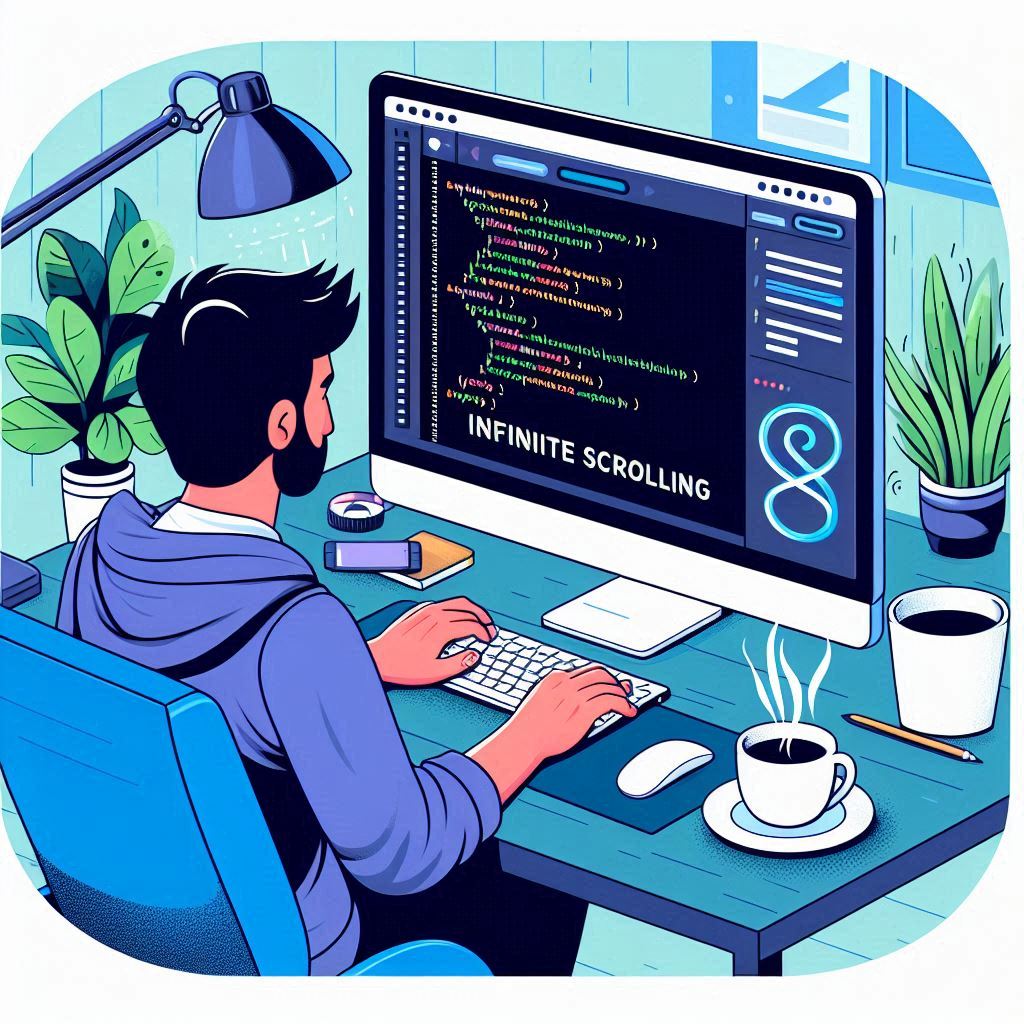
How to Implement Infinite Scrolling on Your Website Infinite scrolling is a popular web design technique that allows users to continuously load new content as they scroll down a webpage. This method is commonly seen on social media platforms, image galleries, and e-commerce sites, offering a seamless and engaging user experience. In this guide, we’ll walk you through the steps to implement infinite scrolling on your website, the benefits of this technique, and best practices to ensure it enhances user experience. What is Infinite Scrolling? Infinite scrolling, sometimes referred to as endless scrolling, is a web design approach where content is automatically loaded as the user reaches the bottom of the page. This means that instead of pagination (clicking through pages), users can keep scrolling to view more content. This technique is beneficial for websites that showcase a large amount of data, such as blogs, social media feeds, or product listings. Benefits of Infinite Scrolling Improved User Engagement: Infinite scrolling keeps users engaged for longer periods since they can consume content continuously without interruptions. Reduced Load Times: By loading content dynamically, users experience faster load times as only a portion of the data is loaded initially. Simplified Navigation: Users do not need to navigate through multiple pages, providing a more fluid browsing experience. Mobile-Friendly: Infinite scrolling is particularly effective on mobile devices, where users are accustomed to swiping through content. How to Implement Infinite Scrolling Step 1: Set Up Your HTML Structure Start by creating a basic HTML structure for your webpage. Here’s a simple example of how you might structure a blog page: html Copy code <!DOCTYPE html> <html lang=”en”> <head> <meta charset=”UTF-8″> <meta name=”viewport” content=”width=device-width, initial-scale=1.0″> <title>Infinite Scrolling Example</title> <link rel=”stylesheet” href=”styles.css”> </head> <body> <div id=”content”> <!– Initial Content Here –> </div> <div id=”loader” style=”display: none;”>Loading…</div> <script src=”script.js”></script> </body> </html> Step 2: Style Your Page Use CSS to style your content and loader. Here’s a basic style example: css Copy code body { font-family: Arial, sans-serif; } #content { margin: 20px; } .post { border: 1px solid #ccc; padding: 10px; margin-bottom: 10px; } #loader { text-align: center; font-size: 18px; } Step 3: Fetch Initial Data Use JavaScript to fetch and display initial content when the page loads. You can use fetch() or AJAX to retrieve data from your server or an API. javascript Copy code let page = 1; function loadContent() { fetch(`https://your-api-endpoint.com/posts?page=${page}`) .then(response => response.json()) .then(data => { const contentDiv = document.getElementById(‘content’); data.posts.forEach(post => { const postElement = document.createElement(‘div’); postElement.classList.add(‘post’); postElement.innerHTML = `<h2>${post.title}</h2><p>${post.body}</p>`; contentDiv.appendChild(postElement); }); page++; }) .catch(error => console.error(‘Error fetching data:’, error)); } // Load initial content loadContent(); Step 4: Implement Infinite Scrolling Logic Listen for the scroll event and check if the user has scrolled to the bottom of the page. If they have, trigger the loading of more content. javascript Copy code window.addEventListener(‘scroll’, () => { if (window.innerHeight + window.scrollY >= document.body.offsetHeight) { loadContent(); } }); Step 5: Show a Loader To improve user experience, show a loader when new content is being fetched. Update your loadContent function to manage the loader’s visibility. javascript Copy code function loadContent() { const loader = document.getElementById(‘loader’); loader.style.display = ‘block’; // Show loader fetch(`https://your-api-endpoint.com/posts?page=${page}`) .then(response => response.json()) .then(data => { const contentDiv = document.getElementById(‘content’); data.posts.forEach(post => { const postElement = document.createElement(‘div’); postElement.classList.add(‘post’); postElement.innerHTML = `<h2>${post.title}</h2><p>${post.body}</p>`; contentDiv.appendChild(postElement); }); page++; loader.style.display = ‘none’; // Hide loader }) .catch(error => { console.error(‘Error fetching data:’, error); loader.style.display = ‘none’; // Hide loader even if error occurs }); } Best Practices for Infinite Scrolling Implement a Scroll Threshold: Instead of triggering the loading of new content only when the user reaches the bottom, consider adding a threshold (e.g., 200 pixels from the bottom) to provide a smoother experience. Provide Pagination Options: Some users prefer pagination. Consider adding a “Load More” button as an alternative to infinite scrolling. Optimize Performance: Ensure your content loads quickly and efficiently. Use techniques like lazy loading for images to improve performance. Accessibility: Ensure that your infinite scrolling implementation is accessible. Screen readers should be able to interpret the content correctly, and keyboard navigation should be seamless. Analytics: Track user engagement and behavior to assess the effectiveness of your infinite scrolling feature. Monitor metrics like average session duration and content interaction rates. Conclusion Implementing infinite scrolling on your website can significantly enhance user experience and engagement. By following the steps outlined in this guide, you can create a seamless browsing experience that keeps users returning for more. Remember to adhere to best practices to ensure accessibility, performance, and user satisfaction. Happy coding!

10 Web Development Projects to Level Up Your Skills
10 Web Development Projects to Level Up Your Skills As a web developer, the best way to improve your skills and build a strong portfolio is through hands-on experience. Working on projects helps you apply theoretical knowledge to real-world scenarios, allowing you to grasp various technologies and practices. Whether you’re a beginner or an experienced developer, these ten web development projects will help you level up your skills and enhance your portfolio. 1. Personal Portfolio Website Creating a personal portfolio website is essential for any web developer. This project allows you to showcase your skills, projects, and experience to potential employers or clients. Skills Developed: HTML, CSS, JavaScript, Responsive Design Tips: Use a clean and modern design. Include sections for your bio, skills, projects, and contact information. Implement responsive design to ensure it looks great on all devices. 2. Blog Platform Building a blog platform enables you to understand content management systems and user authentication. This project will help you implement features like post creation, editing, and commenting. Skills Developed: Full-Stack Development (HTML, CSS, JavaScript, a back-end language like Node.js or PHP, and a database like MySQL or MongoDB) Tips: Include user registration and login functionality. Allow users to leave comments on posts. Implement an admin panel to manage blog posts. 3. E-commerce Website Creating an e-commerce website will challenge you to build a platform where users can browse products, add items to their cart, and make purchases. This project will help you understand payment processing and user management. Skills Developed: Front-end and back-end development, API integration Tips: Use a payment gateway like Stripe or PayPal for transactions. Incorporate user authentication and user profiles. Create a clean, user-friendly interface with product filters. 4. Weather App Building a weather app allows you to work with APIs and display real-time data. This project will teach you how to fetch data from external sources and present it in a user-friendly manner. Skills Developed: API integration, JavaScript, asynchronous programming Tips: Use the OpenWeatherMap API or similar to fetch weather data. Implement search functionality by city or geolocation. Enhance the UI with icons representing different weather conditions. 5. Task Manager Creating a task manager application helps you understand CRUD operations (Create, Read, Update, Delete) and user authentication. This project is ideal for learning how to manage data effectively. Skills Developed: JavaScript, front-end frameworks (React, Angular, or Vue), back-end development Tips: Allow users to create, update, and delete tasks. Implement user accounts for personalized task management. Consider using local storage for saving tasks or a back-end database for persistence. 6. Recipe App A recipe app lets users browse, search, and save their favorite recipes. This project helps you learn about data management and user experience design. Skills Developed: Front-end development, API usage, user interface design Tips: Use a third-party recipe API for data. Include features like searching by ingredients or meal type. Allow users to save their favorite recipes. 7. Online Quiz Application Building an online quiz application helps you learn about form handling, user interactions, and scoring systems. This project can be a fun way to demonstrate your skills while engaging users. Skills Developed: JavaScript, HTML forms, CSS animations Tips: Create multiple-choice questions with a scoring system. Use local storage to save users’ scores and progress. Implement a timer for added challenge. 8. Chat Application Developing a real-time chat application teaches you about WebSocket technology and real-time data transfer. This project will help you understand client-server architecture. Skills Developed: WebSockets, Node.js, front-end frameworks Tips: Allow users to create accounts and chat rooms. Implement real-time messaging and notifications. Consider using a library like Socket.IO for easy WebSocket implementation. 9. Fitness Tracker A fitness tracker application allows users to log their workouts, track progress, and set fitness goals. This project will help you understand data visualization and user data management. Skills Developed: Full-stack development, data visualization libraries Tips: Allow users to log workouts with details like duration, calories burned, and type of exercise. Use charts to visualize progress over time. Consider implementing user accounts for personalized tracking. 10. Social Media Dashboard Creating a social media dashboard helps you understand data aggregation and API integration from different social media platforms. This project allows users to see their social media activity in one place. Skills Developed: API integration, front-end development, UX/UI design Tips: Use APIs from platforms like Twitter, Instagram, or Facebook. Display statistics like followers, likes, and recent posts. Ensure a responsive design for a seamless user experience. Conclusion Working on these ten web development projects will not only help you level up your skills but also provide you with tangible examples to showcase in your portfolio. As you complete each project, take the time to reflect on what you learned and how you can apply those skills to future endeavors. Remember, the more you practice, the more confident and proficient you’ll become as a web developer. Happy coding!

How to Build a Website Using WordPress in 2024
How to Build a Website Using WordPress in 2024 Building a website has never been easier, especially with the rise of content management systems (CMS) like WordPress. As of 2024, WordPress powers over 40% of all websites on the internet, making it the go-to platform for individuals and businesses alike. Whether you’re a seasoned developer or a complete beginner, this guide will walk you through the essential steps to create a stunning website using WordPress. Why Choose WordPress? Before we dive into the steps, let’s look at why WordPress is an excellent choice for building a website: User-Friendly: WordPress offers an intuitive interface, making it accessible for users with varying levels of technical expertise. Highly Customizable: With thousands of themes and plugins available, you can easily customize your website to fit your unique style and requirements. SEO Friendly: WordPress is designed with SEO best practices in mind, making it easier to optimize your site for search engines. Active Community: With a vast community of developers and users, you’ll find plenty of resources, forums, and support whenever you need it. Step 1: Choose a Domain Name and Hosting Domain Name: Your domain name is your website’s address on the internet (e.g., www.yourwebsite.com). Choose a name that reflects your brand or the purpose of your site. Keep it simple, memorable, and easy to spell. Hosting Provider: WordPress requires a web host to store your website’s files. Popular hosting providers for WordPress include: Bluehost: Recommended by WordPress.org, it offers easy installation and reliable support. SiteGround: Known for excellent customer service and speed. WP Engine: A premium option for those looking for managed WordPress hosting. Once you’ve selected a hosting provider, sign up and purchase your domain name if you haven’t already. Step 2: Install WordPress Most hosting providers offer a one-click installation process for WordPress. Here’s a general overview of the steps: Log in to your hosting account. Find the WordPress installation option. This is usually located in the control panel under the “Website” or “Software” section. Follow the prompts to complete the installation. You’ll need to enter your site name, admin username, password, and email address. Step 3: Choose a Theme After installing WordPress, you’ll want to choose a theme to define your website’s look and feel. Navigate to the WordPress Dashboard. Go to Appearance > Themes. Click “Add New” to browse the WordPress theme repository. Filter themes by popular, latest, or specific features. Preview and install a theme that you like. Once installed, click “Activate” to make it your active theme. Step 4: Customize Your Website Now that you have a theme, it’s time to customize it to match your brand: Go to Appearance > Customize. Here, you can modify your site’s title, tagline, colors, header images, and more. Add Widgets: Navigate to Appearance > Widgets to add elements like search bars, recent posts, or social media links to your sidebar or footer. Set Up Menus: Go to Appearance > Menus to create and manage your navigation menus. Add important pages and categories to make your site easy to navigate. Step 5: Install Essential Plugins Plugins are add-ons that extend the functionality of your WordPress site. Here are some essential plugins to consider: Yoast SEO: Helps optimize your site for search engines. WPForms: Allows you to create custom contact forms easily. WooCommerce: If you plan to sell products or services, this plugin is a must. Wordfence Security: Provides security features to protect your site from threats. Jetpack: Offers various features, including site analytics, security, and performance improvements. To install a plugin: Go to Plugins > Add New in your dashboard. Search for the plugin you want. Click “Install Now” and then “Activate” once the installation is complete. Step 6: Create Essential Pages Every website needs a few key pages. Here’s a list of essential pages to create: Home Page: This is the first impression visitors will have. Make it engaging and informative. About Page: Share your story, mission, and what sets you apart from the competition. Contact Page: Include a contact form, your email address, and other ways visitors can reach you. Blog Page: If you plan to write articles, set up a dedicated blog page to showcase your content. Privacy Policy Page: This is essential for compliance with privacy laws like GDPR. To create a new page: Go to Pages > Add New in your dashboard. Enter the page title and content. Use the block editor to format your text, add images, and create layouts. Publish the page once you’re satisfied with the content. Step 7: Optimize for SEO Search engine optimization (SEO) is crucial for driving traffic to your website. Here are some tips to optimize your WordPress site: Use SEO Plugins: Install Yoast SEO to help optimize your content for search engines. Focus on Keywords: Research relevant keywords for your niche and incorporate them naturally into your content. Optimize Images: Use descriptive file names and alt text for your images to improve visibility in search results. Create Quality Content: Regularly publish high-quality, informative content that addresses the needs of your audience. Step 8: Launch Your Website Once you’ve customized your site and created essential pages, it’s time to launch! Before going live, consider the following: Test your website: Check for broken links, missing images, and functionality of forms. Optimize for mobile: Ensure your site looks good on mobile devices since more users browse on their smartphones. Back up your site: Use a backup plugin to save your site’s content and settings. Once you’re confident everything is in order, announce your launch on social media, email newsletters, and other platforms to attract visitors. Conclusion Building a website using WordPress in 2024 is an accessible and rewarding endeavor. With its user-friendly interface, extensive customization options, and powerful features, you can create a professional website that meets your needs. By following the steps outlined in this guide, you’ll be well on your way to establishing a successful online presence. Whether you’re building a blog, portfolio, or business website, WordPress has

How to Use Firebase for Web Development Projects
How to Use Firebase for Web Development Projects In the ever-evolving landscape of web development, choosing the right tools can make a significant difference in the efficiency and scalability of your projects. Firebase, a platform developed by Google, provides a comprehensive suite of tools that can help developers build and manage web applications more effectively. In this blog, we’ll explore how to use Firebase for web development projects, covering its core features, setup process, and practical applications. What is Firebase? Firebase is a Backend-as-a-Service (BaaS) platform that provides developers with a variety of services, including real-time databases, cloud storage, authentication, hosting, and much more. Its primary goal is to simplify the development process, allowing developers to focus on building exceptional user experiences without worrying about the underlying infrastructure. Key Features of Firebase Before diving into how to use Firebase, let’s take a look at some of its essential features: Realtime Database: Firebase offers a NoSQL cloud database that allows data to be synchronized in real-time across all connected clients. This is particularly useful for applications that require instant updates, such as chat apps or collaborative tools. Firestore: Firestore is Firebase’s flexible, scalable database for mobile, web, and server development. It enables developers to store and sync data across clients in real-time. Authentication: Firebase Authentication provides a simple way to authenticate users through various methods, including email/password, phone number, Google, Facebook, and more. Hosting: Firebase Hosting offers a fast and secure way to host web applications. It provides a global content delivery network (CDN) to ensure that your application loads quickly from anywhere in the world. Cloud Functions: With Cloud Functions, you can run backend code in response to events triggered by Firebase features and HTTPS requests. This allows for server-side logic without managing a server. Setting Up Firebase for Your Web Project Step 1: Create a Firebase Project Go to the Firebase Console. Click on “Add project” and enter your project name. Follow the prompts to configure your project settings and click “Create project.” Step 2: Add Firebase to Your Web App Once your project is created, click on the Web icon (</>) to register your web app. Enter a nickname for your app and click “Register app.” You will be provided with a Firebase SDK snippet that you need to add to your HTML file. It looks something like this: html Copy code <script src=”https://www.gstatic.com/firebasejs/9.0.0/firebase-app.js”></script> <script src=”https://www.gstatic.com/firebasejs/9.0.0/firebase-auth.js”></script> <script src=”https://www.gstatic.com/firebasejs/9.0.0/firebase-firestore.js”></script> <script> const firebaseConfig = { apiKey: “YOUR_API_KEY”, authDomain: “YOUR_PROJECT_ID.firebaseapp.com”, projectId: “YOUR_PROJECT_ID”, storageBucket: “YOUR_PROJECT_ID.appspot.com”, messagingSenderId: “YOUR_SENDER_ID”, appId: “YOUR_APP_ID” }; // Initialize Firebase const app = firebase.initializeApp(firebaseConfig); </script> Replace the placeholder values with your actual Firebase project credentials. Step 3: Install Firebase SDK (Optional) For more advanced features and modular development, you can install the Firebase SDK using npm: bash Copy code npm install firebase Then, you can import Firebase modules as needed in your JavaScript files: javascript Copy code import { initializeApp } from “firebase/app”; import { getFirestore } from “firebase/firestore”; // Import other services as needed Using Firebase Features in Your Web Project 1. Setting Up Firestore To use Firestore, you first need to initialize it in your app: javascript Copy code import { getFirestore } from “firebase/firestore”; const db = getFirestore(app); You can then add, retrieve, and manage data in Firestore: javascript Copy code import { doc, setDoc, getDoc } from “firebase/firestore”; // Add data to Firestore async function addData() { await setDoc(doc(db, “users”, “userID”), { name: “John Doe”, age: 30, email: “johndoe@example.com” }); } // Retrieve data from Firestore async function getData() { const docRef = doc(db, “users”, “userID”); const docSnap = await getDoc(docRef); if (docSnap.exists()) { console.log(“Document data:”, docSnap.data()); } else { console.log(“No such document!”); } } 2. Implementing Authentication Firebase Authentication can be integrated easily: javascript Copy code import { getAuth, signInWithEmailAndPassword, createUserWithEmailAndPassword } from “firebase/auth”; const auth = getAuth(app); // Create a new user createUserWithEmailAndPassword(auth, email, password) .then((userCredential) => { const user = userCredential.user; console.log(“User created:”, user); }) .catch((error) => { console.error(“Error creating user:”, error); }); // Sign in an existing user signInWithEmailAndPassword(auth, email, password) .then((userCredential) => { const user = userCredential.user; console.log(“User signed in:”, user); }) .catch((error) => { console.error(“Error signing in:”, error); }); 3. Hosting Your Web App To host your web application on Firebase: Install the Firebase CLI: bash Copy code npm install -g firebase-tools Log in to Firebase: bash Copy code firebase login Initialize your project: bash Copy code firebase init Choose “Hosting” and follow the prompts to select your project and set up the public directory. Deploy your app: bash Copy code firebase deploy Conclusion Firebase is a powerful platform that simplifies web development by providing a range of features designed to enhance your projects. Whether you’re building a simple web app or a complex platform, Firebase can help you save time and streamline your development process. By leveraging its real-time database, authentication, hosting, and other services, you can create robust applications that meet the needs of your users. As you embark on your web development journey with Firebase, explore its extensive documentation and community resources to maximize its potential for your projects.
