

How to Use SEO to Drive Traffic to Your YouTube Channel YouTube has become one of the largest search engines in the world, with billions of users searching for videos on nearly every topic imaginable. However, with such a vast amount of content on the platform, getting your videos discovered can be challenging. YouTube SEO (Search Engine Optimization) is a powerful strategy that can help you improve the visibility of your videos and drive traffic to your channel. In this blog, we’ll dive into how to use SEO techniques to increase your YouTube channel’s traffic, boost rankings, and grow your audience. 1. Understand the Basics of YouTube SEO YouTube SEO involves optimizing your videos so that they rank higher in both YouTube search results and Google’s search engine. YouTube’s algorithm considers factors like relevance, engagement, and user experience when determining video rankings. Key YouTube SEO Ranking Factors: Title and Description: Include targeted keywords in your video title and description to help YouTube understand what your video is about. Tags: Add relevant tags to make your video more discoverable. Thumbnails: Create eye-catching thumbnails to improve your video’s click-through rate. Engagement Metrics: The number of likes, comments, shares, and views significantly impacts your ranking. By optimizing these elements, you can improve the chances of your videos appearing at the top of search results, leading to more traffic for your channel. 2. Keyword Research for YouTube SEO Just like traditional SEO, keyword research is a crucial step in optimizing your YouTube videos. You need to know what your target audience is searching for and which keywords they use when looking for content similar to yours. Steps for YouTube Keyword Research: Use YouTube’s Search Bar: Start typing your topic in YouTube’s search bar, and it will suggest popular searches. These suggestions can give you an idea of the most searched keywords. Leverage SEO Tools: Tools like Google Keyword Planner, Ahrefs, or TubeBuddy can help you find high-volume, low-competition keywords for your niche. Spy on Competitors: Analyze top-ranking videos from competitors to see which keywords they are targeting. Look at their titles, descriptions, and tags to understand what works. SEO Tip: Target long-tail keywords (e.g., “how to edit videos on YouTube”) as they tend to have less competition but a highly engaged audience. 3. Optimize Your Video Title Your video title is one of the most important ranking factors on YouTube. A well-optimized title not only attracts more viewers but also helps YouTube understand what your video is about. Best Practices for Video Titles: Include Keywords Early: Place your main keyword at the beginning of your title to improve relevance. Keep it Concise: YouTube recommends keeping titles under 60 characters so that they don’t get cut off in search results. Make it Engaging: Use intriguing, descriptive words that will encourage users to click, but avoid clickbait. Example: Instead of a title like “Editing Videos,” try something like “How to Edit Videos for YouTube: Easy Step-by-Step Guide.” 4. Craft a Compelling Video Description The video description provides an opportunity to expand on the content of your video, using more keywords and phrases that can help with ranking. Tips for Writing SEO-Friendly Descriptions: Use Primary Keywords: Include your main keyword naturally in the first 2-3 sentences of your description. Add a Call to Action: Encourage viewers to like, comment, and subscribe, which will boost engagement and improve rankings. Provide Detailed Information: Write at least 150-200 words describing the video, outlining its key points and purpose. Include Links: Add relevant links to your website, social media accounts, or related content. SEO Tip: Use timestamps (e.g., 0:00 Introduction, 2:15 Tips) to make your video more user-friendly and enhance its SEO performance by improving watch time. 5. Use Relevant Tags Tags help YouTube understand the context of your video and make it easier for users to find your content. You can include both broad and specific tags to cover different search queries. How to Use Tags for SEO: Start with Keywords: Use your primary and secondary keywords as the first tags. Mix Short and Long-Tail Tags: Include both specific (long-tail) and broader (short-tail) tags to reach a wider audience. Use Competitor Tags: Use tools like VidIQ or TubeBuddy to discover what tags your competitors are using and replicate the successful ones. Example Tags: “YouTube video editing,” “how to edit videos,” “video editing tutorial.” 6. Create Eye-Catching Thumbnails Thumbnails may not directly affect YouTube’s SEO ranking, but they have a significant impact on click-through rates (CTR). A well-designed thumbnail encourages users to click on your video, increasing views and engagement, which indirectly boosts your SEO. Best Practices for Thumbnails: Custom Thumbnails: Always upload a custom thumbnail that is visually appealing and relevant to your video content. Use Contrasting Colors: Bright colors and bold text can help your video stand out in search results. Include Text: Add short, engaging text on the thumbnail that highlights the video’s topic. SEO Tip: Consistent branding in your thumbnails can help your channel stand out and build recognition. 7. Encourage Engagement (Likes, Comments, Shares) User engagement is one of the top-ranking factors on YouTube. The more people engage with your video (like, comment, share), the higher it will rank in search results. Ways to Boost Engagement: Ask for Likes and Comments: At the end of your video, encourage viewers to like, comment, and share if they found the content valuable. Respond to Comments: Engaging with viewers in the comments section increases interaction and can help build a community around your channel. Create Playlists: Group related videos into playlists to increase watch time and encourage viewers to continue watching more content. SEO Tip: Longer watch times and higher engagement rates send positive signals to YouTube’s algorithm, helping your videos rank higher. 8. Promote Your Videos on Other Platforms External promotion is a great way to boost traffic to your YouTube channel and increase views. Share your videos across your social media accounts, blog, or email newsletter to attract a wider audience. Ways to Distribute Your Videos:

The Role of Content Distribution in SEO Success
The Role of Content Distribution in SEO Success Creating high-quality content is essential for any business or website looking to improve its search engine optimization (SEO) and boost online visibility. However, simply producing excellent content isn’t enough. The way that content is distributed plays a critical role in determining its impact on your SEO strategy. Without an effective content distribution plan, even the best content might go unnoticed by search engines and your target audience. In this blog, we’ll explore the role of content distribution in SEO success and how you can implement effective strategies to ensure your content reaches its full potential. 1. What is Content Distribution? Content distribution refers to the process of sharing, promoting, and amplifying your content across various platforms and channels. The goal is to reach a wider audience and ensure that your content is accessible, discoverable, and engaging. There are three main types of content distribution channels: Owned Media: Your own website, blog, email newsletters, and social media accounts. Earned Media: Mentions, shares, reviews, and backlinks from third-party websites and platforms. Paid Media: Paid ads, sponsored posts, or promoted content on social media and other platforms. Why Content Distribution Matters for SEO: Boosts Organic Traffic: Effective distribution helps more people discover your content, increasing organic traffic to your site. Enhances Backlink Opportunities: When your content is shared and distributed widely, it increases the likelihood of earning high-quality backlinks, which are a key ranking factor for search engines. Improves Search Engine Visibility: Search engines value content that is regularly updated, widely distributed, and frequently interacted with. By distributing your content across multiple platforms, you signal to search engines that your content is relevant and valuable. 2. The Connection Between Content Distribution and SEO For SEO success, your content needs to rank well on search engine results pages (SERPs). Content distribution helps amplify your reach, build authority, and increase engagement, all of which contribute to improved SEO performance. Here’s how content distribution ties into SEO: a. Increases Content Reach and Exposure The more places your content is distributed, the more people are likely to engage with it. By sharing your content across multiple channels like social media, email marketing, and third-party websites, you increase its visibility and drive more traffic to your site. SEO Benefit: Higher traffic and engagement lead to better SEO performance, as search engines recognize your content as relevant and trustworthy. b. Generates High-Quality Backlinks Backlinks from reputable websites are one of the most important ranking factors for SEO. When your content is distributed widely, there’s a greater chance that other websites will link back to your content, boosting your site’s authority and search rankings. SEO Benefit: Backlinks from high-authority websites improve your site’s credibility, helping you rank higher in search results. c. Improves User Engagement When your content is shared on platforms where your target audience is active, it encourages user engagement such as likes, shares, comments, and interactions. High levels of engagement signal to search engines that your content is valuable to users. SEO Benefit: Increased engagement helps improve your site’s ranking and user metrics, such as dwell time and bounce rate, which are considered in SEO algorithms. 3. Best Practices for Content Distribution to Enhance SEO To maximize the SEO benefits of content distribution, it’s essential to have a clear strategy. Here are some best practices to follow: a. Optimize Content for Search Engines Before distributing your content, ensure that it’s fully optimized for SEO. This includes using targeted keywords, creating SEO-friendly titles and meta descriptions, and optimizing images with alt text. Tip: Make sure your content answers specific questions or solves problems that are relevant to your audience. This increases the likelihood of it being ranked higher and shared by others. b. Leverage Social Media Channels Social media is one of the most effective ways to distribute content and boost SEO. Sharing your content on platforms like Facebook, Twitter, LinkedIn, and Instagram helps you reach a wider audience and encourages more engagement. SEO Tip: While social media shares don’t directly impact SEO rankings, they help generate traffic, improve brand visibility, and increase the chances of earning backlinks, all of which indirectly contribute to SEO. c. Email Marketing for Content Distribution Email newsletters are a powerful way to distribute your content to a targeted audience. By sending relevant blog posts, videos, or updates directly to your subscribers, you can drive traffic to your site and improve engagement. SEO Tip: Use email marketing to promote your most valuable and relevant content. Encourage readers to visit your website and share the content with others, increasing your chances of earning backlinks. d. Repurpose Content for Multiple Platforms Content repurposing allows you to take a single piece of content and distribute it in different formats across multiple channels. For example, you can turn a blog post into an infographic, a video, or a podcast, and distribute it on the corresponding platforms. SEO Tip: Repurposing content helps you reach new audiences and increases your content’s overall visibility. The more platforms your content appears on, the more likely it is to be shared and linked to, boosting your SEO. e. Utilize Guest Posting and Partnerships Writing guest posts for other high-authority websites in your niche is an excellent way to distribute content and build backlinks. Similarly, forming partnerships with influencers or other brands can help you share your content with new audiences. SEO Tip: Focus on guest posting on websites with a strong domain authority and a large, engaged audience. This will help you earn high-quality backlinks and increase referral traffic. 4. Measuring the Impact of Content Distribution on SEO Once you have distributed your content across various channels, it’s essential to track its performance to understand how it impacts your SEO. Here are a few key metrics to measure: Organic Traffic: Track how much traffic your content is driving from search engines and whether it increases after distributing it across different platforms. Backlinks: Use tools like Ahrefs or Moz to monitor the backlinks your
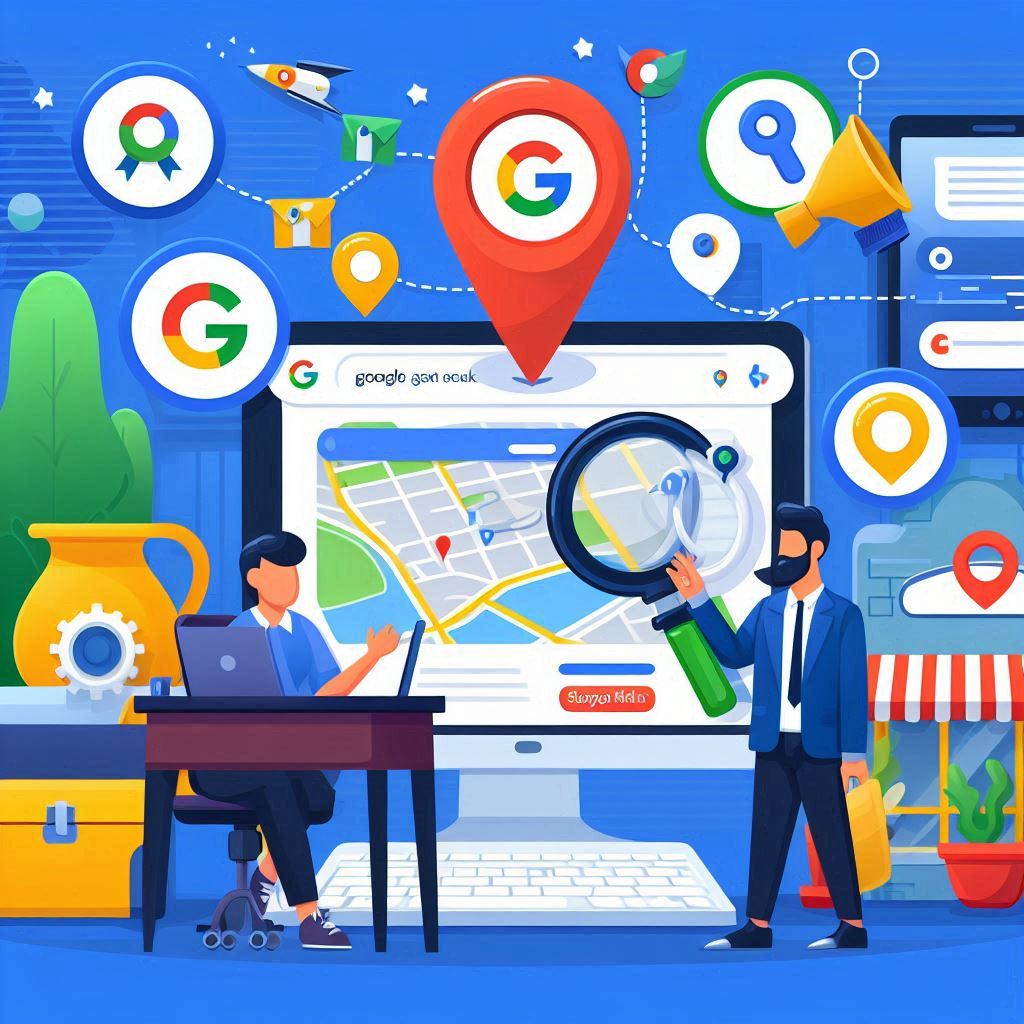
How to Leverage Google My Business for Local SEO
How to Leverage Google My Business for Local SEO In the digital age, local SEO has become an essential strategy for businesses that want to attract customers from their surrounding area. One of the most powerful tools for local SEO is Google My Business (GMB). This free platform allows businesses to create a detailed online profile that helps them appear in local searches, particularly on Google Search and Google Maps. Optimizing your Google My Business profile is key to improving your local search visibility and attracting nearby customers. In this blog, we’ll explore how to leverage GMB to boost your local SEO and drive more traffic to your business. 1. Why Google My Business is Important for Local SEO Google My Business is vital for local SEO because it gives your business a prominent position in local search results. When users search for businesses “near me” or in a specific location, Google pulls information from GMB listings to populate the Local Pack and Google Maps results. Benefits of Optimizing GMB for Local SEO: Increased Visibility: A well-optimized GMB listing helps you appear in local search results and Google Maps, making it easier for customers to find your business. Enhanced Credibility: GMB allows you to display essential business details like contact information, business hours, customer reviews, and photos, which help build trust with potential customers. Improved Engagement: Customers can directly interact with your business by calling, messaging, or asking questions through your GMB profile, which can lead to more conversions. 2. Setting Up and Claiming Your Google My Business Profile The first step in leveraging GMB for local SEO is to set up and claim your business profile. If your business already appears in Google search results, you’ll need to claim it and take control of the listing. Steps to Claim or Create Your GMB Profile: Visit Google My Business: Go to Google My Business and sign in with your Google account. Enter Your Business Information: Fill in your business name, address, phone number, and business category. Verify Your Business: Google will send a verification postcard to your business address. Once you receive the postcard, enter the verification code in your GMB account to confirm your listing. Complete Your Profile: Add all relevant information about your business, including hours of operation, a detailed business description, and your website link. 3. Optimizing Your GMB Profile for Local SEO To maximize your local SEO results, your GMB profile needs to be fully optimized with accurate, consistent, and engaging information. Here’s how you can optimize your GMB listing: a. Accurate and Consistent Information Ensure that your Name, Address, and Phone Number (NAP) are consistent across your GMB profile and all other online listings. Inaccurate or inconsistent information can confuse potential customers and hurt your local SEO rankings. Business Name: Use your official business name, as it appears on your website and other platforms. Address: Provide your complete address, making sure it matches what’s on your website and other listings. Phone Number: Use a local phone number to enhance your local relevance. b. Business Categories and Attributes Choose the most relevant primary and secondary categories for your business. Categories help Google understand what your business offers and improve your chances of appearing in relevant local searches. Attributes: Google My Business also allows you to add specific attributes such as “wheelchair accessible,” “family-friendly,” or “outdoor seating,” which can further attract potential customers. c. Write a Compelling Business Description Your GMB business description should clearly describe what your business does, the products or services you offer, and why customers should choose you. Use relevant keywords naturally in your description to improve your chances of ranking higher for specific search queries. Example: “ABC Café offers fresh, organic coffee, pastries, and sandwiches in the heart of downtown. Our cozy café provides free Wi-Fi and is perfect for studying, meetings, or relaxing with friends. Visit us today to enjoy a locally sourced menu.” d. Add Photos and Videos Adding high-quality photos and videos to your GMB profile is a great way to attract potential customers. Visual content allows users to get a better sense of your business, increasing their likelihood of visiting you in person. Include images of your storefront, interior, products, services, and team members. Regularly update your photos and videos to keep your profile fresh and engaging. e. Business Hours and Special Hours Make sure your business hours are accurate and updated regularly. If you’re closed for holidays or special events, use the “Special Hours” feature to update your profile so customers know when you’re open. 4. Encouraging and Managing Customer Reviews Customer reviews are a critical factor for local SEO and your GMB profile. Reviews not only improve your credibility but also impact your local search rankings. Businesses with higher ratings and more positive reviews are more likely to rank higher in local search results. Tips for Managing Reviews: Encourage Reviews: Politely ask satisfied customers to leave reviews on your GMB profile. You can include a link to your GMB profile in emails or on receipts. Respond to Reviews: Always respond to customer reviews—both positive and negative. Engaging with your reviewers shows that you value their feedback and are committed to excellent customer service. Avoid Fake Reviews: Never pay for fake reviews or write your own. Google penalizes businesses that engage in review manipulation, which can hurt your local SEO. 5. Utilize GMB Posts to Share Updates Google My Business allows you to create Posts, which are short updates that appear directly on your business profile in search results. GMB posts are a great way to share promotions, events, news, or new products with your audience. How GMB Posts Benefit SEO: Increase Engagement: GMB posts allow you to engage directly with potential customers searching for your business, giving you a chance to share timely information or promotions. Enhance Local Visibility: Regularly updating your profile with GMB posts shows Google that your business is active, which can improve your local search rankings. Best Practices for GMB Posts:

The Benefits of Using Content Management Systems for SEO
The Benefits of Using Content Management Systems for SEO In today’s competitive digital landscape, having a website that performs well in search engine rankings is essential for any business or content creator. However, managing a website’s content and optimizing it for search engines can be overwhelming without the right tools. This is where a Content Management System (CMS) comes into play. A CMS allows users to create, manage, and modify website content without needing extensive technical expertise. What’s even more important is that many CMS platforms offer built-in features and tools that can significantly enhance your SEO efforts. In this blog, we’ll explore the benefits of using a CMS for SEO and how it can help boost your website’s rankings and visibility. 1. User-Friendly Content Creation and Management One of the primary benefits of using a CMS is its ease of use. A CMS provides a user-friendly interface that allows you to create, edit, and publish content without requiring knowledge of coding languages like HTML or CSS. Why This Matters for SEO: Regular content updates are a crucial part of SEO. Search engines like Google favor websites that consistently provide fresh, relevant content. With a CMS, updating and adding new content becomes much easier, enabling you to keep your site current. A CMS allows you to structure your content with headings, bullet points, and multimedia elements (images, videos, infographics) to make it more engaging. Well-structured content enhances the user experience, which can indirectly improve your search rankings. 2. Built-in SEO Tools and Plugins Many CMS platforms come equipped with built-in SEO features or offer plugins that can simplify the process of optimizing your website. Popular CMS platforms like WordPress, Joomla, and Drupal have dedicated SEO plugins that allow you to handle various aspects of on-page SEO. Benefits for SEO: Meta Titles and Descriptions: CMS platforms allow you to easily set custom meta titles and descriptions for every page, helping you improve click-through rates (CTR) in search engine results. URL Structure: A CMS helps you create clean, search-friendly URLs. Instead of having long, complicated URLs full of symbols, you can create URLs that are easy to read and include relevant keywords. Alt Text for Images: Image optimization is an important SEO practice, and CMS platforms make it simple to add alt text to images, improving accessibility and helping search engines understand your content. For example, the Yoast SEO plugin for WordPress provides real-time feedback on how well your pages are optimized, offering suggestions on improving readability, keyword placement, and internal linking. 3. Mobile Optimization Mobile-friendliness is a crucial factor for SEO, especially since Google switched to mobile-first indexing, meaning the mobile version of your site is now used primarily for ranking and indexing. If your site doesn’t perform well on mobile devices, it could negatively impact your search rankings. CMS Benefits: Responsive Design: Most modern CMS platforms come with responsive themes or templates, which automatically adjust to different screen sizes. This ensures that your website looks great and functions well on desktops, tablets, and mobile phones. Mobile-Friendly Plugins: Some CMS platforms also offer plugins that further enhance mobile optimization, such as tools that compress images or create accelerated mobile pages (AMP), which load faster on mobile devices. SEO Impact: Mobile optimization improves user experience and is essential for maintaining high rankings in mobile search results. A CMS makes it easy to ensure your website is mobile-friendly without requiring advanced technical knowledge. 4. Content Structuring with SEO in Mind A well-structured website helps both users and search engines navigate your content more easily. CMS platforms often come with features that help you organize your content in a logical, SEO-friendly way. How It Helps SEO: Categories and Tags: CMS platforms allow you to group your content into categories and add tags, making it easier for both users and search engines to find relevant content. Proper categorization can help prevent duplicate content issues and improve site navigation. Internal Linking: Internal links are an essential part of SEO, as they help search engines understand the relationship between different pages on your site. A CMS simplifies the process of adding internal links, ensuring that your content is well-connected. Breadcrumbs: Breadcrumb navigation is a feature offered by many CMS platforms that enhances user experience by showing users their location on your site. Breadcrumbs also help search engines understand your site structure, improving crawlability. 5. Faster Load Times with Caching and Optimization Features Page speed is an important ranking factor in SEO. Slow-loading websites can lead to higher bounce rates, lower dwell times, and ultimately a drop in search rankings. Many CMS platforms provide tools and plugins that can optimize your site’s performance, improving load times and user experience. CMS Features for Speed Optimization: Caching Plugins: Caching reduces the time it takes for pages to load by storing a static version of your website’s content. Popular CMS platforms like WordPress offer caching plugins like W3 Total Cache that can significantly improve page load speeds. Image Compression: Large image files can slow down your website. CMS plugins such as Smush or TinyPNG automatically compress images without sacrificing quality, helping you maintain fast load times. SEO Impact: Faster page load times lead to better user experience and lower bounce rates, both of which are crucial for maintaining strong search rankings. A CMS’s ability to streamline these optimizations makes it easier to improve your site’s performance. 6. Security Enhancements for SEO Website security plays a vital role in SEO. Google prioritizes secure websites (those with SSL certificates) in its rankings, and insecure websites can suffer penalties. Most CMS platforms offer built-in security features and plugins to help protect your site from cyber threats. CMS Security Features: SSL Support: Many CMS platforms make it easy to install an SSL certificate, ensuring that your site is secure and that it displays the “HTTPS” protocol. Security Plugins: Platforms like WordPress offer security plugins such as Wordfence and Sucuri that help protect your website from hacking attempts, malware, and other threats. Regular Updates: CMS

How to Use Analytics to Track Your SEO ROI
How to Use Analytics to Track Your SEO ROI SEO (Search Engine Optimization) is a long-term investment that can bring significant benefits in terms of traffic, visibility, and conversions. However, to determine whether your efforts are truly paying off, you need to measure your SEO ROI (Return on Investment). With the right tools and analytics, you can gain insights into which strategies are working and which need improvement. In this blog, we’ll explore how to use analytics to effectively track your SEO ROI and make data-driven decisions that enhance your marketing efforts. 1. Understanding SEO ROI Before diving into the analytics tools and tracking methods, it’s important to understand what SEO ROI is. SEO ROI measures the value or return generated from your SEO efforts relative to the costs involved in implementing them. The formula for calculating SEO ROI is simple: SEO ROI=(Revenue from SEO – Cost of SEO)Cost of SEO×100\text{SEO ROI} = \frac{\text{(Revenue from SEO – Cost of SEO)}}{\text{Cost of SEO}} \times 100SEO ROI=Cost of SEO(Revenue from SEO – Cost of SEO)×100 This calculation provides a percentage that shows how much return you’re generating for every dollar spent on SEO. A positive ROI indicates your SEO strategies are delivering more value than they cost, while a negative ROI signals the need for adjustments. 2. Tracking SEO Metrics that Impact ROI To effectively measure SEO ROI, you need to track specific SEO metrics that impact revenue and conversions. Here are some key metrics to focus on: a. Organic Traffic Organic traffic refers to visitors who come to your website from search engine results. Increasing organic traffic is often a primary goal of SEO, as it directly reflects the visibility of your website in search results. How to Track: Use Google Analytics to monitor organic traffic. Go to Acquisition > All Traffic > Channels and filter by “Organic Search.” This will show the number of users who reached your site through organic search results. b. Keyword Rankings Keyword rankings measure how well your website ranks for specific search queries. Higher rankings typically lead to more organic traffic, which can translate into more conversions and revenue. How to Track: Tools like Google Search Console, Ahrefs, and SEMrush allow you to track keyword performance. Focus on keywords that drive traffic to your high-converting pages. c. Conversion Rate Conversion rate is the percentage of website visitors who complete a desired action, such as making a purchase, signing up for a newsletter, or filling out a contact form. How to Track: In Google Analytics, navigate to Conversions > Goals > Overview to track your site’s conversion rates. You’ll need to set up goal tracking to measure actions like purchases or lead form submissions. d. Bounce Rate Bounce rate refers to the percentage of visitors who leave your website after viewing only one page. A high bounce rate can signal that your website isn’t providing a good user experience or that your content isn’t meeting users’ expectations. How to Track: In Google Analytics, check your bounce rate by going to Behavior > Site Content > All Pages. A low bounce rate often correlates with higher engagement and improved SEO performance. e. Time on Page and Dwell Time The amount of time users spend on your site, known as time on page or dwell time, can indicate how engaging and valuable your content is. The longer users stay on your site, the more likely they are to convert or take action. How to Track: In Google Analytics, go to Behavior > Site Content > All Pages to see the average time users spend on each page. 3. Calculating the Cost of SEO To measure SEO ROI accurately, you need to account for the costs involved in your SEO strategy. These costs typically fall into two categories: Direct Costs: This includes expenses related to hiring SEO experts, content creators, or SEO tools (e.g., Ahrefs, SEMrush). Indirect Costs: These can include time spent by your internal team on SEO efforts, such as content creation, keyword research, and technical optimization. Make sure to calculate both direct and indirect costs when determining the total investment in SEO. These costs will help you gauge whether the revenue you’re generating from SEO justifies the resources you’re spending. 4. Using Google Analytics to Measure SEO ROI Google Analytics is one of the most powerful tools for tracking SEO performance and ROI. Here’s how you can use it to measure the effectiveness of your SEO efforts. a. Set Up Goals Setting up Goals in Google Analytics allows you to track conversions—actions that contribute to your business objectives, such as form submissions, purchases, or account sign-ups. How to Set Up Goals: Go to Admin > View > Goals and select “New Goal.” Choose the type of conversion you want to track (e.g., destination, duration, pages/screens per session). Assign a monetary value to each goal based on its contribution to your revenue. b. Track eCommerce Revenue If you run an eCommerce site, you can use Google Analytics’ Enhanced eCommerce tracking to measure SEO ROI directly from your online sales. This feature provides detailed insights into product performance, revenue, and shopping behavior. How to Set Up eCommerce Tracking: Go to Admin > eCommerce Settings and enable eCommerce tracking. You’ll need to add some additional code to your website to track transactions and revenue. c. Use the Multi-Channel Funnels Report SEO often plays a role in the broader conversion funnel, contributing to sales indirectly. Google Analytics’ Multi-Channel Funnels report shows how different channels, including SEO, contribute to conversions throughout the customer journey. How to Access Multi-Channel Funnels: Go to Conversions > Multi-Channel Funnels > Assisted Conversions. This report highlights how SEO assists in conversions even if it’s not the last-click channel. d. Compare Organic vs. Paid Traffic To assess the effectiveness of SEO compared to paid search (PPC), you can compare the ROI of both channels. Organic traffic usually has a lower cost compared to paid campaigns, making it important to track the relative value of each. How to Compare: In Google Analytics, navigate to Acquisition > All Traffic > Channels to see a breakdown of

Creating a Mobile-Friendly Website: SEO Best Practices
Creating a Mobile-Friendly Website: SEO Best Practices In today’s digital world, creating a mobile-friendly website is no longer an option—it’s a necessity. With over 60% of global web traffic coming from mobile devices, Google and other search engines have shifted towards mobile-first indexing. This means search engines primarily use the mobile version of your website for indexing and ranking. If your site isn’t optimized for mobile, you’re missing out on both traffic and rankings. In this blog, we’ll cover the best practices for creating a mobile-friendly website that not only provides a seamless experience for users but also boosts your SEO performance. 1. Why Mobile-Friendliness Matters for SEO Mobile-friendliness has become a critical ranking factor since Google adopted mobile-first indexing in 2019. This means that Google looks primarily at the mobile version of your website when determining its rank in search results. Here’s why mobile optimization is crucial for SEO: Better Rankings: Websites optimized for mobile rank higher on search engines, leading to increased visibility and organic traffic. Improved User Experience: Mobile-friendly websites provide a better experience for users, reducing bounce rates and increasing dwell time. Faster Load Times: Mobile-friendly sites are optimized for speed, which is another ranking factor that Google considers. By focusing on mobile optimization, you’ll not only improve your SEO performance but also create a more user-friendly website. 2. Use Responsive Web Design Responsive web design (RWD) is the foundation of a mobile-friendly website. A responsive site automatically adjusts its layout based on the screen size and device type, ensuring a seamless experience across desktops, tablets, and smartphones. Why It’s Important: Responsive design ensures that all users—regardless of the device they are using—have a consistent, optimal experience. It also simplifies SEO, as you only need to maintain one version of your website, rather than having separate mobile and desktop sites. Best Practices: Use flexible grids and layouts that can scale according to different screen sizes. Ensure that images and other media resize automatically without losing quality. Use CSS media queries to apply different styling based on the user’s device. SEO Benefits: With a responsive design, there’s no need for a separate mobile URL, reducing the risk of duplicate content, which could negatively affect SEO. Google recommends responsive web design because it makes crawling and indexing your content easier. 3. Optimize for Mobile Page Speed Speed is a key ranking factor, especially for mobile. Mobile users expect websites to load quickly, and if your site is slow, it will lead to higher bounce rates and lower rankings. Best Practices: Compress images: Large image files can slow down load times. Use image compression tools like TinyPNG to reduce file sizes without compromising quality. Minimize CSS, JavaScript, and HTML: Reduce the size of your code and eliminate unnecessary elements to improve speed. Enable browser caching: Caching allows browsers to store frequently accessed files, reducing load times for returning visitors. Use Accelerated Mobile Pages (AMP): AMP is a Google-backed framework designed to load content instantly on mobile devices. Implementing AMP can improve page speed and rankings on mobile search results. SEO Benefits: Faster page load times lead to improved user experience, reduced bounce rates, and better rankings in mobile search results. 4. Ensure Mobile-Friendly Navigation On mobile devices, navigation needs to be simple and intuitive. A cluttered or confusing navigation structure can frustrate users and increase bounce rates, which in turn negatively impacts your SEO. Best Practices: Use a hamburger menu for mobile devices to keep the navigation clean and accessible. Keep your menu concise, with only essential links visible to users. Include a search bar to make it easy for users to find content quickly. Ensure buttons and links are large enough to be tapped easily without zooming in. SEO Benefits: A well-structured and easy-to-navigate website enhances user experience, which can lead to lower bounce rates and improved rankings. 5. Optimize Content for Mobile Mobile users typically consume content differently from desktop users. They’re often looking for quick answers or concise information, and long blocks of text can be overwhelming on smaller screens. Optimizing your content for mobile is crucial for maintaining user engagement and improving SEO. Best Practices: Use short paragraphs and break up text with headings, bullet points, and numbered lists. Incorporate visual elements such as images, infographics, and videos to break up text and keep users engaged. Ensure font sizes are legible on small screens, and use responsive typography that adjusts to the device size. SEO Benefits: Mobile-friendly content improves readability and engagement, leading to lower bounce rates and higher rankings. 6. Implement Structured Data for Mobile Structured data, or schema markup, helps search engines better understand the content on your website. For mobile SEO, structured data can enhance your site’s appearance in search results by enabling rich snippets like product ratings, reviews, and event information. Best Practices: Use JSON-LD format for structured data, as it’s Google’s preferred format. Add schema markup to important pages such as product pages, blogs, and event listings. Ensure your structured data is mobile-friendly by testing it with Google’s Rich Results Test. SEO Benefits: Implementing structured data improves your chances of appearing in rich snippets, which can increase click-through rates (CTR) and traffic to your site. 7. Test Mobile Usability with Google Tools Regularly testing your site’s mobile performance is essential to ensure that it remains optimized for both users and search engines. Google offers several free tools that can help you assess and improve your site’s mobile usability. Best Tools: Google Mobile-Friendly Test: This tool provides insights into whether your site meets Google’s mobile-friendly criteria. It highlights any issues that could affect the mobile user experience. Google PageSpeed Insights: This tool analyzes your site’s speed on both mobile and desktop devices and offers suggestions for improvement. Google Search Console: The Mobile Usability report in Search Console identifies any issues that may affect your site’s performance on mobile devices, such as clickable elements that are too close together or text that’s too small to read. SEO Benefits: Regularly testing your
Understanding the Role of Visual Content in SEO
Understanding the Role of Visual Content in SEO In the fast-paced digital world, visual content has become an essential part of any marketing strategy. From images and infographics to videos and GIFs, visuals have a profound impact on how users engage with content online. More importantly, visual content plays a significant role in enhancing a website’s SEO performance. Search engines are increasingly prioritizing user experience, and well-optimized visual content can improve that experience while boosting your rankings. In this blog, we’ll explore the role of visual content in SEO and how you can use it to elevate your online presence. 1. Why Visual Content Matters for SEO Visual content goes beyond just making a website look attractive; it plays a critical role in engaging users and improving various SEO metrics. Here are some key reasons why visual content is important for SEO: Increased Engagement: Visuals like images, videos, and infographics grab attention and keep users on your page longer, which increases dwell time—a factor that can positively affect SEO. Improved User Experience: Visual content breaks up text and makes it easier for users to digest information, contributing to a better overall user experience, which is a key ranking factor. Social Media Shares: High-quality visual content is more likely to be shared on social media platforms, which can generate backlinks and drive traffic to your website. Key Statistics: Articles with relevant images get 94% more views than articles without images. Posts that include videos see 48% more traffic compared to those without visual content. 2. Optimizing Images for SEO Images are one of the most commonly used forms of visual content on websites. However, if not optimized correctly, they can slow down your website and hurt your SEO. Here’s how to ensure your images boost your SEO rather than hinder it. a. File Names and Alt Text Search engines can’t “see” images the way humans do. Instead, they rely on file names and alt text to understand what the image represents. File Names: Use descriptive file names with relevant keywords. Instead of “IMG1234.jpg,” use something like “organic-coffee-beans.jpg.” Alt Text: Alt text (alternative text) is an HTML attribute that provides a textual description of an image for search engines and screen readers. Use concise, keyword-rich descriptions that accurately depict the image. b. Image Compression Large images can slow down your website, leading to poor user experience and lower search rankings. Compress your images without sacrificing quality to ensure fast loading times. Use tools like TinyPNG or ImageOptim to reduce image sizes before uploading them to your website. c. Image Format and Responsiveness Use modern image formats like WebP, which offer better compression while maintaining high quality. Additionally, ensure your images are responsive, meaning they adjust automatically to fit different screen sizes. This is particularly important for mobile optimization, as Google now prioritizes mobile-first indexing. d. Captions and Context Images should be surrounded by relevant text, and adding captions can help provide context to both users and search engines. Captions have been shown to increase user engagement with content, leading to lower bounce rates and better SEO performance. 3. Using Videos to Boost SEO Videos are one of the most powerful forms of visual content and can significantly impact your SEO. Websites that include video are more likely to rank higher in search results, as videos lead to increased engagement and time spent on a page. a. Video Metadata Just like images, videos need to be optimized with descriptive file names, titles, and tags. Use relevant keywords in your video titles, descriptions, and tags to help search engines index your videos properly. b. Video Sitemaps A video sitemap is a specific type of sitemap that helps search engines understand the content of your videos. It includes details such as the video title, description, thumbnail URL, and video duration. Submitting a video sitemap to Google can improve the chances of your video appearing in search results or featured snippets. c. Embed Videos to Increase Time on Page Embedding videos on key pages can drastically increase dwell time, as users are more likely to stay on your site longer to watch a video. This signals to search engines that your content is engaging and relevant, which can lead to higher rankings. d. Leverage YouTube for SEO YouTube is the second largest search engine after Google, and videos posted on YouTube can rank in both YouTube and Google search results. Optimize your YouTube videos with relevant keywords, tags, and descriptions, and link back to your website in the video description to drive traffic. 4. Infographics: The Visual Content Powerhouse Infographics are a highly shareable form of visual content that combines data, information, and design to create a visually engaging and informative piece. When optimized correctly, infographics can improve your SEO by driving traffic, encouraging backlinks, and boosting engagement. a. Keyword Optimization Make sure the title of your infographic is optimized for relevant keywords. Use descriptive file names and alt text, just as you would for images, to ensure search engines can index the infographic. b. Promote for Backlinks Infographics are more likely to be shared across social media and referenced in blog posts, which can generate valuable backlinks to your site. Reach out to industry bloggers and websites that might find your infographic useful, encouraging them to share or link back to it. c. Embed Code Provide an embed code below your infographic, allowing users to easily share it on their own sites while linking back to your original content. This practice can increase the number of backlinks and help your SEO. 5. Enhancing Visual Search with Image SEO With the rise of visual search technologies like Google Lens and Pinterest Lens, optimizing your visual content for search has become even more crucial. Users can now search the web using images instead of text, and optimizing for visual search can give your website a competitive edge. Best Practices: Include structured data (schema markup) for your images to help search engines better understand the content of

How to Optimize Your Social Media Profiles for SEO
How to Optimize Your Social Media Profiles for SEO In today’s digital landscape, a strong social media presence is vital for businesses and individuals alike. While social media platforms are primarily used to engage with audiences, they also play a crucial role in improving your website’s SEO performance. Optimizing your social media profiles can help you appear in search engine results, drive traffic to your website, and increase brand visibility. In this blog, we’ll explore the steps to optimize your social media profiles for SEO to boost your online presence and rankings. 1. Choose the Right Platforms for Your Audience Not every social media platform is suitable for every business. The first step in optimizing your social media profiles is choosing the platforms where your target audience is most active. Popular platforms include: Facebook: Ideal for businesses targeting a broad, general audience. Instagram: Great for visually-oriented businesses like fashion, food, and lifestyle. LinkedIn: Perfect for B2B companies and professionals seeking to connect in a business setting. Twitter: Excellent for real-time updates and businesses in tech, media, and news. Pinterest: Suitable for businesses in fashion, design, home décor, and DIY. Why It’s Important: By focusing on the platforms that align with your audience’s preferences, you increase engagement and the likelihood of driving meaningful traffic back to your website. 2. Optimize Profile Names and Usernames Your profile name and username are critical for SEO. Search engines like Google index social media profiles, and having relevant keywords in your profile name or handle can increase your chances of appearing in search results. Best Practices: Ensure your profile name reflects your brand or business name. This makes it easy for users to find you and improves brand consistency across platforms. Use a consistent username across all platforms. This helps search engines and users easily associate your profiles with your brand. Include a primary keyword in your profile name if it fits naturally, e.g., “John Smith – SEO Expert.” Example: Instead of simply using “JS Consulting,” you might choose “JS Consulting | Digital Marketing Agency” to include a keyword related to your niche. 3. Craft an SEO-Friendly Bio Your bio is one of the first things users and search engines see. It’s a brief yet powerful opportunity to communicate what your brand or business does. Optimizing your bio with relevant keywords will improve your chances of appearing in search engine results. Why It’s Important: Visibility: A well-optimized bio helps search engines understand your brand’s identity and relevance to specific search queries. Brand Message: It communicates your core services, values, and expertise to users. Best Practices: Include your primary keywords naturally within the first sentence of your bio. Use a clear call to action (CTA), such as directing users to your website or encouraging them to follow you for updates. Mention your location if you’re targeting a local audience, as this helps with local SEO. Example: Instead of “We offer marketing services,” try: “Digital marketing agency helping small businesses grow through SEO, social media, and content strategies.” 4. Include Links to Your Website Most social media platforms allow you to include a link in your bio or profile. This is a valuable opportunity to drive traffic to your website and improve its domain authority through social signals. Why It’s Important: Traffic: A clickable link in your profile can drive traffic to your website. Backlinks: Although social media backlinks are usually nofollow, they still provide value in terms of generating traffic and increasing visibility. Best Practices: Use a trackable link (e.g., with UTM parameters) to monitor traffic from your social profiles in Google Analytics. If you have multiple important links (e.g., to your blog, portfolio, or contact page), use a tool like Linktree or Bitly to create a single clickable link with multiple destinations. 5. Use Relevant Keywords in Posts and Captions In addition to optimizing your profile name and bio, you should also use relevant keywords in your social media posts and captions. Social media platforms are increasingly being treated as search engines by users, and keywords play a key role in ensuring your content is discoverable. Why It’s Important: Searchable Content: Platforms like Instagram, Twitter, and even Facebook index posts, and users search for content using keywords. Engagement: Using relevant keywords and hashtags increases the chances of your content being found and engaged with. Best Practices: Incorporate keywords naturally in your posts. Avoid keyword stuffing, as it can make your content appear spammy. Use popular and niche hashtags related to your industry to increase visibility. Research what terms your audience is using to search for content in your industry. Example: Instead of “Check out our latest blog post!” you might write, “Discover how SEO can boost your website traffic in our latest blog post. #SEO #WebsiteTraffic.” 6. Optimize Your Profile Image and Cover Photo Your profile image and cover photo are essential for brand recognition and SEO. Optimizing these images ensures that they look professional and represent your brand effectively across different platforms. Why It’s Important: Brand Consistency: A consistent profile image (usually your logo) across all platforms helps users recognize your brand easily. Search Engine Visibility: Search engines like Google may display your social profile’s image in search results, so having a recognizable and optimized image is key. Best Practices: Use a high-quality version of your logo or a professional photo for personal brands. Resize images appropriately for each platform to avoid pixelation or improper cropping. Name your images using descriptive filenames, like “brandname-profile-picture.jpg” instead of a generic filename like “IMG001.jpg.” 7. Share Consistent, High-Quality Content Regularly sharing high-quality content that resonates with your audience not only boosts engagement on social media but also sends positive signals to search engines. Consistency in posting helps keep your profiles active and relevant. Why It’s Important: Engagement: Consistently sharing valuable content encourages interactions like comments, shares, and likes, all of which can improve your visibility on social media and, indirectly, in search results. SEO Signals: Active profiles tend to rank higher in search engine results as
The Importance of User Behavior Signals in SEO
The Importance of User Behavior Signals in SEO Search Engine Optimization (SEO) has long been about optimizing keywords, content, and backlinks. But as search engines become more sophisticated, the focus has shifted towards understanding user intent and behavior. User behavior signals, such as click-through rates, bounce rates, dwell time, and page interaction, are becoming increasingly important in how search engines rank websites. In this blog, we’ll explore the role of user behavior signals in SEO, why they matter, and how to optimize your site for better user engagement and higher rankings. 1. What Are User Behavior Signals? User behavior signals refer to how visitors interact with a website after they land on a page. These signals provide search engines with insights into the quality and relevance of the content on a website. The main user behavior signals that impact SEO rankings include: Click-Through Rate (CTR) Bounce Rate Dwell Time Pages per Session Conversions By analyzing these metrics, search engines, especially Google, can determine how well a website meets the needs of its visitors and use this information to influence ranking positions. 2. Click-Through Rate (CTR) Click-Through Rate (CTR) refers to the percentage of people who click on your website link after seeing it in the search engine results page (SERP). A high CTR indicates that users find your title and meta description compelling and relevant to their search query. Why It’s Important: Relevance Signal: A higher CTR tells search engines that your content is relevant to the users’ search query, which can result in better rankings. Influencing Rankings: If your page consistently receives more clicks compared to competing pages, search engines might rank your site higher to satisfy users. How to Improve CTR: Craft compelling meta titles and descriptions that incorporate relevant keywords. Use numbers, symbols, or questions in your titles to catch attention. Leverage structured data to generate rich snippets, enhancing your listing with additional information like reviews or star ratings. 3. Bounce Rate Bounce rate measures the percentage of visitors who leave your website after viewing only one page, without interacting further. A high bounce rate can signal to search engines that users aren’t finding what they are looking for, which may negatively impact your rankings. Why It’s Important: User Dissatisfaction: A high bounce rate often indicates that users are leaving because they aren’t satisfied with the content or user experience. Content Relevance: It suggests that the page doesn’t match user intent or isn’t engaging enough to encourage further exploration, which can result in a lower ranking. How to Reduce Bounce Rate: Ensure your content aligns with user intent and fulfills what they’re searching for. Improve page loading speed, as slow pages can frustrate users and lead to high bounce rates. Implement a clear and intuitive navigation structure, helping users find what they need quickly. 4. Dwell Time Dwell time refers to the length of time a user spends on your webpage before returning to the search results. It is a strong indicator of how engaging and useful your content is to visitors. Why It’s Important: User Engagement: A longer dwell time suggests that users are deeply engaged with your content, which search engines view as a positive signal. Relevance and Quality: If users spend more time on your page, it indicates that your content is valuable and satisfies their search query, potentially improving your ranking. How to Increase Dwell Time: Create in-depth, high-quality content that answers user questions comprehensively. Use engaging formats such as videos, infographics, or interactive elements to keep users on your page longer. Break up content with subheadings, bullet points, and images to enhance readability and make information easier to digest. 5. Pages per Session Pages per session measures how many pages a user views during their visit to your site. A higher number of pages per session indicates that users are exploring your website more extensively, which suggests that your content is engaging and your site structure is easy to navigate. Why It’s Important: Increased Engagement: More page views signal that users are finding your content valuable enough to explore further. Lower Bounce Rate: When users visit multiple pages in a session, it reduces your bounce rate, which in turn sends a positive signal to search engines. How to Increase Pages per Session: Use internal linking to encourage users to explore related content on your site. Create a logical flow between pages, leading visitors to additional resources, blog posts, or product pages. Implement a “related articles” section at the end of each blog post to guide users to more content they may find useful. 6. Conversions and Micro-Conversions Conversions refer to the completion of desired actions on your website, such as making a purchase, signing up for a newsletter, or downloading a resource. Micro-conversions are smaller actions, like clicking a link or watching a video, that indicate engagement. Both types of conversions are crucial user behavior signals that reflect the effectiveness of your website. Why It’s Important: Positive Engagement: Conversions show that users are finding value in your website and are willing to take action, which signals to search engines that your site is effective and relevant. Direct Business Impact: Higher conversions not only improve SEO but also translate directly into achieving your business goals, such as leads or sales. How to Increase Conversions: Use clear calls-to-action (CTAs) to guide users toward the next steps. A/B test different page elements like buttons, forms, and CTAs to find what resonates best with your audience. Optimize landing pages by ensuring they are visually appealing, fast-loading, and aligned with user intent. 7. The Connection Between User Behavior Signals and RankBrain Google’s machine-learning algorithm, RankBrain, plays a significant role in interpreting user behavior signals to deliver more relevant search results. It considers factors like CTR, dwell time, and bounce rate to assess user satisfaction with search results. If RankBrain detects that users are frequently clicking on and staying on a particular website, it may push that page higher in the rankings. Why It’s Important: Personalized Results:

How to Use Podcasts to Enhance Your SEO Strategy
How to Use Podcasts to Enhance Your SEO Strategy Podcasts have surged in popularity over the past few years, becoming a powerful medium for sharing information, storytelling, and engaging with audiences. While many businesses recognize podcasts as a tool for brand awareness and audience engagement, they can also play a significant role in enhancing your SEO strategy. In this blog, we’ll explore how to effectively use podcasts to boost your SEO efforts and drive more organic traffic to your website. 1. Understanding the SEO Benefits of Podcasts Podcasts can enhance your SEO strategy in several ways, including: Increased Visibility: Publishing podcasts on platforms like Apple Podcasts, Spotify, and Google Podcasts can help your brand reach new audiences. Quality Backlinks: Sharing podcasts on your website and other platforms can generate valuable backlinks, improving your domain authority. Content Diversification: Incorporating audio content allows you to diversify your content strategy, catering to different audience preferences. 2. Keyword Research for Podcast Topics Just as you would for blog posts, conducting thorough keyword research for your podcast topics is essential. Identifying relevant keywords can help you create content that resonates with your target audience and improves your chances of ranking higher in search results. Why It’s Important: Relevance: Targeting the right keywords ensures that your content aligns with what potential listeners are searching for. Discoverability: By incorporating these keywords into your podcast titles and descriptions, you increase the likelihood of appearing in search results. Best Practices: Use tools like Google Keyword Planner, Ahrefs, or SEMrush to identify trending keywords and topics in your niche. Explore Podchaser or Listen Notes to see what topics are popular within your podcast genre. 3. Optimizing Podcast Titles and Descriptions The title and description of your podcast episodes are critical for both user engagement and SEO. Optimizing these elements can significantly impact your discoverability. Why It’s Important: First Impressions: Compelling titles encourage potential listeners to click and listen, while well-optimized descriptions help search engines understand your content. Keyword Usage: Including relevant keywords in your titles and descriptions improves your chances of ranking higher in search results. Best Practices: Keep your podcast titles concise yet descriptive, ideally between 50-60 characters. Write detailed episode descriptions that include relevant keywords, summarize the episode’s content, and incorporate calls to action. 4. Creating Show Notes and Transcripts Accompanying your podcast episodes with show notes and transcripts not only improves accessibility but also enhances your SEO efforts. Search engines can’t listen to audio, but they can crawl text. Why It’s Important: Indexability: Providing a text version of your podcast content allows search engines to index it, improving your chances of ranking for relevant keywords. User Engagement: Show notes can offer additional resources, links, and summaries that enhance user experience and keep listeners engaged. Best Practices: Create show notes that include key takeaways, guest bios, and links to resources mentioned in the episode. Transcribe your episodes using tools like Rev or Otter.ai, and publish the transcripts on your website to improve indexability. 5. Promoting Your Podcast on Multiple Platforms To maximize the reach of your podcast, promote it across various platforms. This increases visibility and can lead to valuable backlinks, which are essential for SEO. Why It’s Important: Diverse Audiences: Different platforms attract different audiences, so promoting on multiple channels helps you reach a wider audience. Increased Backlinks: Sharing your podcast on social media, guest blogging, and collaborating with other podcasters can generate backlinks that enhance your site’s authority. Best Practices: Share your podcast episodes on social media platforms like Instagram, Twitter, Facebook, and LinkedIn. Use relevant hashtags to increase visibility. Submit your podcast to multiple directories, including Apple Podcasts, Spotify, Google Podcasts, and Stitcher, to reach a broader audience. 6. Engaging with Your Audience Building a community around your podcast is crucial for sustained growth and engagement. Engaging with your audience can enhance your SEO indirectly by boosting brand loyalty and encouraging organic sharing. Why It’s Important: Feedback and Insights: Audience engagement can provide valuable feedback and insights, helping you refine your content and marketing strategy. Word-of-Mouth Marketing: An engaged audience is more likely to share your podcast, contributing to organic growth and traffic. Best Practices: Encourage listeners to leave reviews and ratings on platforms like Apple Podcasts, as positive feedback can enhance your visibility and credibility. Create social media groups or forums where listeners can discuss episodes, share ideas, and connect with each other. 7. Collaborating with Other Podcasters and Influencers Collaborating with other podcasters and influencers can significantly enhance your SEO strategy. Partnerships can expose your podcast to new audiences and enhance your credibility. Why It’s Important: Cross-Promotion: Guest appearances on other podcasts can introduce you to new listeners and drive traffic back to your website. Building Authority: Collaborating with established influencers or industry leaders can enhance your brand’s authority and reputation. Best Practices: Reach out to relevant podcasters in your niche for guest appearances or collaborative episodes. Consider hosting joint webinars or live podcasts with influencers to broaden your reach. 8. Monitoring and Analyzing Performance Regularly monitoring and analyzing your podcast’s performance can provide valuable insights into its impact on your SEO strategy. This data can help you refine your approach and optimize future episodes. Why It’s Important: Continuous Improvement: Understanding what works and what doesn’t allows you to adapt your content strategy for better results. Measuring SEO Impact: Tracking metrics can help you assess the direct impact of your podcast on website traffic, engagement, and SEO rankings. Best Practices: Use analytics tools such as Google Analytics, Podtrac, or Libsyn to track your podcast’s performance. Monitor key metrics like downloads, listener demographics, website traffic referrals, and engagement rates to gauge the effectiveness of your SEO efforts. 9. Repurposing Podcast Content for SEO Leveraging podcast content in multiple formats can enhance your SEO strategy. Repurposing content allows you to reach different audiences and improves your site’s authority. Why It’s Important: Content Variety: Different formats appeal to various audience preferences, broadening your reach. Increased Traffic: Repurposing content can lead to additional backlinks and traffic
