
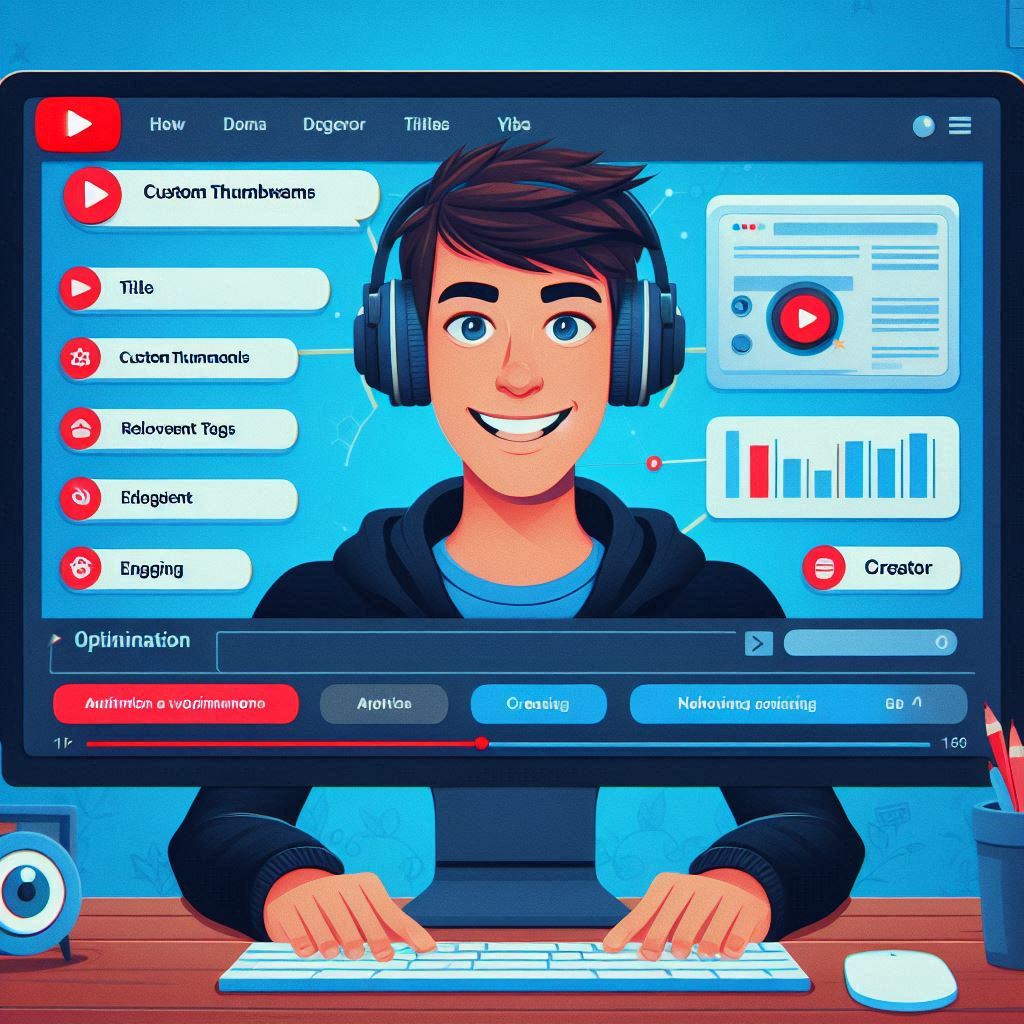
How to Optimize Your YouTube Channel for SEO YouTube is the second-largest search engine globally, making it an essential platform for content creators and businesses alike. Optimizing your YouTube channel for SEO can significantly enhance your visibility, attract more subscribers, and increase engagement with your content. In this blog, we’ll explore effective strategies to optimize your YouTube channel for SEO, ensuring that your videos reach a wider audience. 1. Understand YouTube SEO Basics YouTube SEO involves optimizing your channel and video content to rank higher in YouTube search results and suggested videos. Key components include: Keywords: The terms that viewers search for when looking for content. Metadata: Information about your video, including titles, descriptions, and tags. Engagement Metrics: Views, likes, comments, and shares, which influence video rankings. Understanding these fundamentals will help you implement effective optimization strategies. 2. Optimize Your Channel Name and Description a. Choose a Relevant Channel Name Your channel name should reflect your content and niche. This helps potential viewers understand what to expect and improves searchability. Consider using keywords relevant to your niche in your channel name if appropriate. b. Craft a Compelling Channel Description Your channel description is an opportunity to communicate who you are and what your content offers. Include: A brief introduction to your channel. Keywords related to your niche and content. A call to action (e.g., subscribe to your channel). Aim for around 1-2 paragraphs, incorporating relevant keywords naturally without overstuffing. 3. Create SEO-Friendly Video Titles Your video title is one of the most critical aspects of YouTube SEO. Here are some tips for crafting effective titles: Include Target Keywords: Research relevant keywords and include them in your title to improve discoverability. Be Descriptive: Clearly describe what viewers can expect from the video. Keep It Concise: Aim for 60 characters or less to ensure the full title displays in search results. For example, instead of “Baking Tips,” a more optimized title could be “10 Essential Baking Tips for Perfect Cakes.” 4. Write Detailed Video Descriptions A well-optimized video description provides context and encourages viewers to engage with your content. Follow these guidelines: First 1-2 Sentences Matter: The first couple of sentences should include primary keywords and summarize the video content, as this appears in search results. Expand with Relevant Information: Include details about the video, timestamps, links to resources, and social media handles. Call to Action: Encourage viewers to like, comment, and subscribe. Aim for 150-300 words while ensuring the description remains clear and engaging. 5. Utilize Tags Wisely Tags help YouTube understand the content of your videos and improve searchability. Here’s how to use them effectively: Use Relevant Tags: Include a mix of broad and specific tags related to your video content. Include Target Keywords: Ensure that your primary keywords are included in your tags to improve SEO. Avoid Overstuffing: Focus on quality rather than quantity; use about 5-10 relevant tags. 6. Create Eye-Catching Thumbnails Custom thumbnails are crucial for attracting clicks and improving engagement. Tips for creating effective thumbnails include: Use High-Quality Images: Ensure your thumbnail is clear and visually appealing. Incorporate Text: Add concise, bold text to convey the video’s subject matter. Maintain Brand Consistency: Use similar colors, fonts, and styles across your thumbnails for brand recognition. 7. Encourage Viewer Engagement Engagement signals, such as likes, comments, and shares, play a significant role in YouTube SEO. To encourage viewer interaction: Ask Questions: Prompt viewers to leave comments or share their thoughts. Incorporate Calls to Action: Remind viewers to like and subscribe at the beginning and end of your videos. Engage in Comments: Respond to comments to foster community and encourage further engagement. 8. Optimize Your Playlists Playlists can enhance watch time and improve SEO by keeping viewers on your channel. To optimize your playlists: Use Descriptive Titles: Include relevant keywords in your playlist titles. Craft Detailed Descriptions: Write a description for each playlist that includes keywords and summarizes the content. Organize Videos Logically: Group similar videos to provide a seamless viewing experience. 9. Leverage Closed Captions and Subtitles Adding closed captions and subtitles can improve accessibility and SEO. Here’s why they matter: Enhances User Experience: Captions make your content more accessible to a wider audience. Boosts SEO: YouTube can index the text in captions, improving discoverability. Encourages International Viewers: Subtitles in multiple languages can attract a global audience. 10. Promote Your Videos Outside of YouTube To further enhance your SEO efforts, promote your videos on other platforms. Here’s how: Share on Social Media: Use platforms like Facebook, Instagram, and Twitter to promote your videos and engage your audience. Embed Videos on Your Website: Incorporate videos into relevant blog posts or landing pages to drive traffic from your site to your YouTube channel. Collaborate with Other YouTubers: Partnering with other creators can expose your content to new audiences and improve engagement. 11. Analyze Your Performance Regularly monitor your channel’s performance to refine your SEO strategy. Utilize YouTube Analytics to track: Watch Time: Identify which videos keep viewers engaged the longest. Traffic Sources: Understand where your views are coming from to optimize promotional efforts. Audience Demographics: Tailor your content to your audience’s preferences based on demographic data. Conclusion Optimizing your YouTube channel for SEO is a multifaceted process that can significantly enhance your visibility and engagement. By implementing the strategies outlined above, you can improve your chances of ranking higher in search results, attracting more viewers, and growing your subscriber base. Remember that consistency is key; regularly update your channel, analyze your performance, and adapt your strategies to stay ahead in the competitive landscape of YouTube. Start optimizing today and watch your channel flourish!

The Benefits of Hosting a Virtual Event for SEO
The Benefits of Hosting a Virtual Event for SEO In today’s digital landscape, businesses are continually seeking innovative ways to enhance their online presence and improve their search engine optimization (SEO) efforts. One powerful strategy that is gaining traction is hosting virtual events. These events, ranging from webinars to online workshops, not only engage your audience but also offer significant SEO benefits. In this blog, we will explore how hosting a virtual event can enhance your SEO strategy and boost your online visibility. 1. What Are Virtual Events? Virtual events are online gatherings that allow participants to connect and engage in real time, regardless of their physical location. They can take many forms, including: Webinars: Educational sessions conducted online, often featuring expert speakers. Virtual Conferences: Larger-scale events that may include multiple sessions, networking opportunities, and keynote speakers. Online Workshops: Interactive sessions that provide hands-on learning experiences. Live Q&A Sessions: Opportunities for participants to ask questions and receive answers in real time. Virtual events have become increasingly popular due to their accessibility and flexibility, allowing businesses to reach a broader audience. 2. Benefits of Hosting Virtual Events for SEO a. Increased Website Traffic Hosting a virtual event can significantly drive traffic to your website. When promoting your event, you’ll likely create dedicated landing pages that provide event details, registration options, and related content. This additional content can improve your website’s overall visibility in search engines, attracting more visitors. Moreover, participants will often share event details on social media and other platforms, generating additional traffic and potential backlinks to your website. b. Enhanced Brand Awareness Virtual events provide a unique opportunity to showcase your brand and expertise. By offering valuable content and insights during your event, you can position your business as a thought leader in your industry. Increased brand awareness can lead to higher search volume for your brand name and associated keywords, ultimately improving your SEO performance. c. Opportunities for Content Creation Virtual events generate a wealth of content that can be repurposed for various marketing channels. Consider the following content opportunities: Event Recaps: Write blog posts summarizing key takeaways, insights, and participant experiences. Video Recordings: Share recordings of the event on your website and social media channels, optimizing them with relevant keywords and descriptions. Podcasts: Convert audio from your event into a podcast episode, reaching a different audience and boosting your content library. Creating this content not only provides value to your audience but also enhances your website’s SEO by increasing content diversity and relevance. d. Increased Engagement and Interaction Virtual events offer various interactive elements, such as live polls, Q&A sessions, and chat features. Engaging your audience through these activities can lead to longer time spent on your site, lower bounce rates, and improved user experience—all of which are factors that contribute positively to SEO. Engaged attendees are also more likely to share your content and spread the word about your event, further increasing your online visibility. e. Building Backlinks One of the cornerstones of SEO is acquiring high-quality backlinks. When you host a virtual event, you may attract industry influencers, partners, or speakers who will link back to your website or event landing page in their promotional efforts. These backlinks can significantly enhance your domain authority and search engine rankings. Additionally, post-event content, such as blogs or articles, can earn backlinks from other websites that reference your event. f. Collecting Valuable Data Hosting a virtual event provides an opportunity to gather valuable data about your audience. You can collect information such as email addresses, demographics, interests, and feedback through registration forms and post-event surveys. This data can help you refine your SEO strategy by allowing you to tailor your content to better meet the needs of your target audience. By understanding what resonates with your audience, you can create more relevant content, leading to higher engagement and improved SEO performance. 3. Best Practices for Hosting a Virtual Event for SEO To maximize the SEO benefits of your virtual event, consider the following best practices: a. Optimize Your Event Landing Page Create a dedicated landing page for your event that includes essential information such as: Event title and description Date and time Speaker bios and credentials Registration form Relevant keywords related to the event topic Ensure that your landing page is optimized for both search engines and user experience, including mobile responsiveness and fast loading times. b. Promote Your Event Across Channels Leverage various marketing channels to promote your virtual event, including: Email Marketing: Send targeted email invitations to your subscribers, encouraging them to register and attend. Social Media: Use social media platforms to share event details, teasers, and reminders. Consider using event-specific hashtags to increase visibility. Content Marketing: Write blog posts or articles related to your event topic, linking back to your event landing page. By promoting your event widely, you increase the likelihood of attracting attendees and generating backlinks. c. Engage Your Audience During the Event Make your virtual event interactive by encouraging participation through polls, Q&A sessions, and discussion forums. Engaged attendees are more likely to share their experiences on social media and recommend your brand to others, amplifying your reach and potential for backlinks. d. Follow Up with Attendees After the event, send follow-up emails to attendees, thanking them for their participation and providing additional resources, such as recordings or supplementary materials. Encourage them to share their thoughts or insights on social media, further increasing your event’s visibility. 4. Measuring the Impact of Your Virtual Event on SEO To evaluate the success of your virtual event in terms of SEO, consider tracking the following metrics: Website Traffic: Monitor the increase in traffic to your event landing page and related content before, during, and after the event. Engagement Metrics: Analyze time spent on your website, bounce rates, and the number of interactions (comments, shares) during the event. Backlink Profile: Use tools like Ahrefs or Moz to track any new backlinks gained as a result of your event. Search Rankings: Monitor keyword rankings for terms

How to Use Google Alerts for SEO Insights
How to Use Google Alerts for SEO Insights In the competitive landscape of digital marketing, staying updated with the latest trends, industry news, and competitor activities is crucial for maintaining an effective SEO strategy. Google Alerts is a free tool that allows you to monitor the web for specific keywords and phrases, providing valuable insights that can help enhance your SEO efforts. In this blog, we will explore how to use Google Alerts effectively to gain SEO insights that can benefit your business. 1. What Are Google Alerts? Google Alerts is a notification service that sends you emails when new content matching your specified keywords or phrases is published online. This content can include news articles, blog posts, forum discussions, and more. By setting up alerts, you can keep track of topics that matter to your business or industry, ensuring you stay informed and proactive. 2. Benefits of Using Google Alerts for SEO Using Google Alerts for SEO offers several advantages: a. Stay Updated on Industry Trends Google Alerts allows you to receive timely updates on relevant industry news, trends, and changes. This information can help you adapt your content strategy and SEO approach to align with current topics of interest. b. Monitor Competitor Activity By setting alerts for your competitors’ names or products, you can track their activities, marketing campaigns, and content strategies. Understanding your competitors’ strengths and weaknesses can inform your own SEO tactics. c. Identify Content Opportunities Google Alerts can help you discover gaps in the content being published in your niche. By analyzing what topics are gaining traction, you can identify opportunities to create valuable content that resonates with your audience. d. Enhance Your Link Building Strategy Monitoring mentions of your brand, products, or services can help you identify opportunities for acquiring backlinks. By reaching out to websites that mention your brand without linking, you can request a link, improving your domain authority. 3. Setting Up Google Alerts for SEO Insights Follow these steps to set up Google Alerts and maximize your SEO insights: a. Access Google Alerts Visit the Google Alerts website: Google Alerts. Ensure you are logged into your Google account. b. Choose Relevant Keywords and Phrases Think about the specific keywords that are most relevant to your business and industry. Here are some ideas to consider: Your brand name or variations Competitor names Industry keywords (e.g., “digital marketing,” “local SEO”) Product or service names Relevant trends or topics c. Create Alerts In the “Create an alert about…” box, enter your chosen keyword or phrase. Click on “Show options” to customize your alert settings: Frequency: Choose how often you want to receive alerts (as-it-happens, once a day, once a week). Sources: Select the type of content you want to monitor (news, blogs, web, video, etc.). Language: Specify the language of the content you want to receive. Region: Set a specific region if you want to focus on local content. How many: Choose between “All results” or “Only the best results.” Click the “Create Alert” button. d. Refine and Update Your Alerts As you start receiving alerts, pay attention to the relevance and quality of the results. You may need to adjust your keywords or alert settings to ensure you get the most valuable insights. For instance, if you find that certain keywords yield too many irrelevant results, try using quotation marks for exact phrases or adding negative keywords to filter out unwanted content. 4. Analyzing the Insights from Google Alerts Once your alerts are set up, it’s time to analyze the insights you receive. Here are some ways to leverage the information: a. Content Strategy Development Use the trends and topics you discover to inform your content calendar. Create blog posts, articles, or videos around popular or emerging topics to attract traffic. Analyze the type of content that is gaining engagement in your industry and consider how you can create similar content with your unique perspective. b. Competitor Analysis Monitor your competitors’ content strategies by reviewing the alerts about their activities. Analyze their messaging, target audience, and engagement to identify strengths and weaknesses. Assess any SEO tactics they might be employing, such as guest blogging or partnerships that you can adopt or improve upon. c. Reputation Management Set alerts for your brand name to keep tabs on how and where your brand is mentioned online. This allows you to respond promptly to any negative feedback, ensuring that you maintain a positive online reputation. Use positive mentions to showcase customer satisfaction and as testimonials in your marketing materials. d. Link Building Opportunities When you receive alerts about mentions of your brand or related topics, reach out to those sites and ask for a backlink. This can help improve your site’s authority and ranking. Explore sites that publish content relevant to your industry, and consider guest blogging or collaborating with them to increase your reach. 5. Tips for Maximizing Google Alerts for SEO Insights To get the most out of Google Alerts for your SEO strategy, consider these additional tips: a. Set Alerts for Related Terms In addition to your primary keywords, set alerts for related terms or variations. This helps you gather broader insights about your industry and discover new trends. b. Combine with Other SEO Tools Use Google Alerts in conjunction with other SEO tools like Google Analytics, SEMrush, or Ahrefs. These tools can provide deeper insights and metrics, allowing you to refine your strategy based on comprehensive data. c. Stay Consistent Regularly check and review your alerts. Staying proactive ensures you’re aware of changes and can adapt your SEO strategy as necessary. d. Experiment with Different Formats Try different types of alerts, such as questions or specific phrases, to see which yield the best insights. Experimentation can lead to discovering valuable content opportunities. Conclusion Google Alerts is a powerful yet often underutilized tool for gathering SEO insights. By setting up alerts for relevant keywords and phrases, you can stay informed about industry trends, monitor competitor activities, and identify content opportunities that can

The Importance of Online Directories for Local SEO
The Importance of Online Directories for Local SEO In the ever-evolving landscape of digital marketing, local SEO has become a critical component for businesses seeking to attract customers in their geographical area. One of the most effective strategies for enhancing local SEO is leveraging online directories. These directories serve as a bridge between businesses and local customers, allowing potential clients to find your services with ease. In this blog, we will explore the significance of online directories for local SEO and how they can help your business grow. 1. Understanding Local SEO Before diving into online directories, it’s essential to grasp what local SEO entails. Local SEO refers to the optimization of your online presence to attract more business from relevant local searches. This involves improving your visibility on search engines for queries specific to a geographic area. For instance, a user searching for “best pizza in [city name]” expects to see local pizzerias in the search results. Key elements of local SEO include: Google My Business (GMB): A vital tool that helps businesses manage their online presence on Google, including Search and Maps. Local Keywords: Using geographic terms within your content to enhance search relevance. Citations: Mentions of your business name, address, and phone number (NAP) across various platforms. 2. What Are Online Directories? Online directories are websites that compile and categorize listings of businesses within specific industries or geographic locations. They provide essential information about businesses, including: Business name Address Phone number Website Reviews Photos Hours of operation Examples of popular online directories include: Google My Business Yelp Yellow Pages Bing Places for Business TripAdvisor Angie’s List 3. The Importance of Online Directories for Local SEO a. Improved Visibility in Search Results Listing your business in online directories increases your chances of appearing in local search results. Search engines prioritize results that feature well-established directories because they are often deemed credible sources. A strong presence in multiple directories helps search engines associate your business with your target location, improving your visibility in local searches. b. Enhanced Online Reputation Online directories often include customer reviews and ratings, which can significantly impact your business’s reputation. Positive reviews not only enhance credibility but also improve your local search rankings. A higher number of favorable reviews across directories signals to search engines that your business is trustworthy, leading to increased visibility and customer trust. c. Building Local Citations Citations are critical for local SEO. When your business is listed in online directories, you create citations that include your NAP (Name, Address, Phone Number). Consistency in these citations across various platforms is vital; discrepancies can confuse search engines and harm your local ranking. Regularly maintaining your listings ensures accurate and consistent information, improving your credibility in local searches. d. Targeted Traffic Online directories attract users actively seeking specific products or services in their locality. By listing your business, you can tap into this targeted traffic. Customers searching through directories are often ready to make purchasing decisions, making them valuable leads. Engaging with users on these platforms can lead to conversions, as they can view your offerings and read reviews before contacting you. e. Link Building Opportunities Many online directories allow businesses to include a link to their website in their listings. These links serve as backlinks, which are important for SEO. Backlinks from reputable sources signal to search engines that your website is authoritative and trustworthy, contributing to improved rankings. Additionally, directory listings can drive referral traffic to your site, further enhancing your online visibility. 4. Best Practices for Utilizing Online Directories To maximize the benefits of online directories for local SEO, consider the following best practices: a. Claim and Optimize Your Listings Start by claiming your business listings on major online directories like Google My Business and Yelp. Ensure all information is accurate, up-to-date, and complete, including: NAP consistency Business categories Business description with relevant keywords Photos of your products or services b. Encourage Customer Reviews Actively encourage satisfied customers to leave positive reviews on your directory listings. Responding to reviews, whether positive or negative, shows that you value customer feedback and are committed to providing excellent service. This engagement can help improve your reputation and search rankings. c. Monitor Your Listings Regularly check your online directory listings for accuracy and completeness. Update any changes to your business information, such as hours of operation or new services. Use tools like Moz Local or BrightLocal to manage and monitor your listings across multiple directories effectively. d. Use Local Keywords When writing your business description, include relevant local keywords that potential customers might use to find your services. This optimization helps improve your visibility in local search results and ensures that your listing is relevant to your target audience. e. Stay Active on Social Media Many online directories integrate with social media platforms. Engage with your audience on these platforms, share content, and promote your directory listings. Social signals can positively influence your local SEO efforts, improving your overall online presence. 5. Conclusion Online directories are a vital component of any local SEO strategy. They enhance your business’s visibility, improve your online reputation, and drive targeted traffic to your website. By claiming and optimizing your listings, encouraging customer reviews, and maintaining consistent citations, you can significantly boost your local search rankings and attract more customers. As you integrate online directories into your local SEO efforts, remember that consistency, engagement, and optimization are key to reaping the rewards of this valuable marketing strategy. Embrace the power of online directories to enhance your local SEO and watch your business thrive in your community!

How to Create a Compelling Brand Story for SEO
How to Create a Compelling Brand Story for SEO In the world of digital marketing, a compelling brand story not only engages your audience but also plays a crucial role in enhancing your SEO efforts. A well-crafted brand narrative can differentiate your business, build loyalty, and provide rich, keyword-relevant content that search engines love. When done correctly, your brand story can drive traffic, increase engagement, and improve your website’s visibility on search engine results pages (SERPs). This blog will walk you through the steps to create a brand story that aligns with SEO best practices while connecting deeply with your audience. 1. What is a Brand Story? A brand story is a narrative that communicates the history, mission, values, and personality of your company. It goes beyond simply listing your products or services; it illustrates why your business exists, who it serves, and how it adds value to customers’ lives. Your brand story can cover: How your company started The challenges you overcame The people behind the brand Your mission and values Your brand’s impact on customers and the community A strong brand story makes an emotional connection with your audience and establishes trust, which in turn enhances brand loyalty and customer retention. Why it matters for SEO: Crafting a compelling brand story provides opportunities to integrate target keywords naturally while engaging visitors, improving on-site engagement metrics like time on page and bounce rate—both important for SEO rankings. 2. Why a Brand Story Matters for SEO Incorporating a compelling brand story into your SEO strategy offers several benefits, such as: a. Content Richness Search engines favor websites with high-quality, informative content that resonates with users. By telling your brand story, you create rich content that can be easily optimized with relevant keywords, headings, and links. b. Increased User Engagement A good story captivates your audience, encouraging them to stay longer on your site, explore more pages, and share your content. Metrics like dwell time and low bounce rates can positively impact SEO rankings. c. Building Backlinks An authentic brand story often resonates with other sites, leading to organic backlinking opportunities. Industry bloggers, news outlets, or influencers might reference your story, further boosting your domain authority. d. Social Shares Compelling brand stories are highly shareable on social media, driving traffic back to your site. Increased social signals can indirectly improve your SEO as search engines take note of popular, frequently shared content. 3. Steps to Creating a Compelling Brand Story for SEO To craft an engaging brand story that supports your SEO efforts, follow these steps: a. Define Your Brand’s Purpose and Mission Every strong brand story begins with a clear purpose. Ask yourself: Why does your brand exist? What problem are you solving? How are you making an impact? Communicating your brand’s mission not only helps your audience understand the “why” behind your business but also offers valuable opportunities for including mission-related keywords into your content. For example, if your brand focuses on sustainable fashion, integrate related keywords like “eco-friendly clothing,” “sustainable materials,” and “ethical production” into your story. b. Know Your Audience Your brand story needs to resonate with your target audience. Understanding who they are, what they value, and what problems they face is essential to creating a connection. Create customer personas to clarify your audience’s demographics, interests, and pain points. Tailor your brand story to align with your audience’s needs and desires. For example, if you’re targeting millennials interested in eco-conscious living, make sure your story highlights your brand’s commitment to sustainability and environmental responsibility. c. Show Authenticity and Transparency People appreciate brands that are authentic and transparent. Be open about your journey, including the challenges you faced and how you overcame them. Sharing your brand’s struggles and growth can build trust and humanize your business. Consider these key elements: Origins: Tell the story of how and why your company was founded. Challenges: Share the obstacles you’ve encountered and how you tackled them. Values: Highlight your company’s core values and how they shape your business practices. Authentic storytelling often leads to deeper audience engagement, which translates into better SEO metrics like repeat visits and longer session durations. d. Incorporate SEO Keywords Naturally While your focus should be on storytelling, don’t forget to optimize your content for search engines. Use relevant keywords that reflect your brand’s purpose, values, and products, but avoid stuffing them unnaturally. Conduct keyword research to identify terms that align with your brand and audience. Place keywords in strategic locations, such as headings, subheadings, and the body of your text. Use long-tail keywords for a more conversational tone, which often aligns with how users search for brands with unique stories. For instance, if you run a business that sells handcrafted products, you might incorporate keywords like “artisanal craftsmanship” or “handmade home decor” throughout your brand narrative. e. Use Emotion and Personalization The best brand stories evoke emotion and connect with readers on a personal level. Emotionally driven content is more memorable and engaging, increasing the likelihood of readers sharing your story or exploring other pages on your site. Share personal anecdotes from the founders. Highlight customer stories or testimonials that showcase how your brand has made a difference in their lives. Emotional connections not only boost user engagement but also make your content more shareable on social media, increasing your chances of earning backlinks and improving social signals—both beneficial for SEO. f. Leverage Visuals and Multimedia Incorporating visuals and multimedia elements such as images, videos, and infographics into your brand story enhances the user experience and improves SEO metrics like time spent on page. Visual content is more likely to capture attention, keep visitors on your site, and boost engagement rates. Use high-quality images that align with your brand’s message. Consider adding video content, such as interviews with your founders or behind-the-scenes footage that tells your brand’s story. Why it matters: Multimedia elements can also appear in image or video search results, creating additional opportunities for SEO visibility. g. Tell a Continuous Story A

The Role of Visual Search in Modern SEO
The Role of Visual Search in Modern SEO With the rapid evolution of search engine technology, visual search has emerged as a powerful tool in modern SEO. It allows users to search for content using images rather than text, transforming the way we find information and interact with the internet. Platforms like Google Lens, Pinterest Lens, and Bing Visual Search are at the forefront of this revolution, enabling users to upload or capture images and discover relevant content instantly. As visual search gains traction, it’s becoming an essential component of a comprehensive SEO strategy. In this blog, we’ll explore the role of visual search in modern SEO, how it works, and actionable tips for optimizing your content for this growing trend. 1. What Is Visual Search? Visual search is a type of search technology that allows users to search for information using images rather than traditional text queries. Instead of typing a description of what they are looking for, users can upload an image or use their device’s camera to find visually similar products, objects, or information. For example: A user might take a picture of a product in a store and use visual search to find similar products online. A tourist could use a visual search tool to take a photo of a landmark and instantly get information about it. Popular visual search engines like Google Lens and Pinterest Lens analyze the content of an image to recognize objects, landmarks, or text within it. They then return search results that are relevant to what’s shown in the image, providing a seamless way to discover more information or make purchases. Why it matters: As more users adopt visual search, businesses and websites that aren’t optimized for this type of search risk missing out on valuable traffic and potential conversions. 2. How Visual Search Works Visual search operates by using artificial intelligence (AI) and machine learning to analyze the content of an image. It involves the following process: Image Upload: A user uploads or takes a photo using a visual search tool. Image Analysis: The visual search engine scans the image for recognizable elements such as objects, colors, shapes, or text. This step may include facial recognition, object detection, or text identification (optical character recognition or OCR). Comparison with Database: The search engine compares the image against a vast database of indexed images and information to find visually similar or relevant content. Search Results: The user receives search results that may include product listings, related images, website links, or articles connected to the visual content. Why it matters: The growth of AI-powered visual search offers users a more intuitive way to find products or information, especially when they don’t know how to describe what they’re looking for in words. 3. Why Visual Search Is Important for SEO Visual search is changing the way people search for information and make purchasing decisions. As this technology becomes more sophisticated and widespread, it’s becoming a critical factor in modern SEO strategies. Here are a few reasons why visual search is important for SEO: a. Enhances User Experience Visual search is all about improving the user experience. It offers users a faster, more intuitive way to find exactly what they’re looking for, especially when they cannot describe the object in words. By embracing visual search optimization, businesses can provide users with better search results, which can lead to higher engagement rates, click-through rates, and overall satisfaction. b. Increases Organic Traffic As more users turn to visual search, businesses that optimize their images for visual search engines will experience a boost in organic traffic. With tools like Google Lens and Pinterest Lens gaining popularity, optimized images can appear in search results, attracting visitors who may not have found the content through traditional text-based searches. c. Competitive Edge Early adoption of visual search optimization can give businesses a competitive advantage. Many websites are not yet fully optimized for visual search, meaning that those who implement best practices can stand out in an increasingly competitive digital landscape. d. Boosts E-commerce Sales Visual search plays a significant role in e-commerce, as users often look for products by uploading images. By optimizing product images, e-commerce stores can increase the likelihood of their products being found through visual search tools, leading to higher sales and conversions. Why it matters: Incorporating visual search into SEO strategies can open new avenues for traffic, conversions, and user engagement, providing a significant boost to overall digital marketing efforts. 4. Best Practices for Visual Search Optimization To capitalize on the growing trend of visual search, it’s essential to optimize your content for visual search engines. Here are some key strategies to consider: a. Optimize Image Quality and Format High-quality, clear images are crucial for visual search engines to understand and index your content properly. Blurry or low-resolution images are harder for AI algorithms to analyze and categorize, reducing your chances of appearing in visual search results. Use high-resolution images that accurately represent the subject. Choose the right file formats for images. JPEG is the most commonly supported format for visual search, but PNG and WebP can also be effective, especially for transparent backgrounds. b. Add Descriptive Alt Text Alt text (alternative text) is a key factor for both traditional and visual search engines. It provides a description of the image, allowing search engines to better understand its content. For visual search, alt text helps the algorithm match the image with relevant queries. Write concise, keyword-rich alt text that accurately describes what’s in the image. Avoid keyword stuffing or vague descriptions; be specific about the image content. c. Use Descriptive File Names Before uploading your images, ensure that the file names are descriptive and contain relevant keywords. This helps both traditional and visual search engines understand the content of the image. Use keywords in your file names (e.g., “red-leather-jacket.jpg” instead of “image123.jpg”). Use hyphens between words in the file name for better readability. d. Leverage Structured Data (Schema Markup) Structured data, or schema markup, helps search

How to Leverage Pinterest for SEO Traffic
How to Leverage Pinterest for SEO Traffic Pinterest, often viewed as a visual discovery platform, is also a powerful tool for driving SEO traffic to your website. With over 400 million active users, Pinterest allows businesses and creators to connect with their target audience through visually engaging content. Unlike other social platforms, Pinterest operates more like a search engine, making it a key player in boosting search engine optimization (SEO) efforts. In this blog, we’ll explore how to leverage Pinterest for SEO traffic by understanding its unique features and optimizing your content to generate organic search visibility and engagement. 1. Optimize Your Pinterest Profile for SEO The first step to leveraging Pinterest for SEO is to optimize your Pinterest profile so that it aligns with your brand and is easily discoverable in both Pinterest and Google search results. Key Steps to Optimize Your Profile: Username and Display Name: Include relevant keywords in your Pinterest username and display name. For example, if you run a travel blog, your username could include the word “travel” to improve searchability. Bio: Write a compelling and keyword-rich bio that describes what your business or content is about. Pinterest users and search engines will use this information to determine what your profile is associated with. Website Link: Add your website link to your Pinterest profile to direct traffic from your pins back to your site. Make sure your website is verified, as this lends credibility to your profile and content. Profile Picture: Use a recognizable brand logo or professional image that aligns with your business’s branding. Why it matters: A well-optimized profile helps search engines and users easily identify your niche, which increases your chances of being found in relevant searches. 2. Create Keyword-Rich Pin Descriptions Like Google, Pinterest uses keywords to help users find the most relevant content. By incorporating well-researched keywords into your pin descriptions, you increase the likelihood of your pins appearing in both Pinterest search results and Google image searches. How to Craft SEO-Optimized Pin Descriptions: Research Keywords: Use tools like Pinterest’s own search bar, Google Keyword Planner, or third-party SEO tools to find keywords that are trending in your niche. Natural Language: Use these keywords naturally in your pin descriptions. Avoid keyword stuffing, as this can be off-putting to users and hurt your SEO rankings. Hashtags: Include relevant hashtags in your pin descriptions. While Pinterest isn’t as hashtag-heavy as platforms like Instagram, relevant hashtags can help categorize your pins and make them more discoverable. Call-to-Action: Include a clear call-to-action (CTA) that encourages users to click on the pin and visit your website, such as “Read the full guide” or “Discover more tips.” Why it matters: SEO-optimized descriptions help your pins rank higher in Pinterest’s internal search results, increasing visibility and the chance of driving traffic to your site. 3. Use High-Quality, Vertical Images Pinterest is a visual platform, and the quality of your images can make or break your success. High-quality, vertical images (preferably with a 2:3 aspect ratio) not only stand out but are also favored by Pinterest’s algorithm. Additionally, images with text overlays and appealing design elements tend to attract more clicks and saves. Best Practices for Creating Pinterest Images: Vertical Images: Pinterest recommends an aspect ratio of 600 x 900 pixels for pins. Vertical images take up more space on the user’s feed, making them more likely to be noticed. Text Overlays: Add compelling text overlays on your images to give context. For instance, if you are promoting a blog post on “10 SEO Tips for Small Businesses,” use an engaging and clear text overlay to make users want to click through. Branding: Include subtle branding elements such as your logo or website URL on your images to reinforce brand recognition while avoiding an overly promotional feel. Quality and Design: Use high-resolution images, appealing color schemes, and cohesive designs that align with your brand. Poor-quality images may get overlooked or hurt your brand’s credibility. Why it matters: Visually compelling, keyword-optimized images are more likely to be saved and shared, increasing the chance of your content being discovered both on Pinterest and in Google’s image search results. 4. Build SEO-Friendly Boards Pinterest boards are collections of pins that revolve around a specific topic. By creating well-organized, keyword-optimized boards, you can improve your Pinterest visibility and SEO, making it easier for users to find and engage with your content. Tips for Optimizing Pinterest Boards for SEO: Board Titles: Use descriptive and keyword-rich board titles. Instead of generic names like “Recipes,” go for more specific titles such as “Healthy Vegan Dinner Recipes” to target long-tail keywords. Board Descriptions: Write keyword-optimized descriptions for each board, making it clear what the board is about. The description helps Pinterest’s algorithm understand the content and rank your board for relevant searches. Categorize: Assign each board to the most relevant Pinterest category. This further helps Pinterest classify your content and show it to the right audience. Curate with a Strategy: Add a mix of your own pins and high-quality third-party content to your boards. This creates a more valuable resource for users and increases the likelihood of your boards gaining more followers. Why it matters: SEO-friendly boards improve your overall Pinterest account’s visibility, making it easier for your pins to show up in search results both on Pinterest and Google. 5. Leverage Rich Pins for Increased Visibility Rich Pins are a type of Pinterest pin that automatically syncs information from your website to your pins, making them more informative and engaging. They come in different formats, including product, recipe, and article pins, each designed to display additional information that can be highly valuable to users. Benefits of Using Rich Pins: Up-to-Date Information: Rich Pins pull the latest information from your website. For example, product prices or blog titles will be updated automatically, ensuring your pins are always accurate. Improved Click-Through Rates: Because Rich Pins provide more context (such as article headlines or product descriptions), they tend to attract more clicks compared to regular pins. Enhanced

The Benefits of Creating a Mobile App for Your Website
The Benefits of Creating a Mobile App for Your Website As mobile device usage continues to grow exponentially, businesses are recognizing the need to provide their audience with more streamlined, user-friendly, and engaging experiences. One powerful way to do this is by creating a mobile app for your website. While having a mobile-responsive website is essential, a dedicated mobile app can offer additional advantages in terms of user engagement, customer retention, branding, and even SEO benefits. In this blog, we will explore the key benefits of creating a mobile app for your website and why it’s a crucial step for businesses looking to expand their digital presence. 1. Enhanced User Experience The primary benefit of a mobile app is the optimized user experience it provides. While mobile-responsive websites are designed to function on smaller screens, mobile apps are built specifically for mobile devices. This allows for a more seamless and intuitive interaction, ensuring that users have a smoother experience while navigating your app. Key Features That Improve User Experience: Faster load times: Mobile apps store data locally, which allows for quicker load times compared to a mobile website that requires data retrieval from servers. Better navigation: Mobile apps can offer easier and more intuitive navigation, with streamlined menus and buttons designed specifically for touch interaction. Offline access: Unlike websites that require an internet connection to function, many features of mobile apps can work offline, allowing users to access certain functionalities without being connected to the web. Customizable interface: Apps offer the opportunity for a more personalized experience with custom themes, layouts, and functionalities tailored to user preferences. Why it matters: A positive user experience encourages customers to engage more frequently with your content, improving customer satisfaction, retention, and loyalty. 2. Increased User Engagement Mobile apps tend to offer better engagement opportunities than mobile websites because they allow for direct, personalized communication. Through features like push notifications, businesses can send targeted updates and promotions directly to users, helping to increase interaction with the app and driving users back to your website for additional actions. How Mobile Apps Drive Engagement: Push notifications: Mobile apps allow you to send real-time updates, promotions, and personalized reminders to users’ phones, ensuring that your audience is consistently engaged. In-app messaging: Whether it’s customer support or product recommendations, mobile apps can facilitate more personalized conversations with users through direct messaging features. Interactive features: Apps can incorporate interactive elements like quizzes, games, or reward systems to keep users engaged and encourage repeat visits. Loyalty programs: Many businesses offer exclusive rewards, discounts, or points to users who frequently use their mobile app, encouraging greater customer loyalty. Why it matters: By increasing engagement, mobile apps help keep users involved with your brand for longer periods, boosting customer retention and lifetime value. 3. Improved Conversion Rates A mobile app can dramatically increase your business’s conversion rates compared to a mobile website. The enhanced usability, personalized experience, and faster load times provided by mobile apps reduce friction in the customer journey, making it easier for users to complete actions like making a purchase or filling out forms. Ways Mobile Apps Improve Conversions: One-click payments: Mobile apps often provide more streamlined payment options, like saving credit card information for one-click payments, which can reduce cart abandonment and improve conversion rates. Simplified checkout process: By offering auto-fill options for user information and faster load times, mobile apps make it more convenient for users to complete their transactions. Personalized offers: Mobile apps allow businesses to tailor offers and recommendations to each user based on their previous activity, increasing the likelihood of a sale. Why it matters: Increased conversions mean higher revenue, making mobile apps a valuable investment for businesses looking to improve sales or lead generation. 4. Boost Brand Visibility and Recognition Having a mobile app provides a constant reminder of your business as your app logo stays visible on users’ home screens. Every time a user unlocks their phone, they are reminded of your brand, which reinforces your business in their mind and increases the likelihood of engagement. Brand Recognition Through Mobile Apps: App icon visibility: The presence of your app’s logo on a user’s home screen serves as continuous exposure to your brand. Customization and branding: Mobile apps allow you to fully customize the interface, colors, and overall aesthetic to match your brand identity, offering a unique, consistent experience. Exclusive content: Apps can be a channel for sharing exclusive content, promotions, or experiences that aren’t available on your website, giving users an incentive to engage with your brand more frequently. Why it matters: Increased brand visibility and recognition build brand loyalty, as users are constantly reminded of your business, even when they are not actively using the app. 5. SEO and Mobile App Interactions While mobile apps themselves do not directly influence SEO rankings, they can still indirectly boost your website’s SEO performance in several ways. By improving user engagement and site traffic, mobile apps can contribute to better SEO metrics that search engines consider when ranking your website. How Mobile Apps Support SEO: Increased site traffic: Mobile apps can act as a gateway to your website by including links to relevant blog posts, product pages, or other sections of your site. Higher traffic from app users can help improve your SEO rankings. Lower bounce rates: App users are typically more engaged and spend more time on your website. Since bounce rate is a key metric in SEO, the longer a user stays on your site (even if they come from the app), the better it is for your search rankings. Positive user behavior signals: The app’s ability to drive engaged traffic to your website can lead to improved user behavior signals, such as higher session durations and more page views, which positively impact SEO. In-app content sharing: Mobile apps can include sharing buttons, allowing users to easily share blog posts, products, or services on social media or through messaging, generating more backlinks and traffic to your website. Why it matters: By

How to Use Email Marketing to Boost Your SEO
How to Use Email Marketing to Boost Your SEO Email marketing and SEO may seem like two distinct digital marketing strategies, but when used together effectively, they can create a powerful synergy that boosts both your search engine rankings and your audience engagement. While email marketing itself doesn’t directly impact search engine results, it can play a significant role in driving website traffic, improving user behavior metrics, and generating valuable backlinks—all of which contribute to SEO success. In this blog, we will explore how you can use email marketing to complement your SEO strategy, resulting in a more effective overall digital marketing approach. 1. Increase Website Traffic Through Email Campaigns Driving traffic to your website is one of the main goals of both SEO and email marketing. While SEO works to bring in organic visitors through search engines, email marketing provides an opportunity to direct traffic to your site by targeting your existing audience. How Email Marketing Boosts Traffic: Send links to new blog posts: When you publish new content, promote it to your email subscribers. This will generate immediate traffic and encourage subscribers to share the content, which could lead to additional backlinks. Use compelling CTAs: Include strong calls-to-action (CTAs) in your emails that encourage readers to visit your website, whether it’s to check out a new product, read an article, or explore a service page. Segment your audience: Tailor your emails to specific groups within your audience to ensure they are receiving relevant content. For instance, if one segment is interested in e-commerce tips and another in SEO tutorials, send them content tailored to their needs. This increases the chances they will click through to your site. Why it matters for SEO: The more visitors you drive to your website through email, the better your chances of improving key user engagement metrics like time on page, lower bounce rates, and higher page views—all factors that influence your search rankings. 2. Improve User Engagement and Behavior Metrics User behavior metrics such as bounce rate, session duration, and pages per session are critical factors that search engines, particularly Google, use to determine the relevance and quality of your website. By sending targeted, high-quality content via email marketing, you can significantly improve these metrics, which in turn positively affects your SEO performance. Tips for Enhancing User Engagement: Promote engaging content: Send your subscribers directly to valuable resources on your website such as blog posts, how-to guides, videos, or infographics. High-quality content encourages users to spend more time on your website and explore other pages. Use personalized email campaigns: Tailor emails to individual preferences based on past behavior or demographic information. Personalized content tends to be more engaging and drives higher interaction rates. Provide a seamless experience: Ensure your email landing pages are mobile-friendly and optimized for both desktop and mobile users. Poor landing page experience can lead to higher bounce rates, which may negatively impact SEO. Why it matters for SEO: Search engines interpret user behavior metrics as indicators of a website’s quality and relevance. A website with a high average session duration and low bounce rate is likely to rank higher in search results. 3. Encourage Social Sharing and Backlinks Another powerful benefit of email marketing is its ability to indirectly build backlinks and generate social shares—both of which have a significant impact on SEO. How Email Marketing Promotes Social Sharing and Backlinks: Include social sharing buttons: In your email campaigns, include easy-to-access social sharing buttons for platforms like Twitter, Facebook, and LinkedIn. If subscribers find your content useful, they may share it on their social media channels, increasing your content’s reach and generating organic backlinks from social shares. Ask for shares: Encourage your subscribers to share the content with their networks or on their own websites. A simple CTA asking readers to share the post if they find it valuable can go a long way. Use newsletters to feature shareable content: Highlight blog posts, case studies, or research reports in your email newsletters that are more likely to be shared by readers. Make it easy for subscribers to link to your site by providing direct URLs or embedding share buttons. Why it matters for SEO: Backlinks are one of the most important ranking factors in Google’s algorithm. The more high-quality backlinks you acquire, the higher your site is likely to rank. Social shares can indirectly affect SEO by increasing visibility, driving traffic, and potentially attracting links from other authoritative websites. 4. Leverage Email to Build a Loyal Audience Building a loyal audience through email marketing can significantly enhance your website’s authority and organic traffic over time. When people repeatedly engage with your emails and visit your website, they are more likely to turn into loyal followers or customers, increasing brand trust and authority. Ways to Build a Loyal Audience: Nurture your email list: Send consistent, high-quality content to keep your audience engaged with your brand. The more familiar they are with your site, the more likely they are to return, engage, and convert. Promote exclusive content: Offer email subscribers exclusive access to content such as eBooks, webinars, or limited-time offers. This gives them an incentive to frequently visit your site, which contributes to increased site traffic and better user metrics. Use email for customer retention: Create re-engagement campaigns to bring back past customers or inactive users to your website. For example, a “We miss you” campaign offering special discounts or new content can drive returning traffic. Why it matters for SEO: A loyal audience tends to visit your site frequently, engage with content, and refer others. This creates a cycle of consistent traffic and engagement that can boost your website’s domain authority and influence its SEO performance. 5. Repurpose Email Content for SEO One highly effective way to use email marketing to boost your SEO is to repurpose email content for use on your website. The valuable insights, data, or content you share in your emails can be transformed into blog posts, infographics, or case studies, all of

Understanding the Importance of Site Speed for User Experience
Understanding the Importance of Site Speed for User Experience In today’s fast-paced digital world, site speed is one of the most critical factors in determining the success of a website. Whether it’s an e-commerce store, a blog, or a corporate website, site speed directly impacts both user experience and business outcomes. Websites that load quickly not only enhance user satisfaction but also contribute to better search engine rankings, increased conversions, and overall website performance. This blog will dive deep into the importance of site speed and how it affects user experience. What is Site Speed? Site speed refers to how quickly a website loads its content and becomes usable to visitors. It is measured in several ways, including: Page Load Time: The time it takes for the entire webpage to fully display all content. Time to First Byte (TTFB): The time it takes for a browser to receive the first byte of data from the server. First Contentful Paint (FCP): The time it takes for the first visual elements (such as text or images) to appear on the screen. Faster site speed means that users can interact with the content more quickly, which directly impacts their overall experience on the site. Why is Site Speed Important for User Experience? 1. First Impressions Matter The first few seconds of a user’s visit are crucial. Studies show that users often decide whether they will stay on a website within the first few moments. A slow-loading website can create a poor first impression, leading to high bounce rates as visitors leave before the site fully loads. According to research by Google, if a site takes longer than 3 seconds to load, more than 53% of mobile users are likely to abandon it. A fast website creates a positive first impression, encouraging users to stay longer and engage with the content. 2. Improved User Engagement The faster a site loads, the quicker users can interact with its content. Websites with faster loading times provide a smoother experience, allowing users to navigate from page to page without delay. Whether users are watching a video, filling out a form, or browsing products, a responsive and fast website allows for seamless engagement. On the other hand, a slow-loading site can frustrate users, causing them to abandon the site and look for alternatives. Slow websites reduce session durations and page views, both of which are indicators of low user engagement. 3. Boosts Conversion Rates Site speed directly affects conversion rates, which is the percentage of users who complete a desired action (e.g., making a purchase, signing up for a newsletter, etc.). According to a study by Amazon, a 100-millisecond delay in load time can result in a 1% drop in sales. Similarly, research by Walmart showed that improving load times by even one second increased conversions by 2%. Users are more likely to complete actions on a fast, responsive website than one that frustrates them with slow loading times. Whether you’re running an e-commerce store or providing a service, optimizing site speed can lead to more sales, sign-ups, or leads. 4. Enhanced Mobile Experience With the rise of mobile traffic, site speed has become even more critical. Mobile users, in particular, expect fast loading times. However, mobile devices often have slower internet connections compared to desktops, which can magnify the impact of slow-loading sites. A site that takes too long to load on mobile can result in users bouncing off and turning to competitors. Google’s mobile-first indexing further emphasizes the need for mobile speed optimization. Websites that are fast and mobile-friendly are more likely to rank higher in mobile search results, improving both user experience and SEO performance. 5. Reduced Bounce Rate The bounce rate refers to the percentage of visitors who leave a website after viewing only one page. A slow website can dramatically increase bounce rates because users are unwilling to wait for pages to load. High bounce rates signal to search engines that the site is not providing a good user experience, which can negatively affect search rankings. By improving site speed, you reduce bounce rates and encourage users to explore multiple pages on your website, increasing their likelihood of taking desired actions. The Connection Between Site Speed and SEO Search engine optimization (SEO) and site speed go hand-in-hand. Google has confirmed that site speed is a ranking factor in its algorithm. Faster websites tend to rank higher in search engine results, providing them with greater visibility and, consequently, more traffic. Here’s how site speed impacts SEO: 1. Improved Search Engine Rankings Google and other search engines prioritize user experience, and faster sites are favored in rankings. Google has introduced the Core Web Vitals initiative, which includes metrics related to site speed and user experience, such as: Largest Contentful Paint (LCP): Measures how long it takes for the largest element on a page to become visible. First Input Delay (FID): Measures the time it takes for a page to become interactive. Cumulative Layout Shift (CLS): Measures visual stability and how often content moves around as the page loads. Websites that score well on these metrics are more likely to rank higher in search results. 2. Increased Crawl Efficiency Site speed also impacts how search engines crawl and index your website. Search engine bots crawl your site to index its content and determine its relevance to users’ queries. Faster websites allow these bots to crawl more pages within the allocated time, ensuring that more of your site’s content gets indexed. Slower websites may hinder the crawling process, meaning search engines may not index all of your pages, leading to poor visibility in search results. Factors that Affect Site Speed Several factors can influence how fast or slow a website loads. Understanding these factors can help you identify areas for improvement: 1. Hosting Provider The quality of your hosting provider can significantly impact site speed. Cheap or shared hosting solutions often lead to slower load times due to limited resources. Consider upgrading to a dedicated server
