

How to Handle Software Bugs and Customer Complaints Effectively In the world of software development, bugs and customer complaints are inevitable. No matter how meticulously a product is tested before release, issues may still arise once it’s in the hands of real users. Handling these issues effectively is crucial for maintaining user satisfaction, customer trust, and overall brand reputation. This blog explores how to manage software bugs and customer complaints in a way that minimizes disruption, keeps users informed, and builds long-term loyalty. 1. Acknowledge the Issue Promptly When customers report a bug or a complaint, the first thing they want is acknowledgment. Ignoring or delaying a response can aggravate users and cause them to lose trust in your product or service. A simple, prompt response shows customers that their concerns are being taken seriously. How to Acknowledge: Send an automated reply immediately after receiving the complaint, stating that their issue has been logged and will be addressed. If possible, offer a personalized follow-up message within a short time frame, letting the customer know a team member is actively investigating the issue. Key Benefit: Acknowledging the issue builds trust and reassures users that their feedback is important. 2. Prioritize Bugs Based on Severity and Impact Not all bugs are created equal. Some are minor and cosmetic, while others can significantly disrupt functionality. To handle software bugs efficiently, it’s essential to categorize and prioritize them based on their severity and the number of users affected. Common prioritization categories include: Critical bugs: Affect core functionality or compromise data security. High-priority bugs: Cause significant disruptions but have workarounds. Medium-priority bugs: Cause moderate inconvenience but don’t block functionality. Low-priority bugs: Minor or cosmetic issues that don’t affect functionality. How to Prioritize: Use bug tracking software to assign severity levels and track progress. Communicate with development teams to understand the complexity and time needed to resolve each bug. Consider the impact on customer experience when assigning priorities. Key Benefit: Proper prioritization ensures that the most severe and disruptive bugs are addressed first, improving user satisfaction. 3. Communicate Clearly with Customers Transparency is key when dealing with software bugs and customer complaints. Users need to know what’s being done to resolve their issues and how long it might take. Frequent and clear communication can help manage expectations and reduce frustration. How to Communicate: Provide regular status updates on the bug-fixing process. If an issue is taking longer to resolve, inform the user of the delay and explain why. Use user-friendly language when explaining technical issues, avoiding jargon. Set realistic timelines for bug fixes and communicate them clearly. For example, if a critical bug is identified, notify all affected users and let them know a fix is being worked on. Update them as progress is made, so they feel informed throughout the process. Key Benefit: Clear communication reduces user frustration and improves their overall experience, even when issues arise. 4. Provide Workarounds When Possible While working on a permanent fix for the bug, provide users with a temporary workaround if one is available. This keeps their workflow intact while preventing disruptions from affecting their operations. How to Provide Workarounds: Include detailed steps for users to follow to avoid or bypass the issue. Ensure that the workaround is easy to understand and implement for non-technical users. Clearly state that this is a temporary solution while the permanent fix is in development. For example, if a software feature is malfunctioning due to a bug, suggest alternative steps or methods for achieving the same result, and guide users through the process. Key Benefit: Providing a workaround keeps customers productive, reducing the impact of the bug until it can be fully resolved. 5. Implement a Bug Tracking and Reporting System An organized bug tracking system is essential for efficient handling of issues. This system helps keep track of reported bugs, their statuses, who is responsible for fixing them, and how long they’ve been outstanding. Features of an Effective Bug Tracking System: Ability to log and categorize bugs by severity. Visibility for all team members, so developers, testers, and customer support teams are aligned. Built-in notifications to keep stakeholders informed of progress or updates. Reporting capabilities that allow tracking the time taken to resolve bugs and identifying patterns or recurring issues. Tools like Jira, Bugzilla, and Trello offer powerful tracking capabilities, enabling better bug management. Key Benefit: A centralized bug tracking system ensures no reported issue falls through the cracks and keeps all teams aligned. 6. Collaborate Between Development and Support Teams Effective bug resolution requires close collaboration between the development team and the customer support team. Customer support is the first point of contact with users and can provide invaluable insights into the issue, while the development team has the technical knowledge to resolve it. How to Collaborate: Establish regular communication channels between customer support and developers. Hold meetings to review the most critical or recurring issues. Encourage the support team to share feedback and patterns they’ve observed with developers. For example, if multiple users report similar complaints about a software feature, the support team can communicate these details to the developers to prioritize fixing the issue in upcoming updates. Key Benefit: Cross-team collaboration speeds up bug resolution and improves the overall quality of customer support. 7. Apologize and Offer Compensation (If Necessary) Sometimes, bugs or complaints can have a significant impact on the user experience, particularly if they cause downtime or loss of data. In such cases, a formal apology and compensation may be necessary to maintain a positive relationship with the customer. How to Offer Apologies and Compensation: Issue a sincere apology, either publicly (if it affects many users) or privately. Offer compensation in the form of credits, discounts, or extensions of service, depending on the severity of the issue. Provide a clear explanation of how you plan to prevent similar issues in the future. For example, if a bug in a subscription-based service causes downtime, offer customers a free service extension or a discount on their next

The Benefits of User-Centric Features in Software Applications
The Benefits of User-Centric Features in Software Applications In today’s competitive software landscape, delivering a product that simply “works” is not enough. Users expect software that understands their needs, enhances their productivity, and provides an intuitive, engaging experience. This is where user-centric features come into play. These features are designed with the user at the forefront, ensuring that their experience is seamless, intuitive, and tailored to their specific requirements. In this blog, we will explore the numerous benefits of integrating user-centric features into software applications and why prioritizing the user’s experience can lead to higher customer satisfaction, improved retention, and overall business success. 1. Enhances User Engagement and Satisfaction User-centric features are specifically designed to meet the needs and preferences of users, making the software more engaging and satisfying. When users find the software easy to navigate and capable of addressing their pain points, they are more likely to engage with it regularly. For example, providing customizable dashboards or intuitive shortcuts allows users to tailor the software to their workflow, improving efficiency and satisfaction. As users feel understood and valued, they develop a sense of loyalty to the product. Key Benefit: Users are more likely to engage with and recommend software that delivers a positive, frustration-free experience. 2. Reduces User Frustration and Increases Adoption Rates One of the primary goals of user-centric design is to eliminate friction. When users encounter a difficult interface or struggle to perform simple tasks, they may abandon the software entirely. User-centric features, such as easy navigation, clear instructions, and context-sensitive help, help guide users through the application without confusion or frustration. By focusing on features that anticipate and solve user problems, you can significantly reduce onboarding challenges and speed up the adoption process. A well-designed, user-friendly interface makes users feel confident and in control, encouraging them to continue using the software. Key Benefit: Fewer frustrations during onboarding and usage lead to higher adoption rates and fewer support requests. 3. Increases Customer Retention and Reduces Churn Incorporating user-centric features can dramatically increase customer retention and reduce churn. When users feel that a product consistently meets their needs, they are less likely to switch to competitors. Providing value through features like personalized recommendations, responsive support, and automated tasks can reinforce the importance of the software in the user’s workflow. Users who can quickly and easily achieve their goals within your software will stick around for the long term, boosting your retention rates and decreasing customer churn. Key Benefit: User-centric features foster loyalty, reducing churn and increasing lifetime customer value. 4. Improves Productivity and Efficiency for Users User-centric features are designed with the goal of making the user’s experience more efficient and productive. By streamlining processes and offering automation options, users can complete tasks faster and more accurately. Features like intelligent search, drag-and-drop functionality, or bulk actions can help users get more done in less time, improving their overall productivity. For instance, in project management software, a well-organized task management system with simple, clear functions like task prioritization, due dates, and progress tracking can significantly enhance team productivity. Key Benefit: Time-saving features boost user productivity and make the software indispensable to users. 5. Facilitates Scalability and Future-Proofing User-centric features often cater to a range of users, from beginners to advanced users. By ensuring that your software adapts to different user needs over time, you make it scalable and ready to accommodate a growing user base. Features such as customizable interfaces, extensible APIs, or role-based access control allow the software to evolve with the user, meeting their changing needs. Moreover, software that is designed with the user in mind tends to adapt better to industry trends and future technological advancements. For example, integrating features that support mobile accessibility and cloud functionality ensures that your product remains relevant as user preferences shift toward more flexible, remote solutions. Key Benefit: A user-centric approach allows the software to scale easily and stay future-proof in an ever-changing digital landscape. 6. Boosts Customer Loyalty and Advocacy When software is designed to prioritize the user’s experience, it naturally leads to a more loyal customer base. Satisfied users are more likely to become brand advocates, sharing their positive experiences with others through word-of-mouth, social media, and online reviews. Features that encourage engagement—such as in-app feedback loops, customer support integration, or community forums—give users a sense of ownership and influence over the product. This not only strengthens the bond between the user and the software but also makes users feel like they are part of the product’s growth and evolution. Key Benefit: Loyal users who benefit from user-centric features are more likely to recommend your software, leading to organic growth and brand advocacy. 7. Reduces Development and Support Costs By focusing on user-centric features from the beginning of the development process, you can significantly reduce the need for costly redesigns or support interventions down the line. When users intuitively understand how to use your software, they will encounter fewer issues, reducing the number of support tickets and the amount of time spent troubleshooting. Additionally, gathering user feedback early in the development process helps ensure that the features you build meet actual user needs, preventing wasted resources on unnecessary features. Key Benefit: A user-centric approach can lower development and support costs by preventing design flaws and minimizing the need for extensive customer support. 8. Aligns Product Development with Real User Needs A user-centric approach forces development teams to stay connected with the real-world needs of their users. By regularly gathering and analyzing user feedback, conducting user testing, and studying user behavior within the software, you can make data-driven decisions that align with user preferences. Instead of relying on assumptions or internal business goals, product features are developed with a clear understanding of how they will improve the user’s experience and deliver tangible value. This ensures that your software remains relevant, useful, and competitive in a crowded marketplace. Key Benefit: Building features that directly address user needs ensures your product stays aligned with market demands and user expectations.
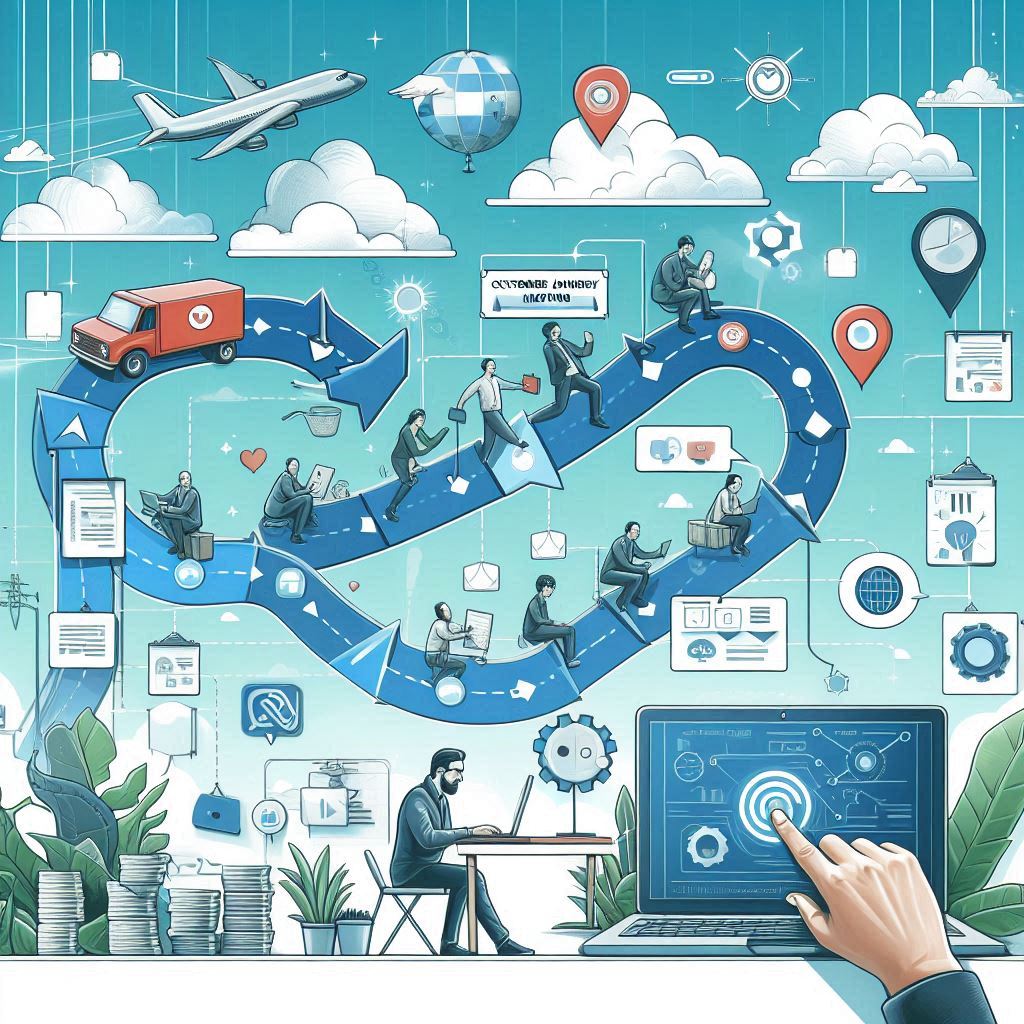
How to Use Customer Journey Mapping in Software Development
How to Use Customer Journey Mapping in Software Development In software development, understanding the customer’s experience is essential for creating products that not only meet user needs but also exceed expectations. One powerful tool that can help achieve this is customer journey mapping. It provides a visual representation of a user’s interaction with your product, from the initial discovery phase to becoming a loyal customer. This helps developers, designers, and business teams align their goals with the user’s needs. In this blog, we’ll dive into how customer journey mapping can be used in software development to improve user experience, enhance features, and increase customer satisfaction. 1. What is Customer Journey Mapping? Customer journey mapping is a process where businesses visually chart the stages a user goes through when interacting with their product. This map outlines the user’s feelings, pain points, and motivations during their experience, helping teams identify where improvements can be made. A typical customer journey map includes: Touchpoints: These are the various stages where the user interacts with the product. Emotional state: How the user feels at each stage (e.g., frustration, satisfaction). Actions: The specific actions a user takes, such as signing up, making a purchase, or seeking support. Challenges: Areas where the user experiences difficulties, delays, or confusion. Opportunities: Points where there is potential to improve the user’s experience or add value. By documenting these details, software development teams can better understand their users’ perspectives and align product features with customer needs. 2. Why is Customer Journey Mapping Important in Software Development? Customer journey mapping offers several benefits when integrated into the software development process: Improves user experience: By analyzing how users interact with your product, you can tailor features to their needs, leading to a more intuitive and satisfying experience. Identifies pain points: It helps you discover friction points where users struggle, allowing developers to create solutions that remove barriers and enhance usability. Informs feature development: Developers can prioritize features based on real user behavior and challenges rather than assumptions, ensuring that new updates align with what users actually want. Enhances customer satisfaction: Understanding and addressing the customer journey leads to products that provide more value, which can increase customer loyalty and reduce churn. Creates alignment: It promotes collaboration among design, development, and business teams, ensuring everyone works toward the same user-centered goals. 3. Key Steps to Create an Effective Customer Journey Map a) Identify User Personas Before mapping the customer journey, it’s essential to identify your user personas—fictional representations of your different customer types. These personas represent various segments of your audience and their unique needs, goals, and behaviors. For example: Persona 1: A tech-savvy developer looking for advanced features and integration capabilities. Persona 2: A beginner user who needs a simple, intuitive interface and quick onboarding assistance. Understanding these personas helps tailor the journey map to different user groups, ensuring you’re addressing the specific pain points and needs of each type of customer. b) Map Out the Stages of the Customer Journey The next step is to outline the key stages of the customer’s journey with your software. Typical stages include: Awareness: How users discover your software, whether through marketing, referrals, or organic search. Consideration: When users research your product and compare it to competitors. Onboarding: The process of signing up, creating an account, and learning how to use the software. Usage: How users engage with the software on an ongoing basis. Support: How they seek help when issues arise. Advocacy: When satisfied users become loyal customers and recommend your software to others. Each stage should be mapped out in detail, covering the user’s goals, actions, and feelings at every step. c) Identify Touchpoints and Interaction Channels Touchpoints are the specific moments where users interact with your software. These include: Website visits: Browsing the product page or reading documentation. Sign-up forms: Creating an account or starting a free trial. In-app interactions: Engaging with features, completing tasks, or customizing settings. Support channels: Submitting tickets, chatting with customer support, or using the knowledge base. By documenting all these touchpoints, you gain a clearer understanding of the user’s full experience with your software and can identify areas for improvement. d) Analyze User Emotions and Pain Points At each stage, track how users feel and what pain points they encounter. For example: Onboarding: A user might feel confused if the setup process is complex or unintuitive. Feature usage: They could experience frustration if features are hard to find or don’t function as expected. Understanding emotional highs and lows helps the development team design more user-friendly features and improve problematic areas. e) Visualize the Journey Once you’ve gathered all the necessary information, create a visual representation of the customer journey. Tools like Miro, Lucidchart, or even basic flowcharts can help you create a clear, organized map. Be sure to include details like: The customer persona. Touchpoints. Emotional states at each stage. Actions taken by the user. Challenges and opportunities for improvement. A well-designed visual map makes it easier for teams to collaborate and reference the journey during software development. 4. Integrating Customer Journey Mapping into Software Development a) Feature Prioritization and Development Customer journey maps provide valuable insights that should inform the software development roadmap. When the development team understands where users face the most friction, they can prioritize features that address these pain points. For example, if users frequently get stuck during the onboarding process, the development team might prioritize improving the onboarding flow or creating better tutorials. b) User Testing and Feedback Loops Customer journey maps are also useful for guiding user testing. When you know where customers struggle, you can design tests to validate whether new features or updates are solving those problems. This feedback loop ensures that the software evolves in a user-centered direction. c) Improving Cross-Functional Collaboration Journey maps foster cross-functional collaboration by aligning teams on a shared understanding of the customer’s experience. Developers, designers, marketers, and customer support teams can work together to improve the entire journey, from discovery to long-term usage.

Creating a Robust Support System for Software Users
Creating a Robust Support System for Software Users A strong support system is crucial for any software product, ensuring that users can easily navigate the software, troubleshoot issues, and have a seamless experience. Whether it’s providing assistance for new users during onboarding or resolving technical issues for seasoned customers, a robust support system not only enhances user satisfaction but also helps in retaining customers. In this blog, we’ll explore how to create a solid support system for software users, addressing key components that contribute to excellent customer service and ongoing product success. 1. Understand the Role of Customer Support in Software Customer support in software is not just about resolving technical issues—it plays a much larger role in the user experience. It serves as a bridge between the users and the development team, providing feedback, improving customer engagement, and ensuring that users can maximize the value of the software. Key Objectives of a Support System: Troubleshooting: Help users solve any technical issues they encounter while using the software. Guidance: Provide clear instructions and tutorials to assist users in navigating features. Feedback Loop: Collect user feedback on potential improvements or bugs to enhance the software. Relationship Building: Create positive user experiences, leading to customer loyalty and trust. A well-structured support system is essential to ensure that customers feel supported and confident while using the software. 2. Establish Multiple Support Channels To build a successful support system, it’s important to offer various channels for users to seek help. Not all users prefer the same method of communication, so having a variety of options available ensures broader accessibility and satisfaction. Common Support Channels: Email support: A traditional but essential method that allows users to submit inquiries and receive detailed responses. Live chat: A fast and efficient way to assist users in real-time, especially for simpler issues. Phone support: Offering phone support can be beneficial for more complex problems where verbal communication is necessary. Knowledge base: A self-help resource where users can find articles, guides, FAQs, and tutorials to troubleshoot independently. Community forums: These allow users to ask questions, share solutions, and engage with other users for peer-to-peer support. Social media: Use platforms like Twitter or Facebook to quickly respond to user queries or concerns. Providing multiple channels empowers users to choose the method that best suits their needs and increases the likelihood of timely resolutions. 3. Develop a Comprehensive Knowledge Base A knowledge base is a key part of any support system, enabling users to find answers on their own without needing to contact support agents. This self-service option reduces the burden on the support team while giving users access to solutions 24/7. Tips for Creating a Robust Knowledge Base: Identify common issues: Start by compiling a list of frequently asked questions (FAQs) and recurring problems. Organize content: Structure the knowledge base by categories such as “Getting Started,” “Troubleshooting,” “FAQs,” and “Advanced Features” to make it easy to navigate. Include multimedia: Use a combination of text, images, and videos to explain solutions. Visual aids are especially helpful for complex instructions. Update regularly: As your software evolves, update the knowledge base with new information about features, bug fixes, and changes. A well-maintained knowledge base empowers users to solve issues on their own, leading to faster resolution times and less reliance on live support. 4. Provide Proactive Support During Onboarding The onboarding experience is crucial for new users, as it sets the tone for their overall experience with your software. Effective onboarding can reduce frustration and increase engagement, ultimately leading to higher user retention rates. Key Onboarding Strategies: Guided walkthroughs: Use interactive tutorials that guide new users through key features of the software. Video tutorials: Provide short videos that explain how to get started with the software and demonstrate common use cases. In-app messaging: Use in-app notifications or chatbots to provide tips, suggestions, and troubleshooting help as users navigate the platform. Onboarding emails: Send a series of emails during the onboarding process with helpful tips, feature explanations, and links to your knowledge base. By offering proactive support during onboarding, you ensure that users can quickly adapt to your software and overcome potential hurdles. 5. Train Your Support Team for Success A well-trained support team is at the core of any robust system. Investing in the training and development of your support staff ensures they have the technical expertise and communication skills needed to address customer concerns efficiently. Important Aspects of Support Team Training: Product knowledge: Your support team should have an in-depth understanding of the software, including common technical issues and advanced features. Soft skills: Effective communication is key—train your team to listen carefully, respond empathetically, and maintain a customer-centric attitude. Problem-solving: Ensure your team can think critically and resolve complex issues efficiently. Use of support tools: Train your team on any software or platforms used for managing support tickets, live chats, or phone calls. A knowledgeable and empathetic support team makes a huge difference in the user experience, ensuring that problems are resolved quickly and professionally. 6. Implement a Ticketing System for Efficient Issue Management A ticketing system is an essential tool for managing customer inquiries and ensuring that no issues fall through the cracks. This system allows support teams to track the progress of user queries, prioritize tickets based on severity, and ensure timely responses. Benefits of a Ticketing System: Organization: Tickets allow you to track each issue from initial contact to resolution, ensuring no inquiries are overlooked. Prioritization: Assign different priority levels to tickets based on the severity of the issue or the customer’s status. Accountability: Assigning tickets to specific team members ensures that each issue has an owner responsible for resolving it. Transparency: Users can track the status of their inquiry, reducing frustration and uncertainty. By using a ticketing system, you can streamline the customer support process and ensure faster, more efficient resolutions. 7. Leverage Automation for Faster Responses Automation can play a significant role in optimizing your support system, helping reduce response times and ensuring users get immediate assistance

How to Implement a Customer Feedback Loop in Development
How to Implement a Customer Feedback Loop in Development A customer feedback loop is an essential process for any business, especially in software development. It provides developers with valuable insights into what users think about their product, highlights areas for improvement, and ensures that customer needs and expectations are being met. By continuously gathering, analyzing, and acting upon feedback, businesses can improve their software, enhance user satisfaction, and foster long-term customer relationships. In this blog, we’ll explore how to implement an effective customer feedback loop in your software development process, ensuring that user insights drive meaningful product improvements. 1. Understand the Importance of a Feedback Loop A feedback loop is a structured system that collects customer input, analyzes it, and uses the findings to improve your software. This creates a continuous cycle of improvement where customer satisfaction and software quality increase hand-in-hand. Benefits of a Feedback Loop: Improved product features: Customer feedback often reveals pain points or missing features that can be addressed in future updates. Enhanced customer loyalty: When users feel their input is valued, they are more likely to stay loyal to the product. Early detection of issues: Continuous feedback helps identify problems early, allowing developers to fix them before they become widespread. Increased innovation: Users may suggest new features or improvements that hadn’t been considered internally, driving innovation. 2. Choose the Right Feedback Channels To create an effective customer feedback loop, it’s crucial to gather input from multiple channels. Different customers prefer different methods for sharing feedback, and relying on just one channel may limit the volume or variety of insights. Common Feedback Channels: In-app feedback forms: These allow users to submit their thoughts directly from the software, offering context-specific feedback. Surveys and polls: Tools like Google Forms, SurveyMonkey, or Typeform are effective for gathering structured feedback. Email: Post-release email campaigns can request customer feedback on recent updates or general satisfaction. Social media: Monitor social platforms like Twitter, Facebook, and Reddit, where users may share their thoughts about your software. Customer support interactions: Feedback gathered through support tickets, live chat, and phone calls often highlights pain points or areas needing improvement. Offering multiple feedback channels makes it easy for users to voice their opinions in their preferred way, increasing the volume and diversity of feedback. 3. Categorize and Prioritize Feedback Not all feedback carries the same weight. Some issues might affect only a small subset of users, while others represent a larger trend. To implement a successful feedback loop, it’s important to categorize and prioritize the input you receive. Steps to Categorize and Prioritize Feedback: Categorization: Group feedback into common themes, such as bugs, feature requests, usability issues, or general satisfaction. Prioritization: Rank feedback based on factors like: The number of users affected by the issue. The severity of the problem (e.g., critical bugs vs. minor inconveniences). Strategic business goals (e.g., a feature request that aligns with your product roadmap). Use this prioritized list to guide your development team’s efforts, ensuring that the most critical issues are addressed first. 4. Incorporate Feedback into Development Cycles Once feedback is categorized and prioritized, the next step is to integrate it into your software development process. The key here is to adopt an agile and iterative approach, ensuring that customer feedback informs each development cycle. a. Agile Methodologies Agile development frameworks like Scrum or Kanban are ideal for feedback loops, as they promote iterative development and allow for flexibility. During each sprint or cycle, teams can review customer feedback and incorporate necessary changes or improvements. b. Cross-Functional Collaboration Incorporating feedback into development isn’t just the responsibility of developers. Your customer support, product management, and marketing teams should work closely with development to ensure that user needs are fully understood and prioritized. c. Feature Development For feature requests, assess how the feedback aligns with your product roadmap. Sometimes customers ask for features that are valuable, but not always feasible immediately. Use feedback to shape long-term product vision, while balancing short-term development priorities. 5. Test Solutions with Customers Once you’ve made changes based on customer feedback, it’s essential to validate these updates with the users who initially reported the issues. This ensures that the adjustments meet customer expectations and resolve their concerns. a. Beta Testing Consider releasing a beta version of your software update to a small group of users who provided feedback. This allows you to gather feedback on the changes before a full release, ensuring that the updates work as intended. b. User Acceptance Testing (UAT) In UAT, real users test the software to ensure that the improvements align with their needs. This phase allows you to catch any overlooked issues and ensure that the changes are practical in real-world scenarios. c. Gather Feedback on Updates After implementing changes, solicit feedback from the same customers to verify that their concerns have been addressed. This can be done via email follow-ups, in-app prompts, or surveys. 6. Close the Feedback Loop with Customers An often-overlooked aspect of the feedback loop is closing the loop—communicating back to customers about how their feedback was used. When users feel that their feedback has led to meaningful change, they are more likely to continue engaging with your product and providing insights in the future. Steps to Close the Loop: Acknowledge receipt: Thank customers for their feedback, even if you can’t immediately act on it. Communicate changes: Let users know when their feedback has been implemented. For example, send a release note or email explaining the improvements made in response to their suggestions. Share timelines for future changes: If a user’s feedback is on your roadmap but hasn’t been addressed yet, keep them informed about when they can expect updates. Closing the loop ensures that customers feel valued and involved in the development process, increasing their loyalty and likelihood of providing feedback again. 7. Analyze Feedback Trends for Long-Term Improvements Beyond addressing individual pieces of feedback, analyzing broader trends can offer valuable insights into the direction your product should take in the long term. a. Use

Best Practices for Providing Technical Support for Software
Best Practices for Providing Technical Support for Software Providing excellent technical support is essential to the success of any software product. It not only ensures customer satisfaction but also builds trust, increases user retention, and encourages word-of-mouth referrals. Effective technical support goes beyond simply solving issues—it involves delivering a positive experience that reflects the company’s commitment to its customers. In this blog, we’ll explore best practices for providing outstanding technical support for software, focusing on strategies that help build customer loyalty and enhance the overall user experience. 1. Offer Multi-Channel Support To accommodate a wide range of customer preferences and needs, it’s crucial to provide support through multiple channels. This makes it easier for users to seek help in a way that suits them, increasing their likelihood of reaching out when they encounter an issue. a. Channels to Consider Email support: Ideal for detailed issues that require step-by-step explanations or documentation. Live chat: Offers real-time assistance, helping customers resolve issues quickly. Phone support: Perfect for more complex or urgent issues where direct conversation is needed. Knowledge base: Provides self-service options with articles, FAQs, and tutorials for common issues. Social media support: Allows customers to engage through platforms like Twitter or Facebook for quick queries or issues. By offering a variety of support options, you cater to different customer preferences, helping more users get the assistance they need in a timely manner. 2. Create a Comprehensive Knowledge Base A well-organized and regularly updated knowledge base is an invaluable resource for both customers and support teams. It empowers users to find solutions to common issues on their own, reducing the volume of support tickets and speeding up problem resolution. a. Components of an Effective Knowledge Base FAQs: Answer frequently asked questions to cover the most common customer concerns. Step-by-step guides: Provide clear instructions for performing common tasks or troubleshooting issues. Video tutorials: Offer visual aids to guide users through complex features or processes. Search functionality: Ensure users can easily find relevant articles by incorporating robust search capabilities. b. Keep the Knowledge Base Updated As new features are released and software evolves, continually update your knowledge base to reflect the most current information. Remove outdated content and create new articles or videos for the latest features. 3. Implement Proactive Support Instead of waiting for customers to report problems, proactive support involves identifying and addressing issues before they escalate. This can significantly reduce frustration and build goodwill with users. a. Monitor System Performance Track key performance indicators (KPIs) and system logs to detect any potential issues before they impact customers. For example, if a server is experiencing slow response times, alert customers to the issue and let them know a fix is in progress. b. Send Preemptive Alerts If there’s an upcoming change (such as a software update or scheduled downtime), notify customers ahead of time. This allows users to prepare, reducing the likelihood of frustration when the update occurs. Example: A SaaS company could send an email or in-app message alerting users of scheduled maintenance with information on expected downtime and impact. 4. Ensure Fast Response Times Speed is critical when it comes to technical support. Customers expect quick responses to their queries, and long wait times can lead to dissatisfaction. To provide fast support: a. Set Response Time Targets Define clear response time targets (e.g., within 24 hours for email inquiries or under 5 minutes for live chat) and communicate these expectations to customers. Ensure your team is meeting these targets consistently. b. Use Automation for Basic Inquiries For common questions, automated responses or chatbots can provide immediate answers, ensuring users aren’t left waiting. This can handle simple queries while freeing up support agents to focus on more complex issues. c. Prioritize Urgent Cases Develop a system for prioritizing more critical or time-sensitive cases. For example, downtime issues or billing errors should receive immediate attention, while minor inquiries can be addressed within the standard response window. 5. Provide Personalized Support While automation is helpful for basic issues, personalizing the support experience is essential for building strong relationships with customers. Personalized support makes customers feel valued and understood, which increases their satisfaction and loyalty. a. Use Customer Data Effectively When a customer contacts support, use their data (such as account information, recent activity, or previous issues) to provide tailored solutions. This minimizes the need for customers to repeat themselves and shows that you understand their individual needs. b. Assign Dedicated Support Representatives For higher-tier customers or complex enterprise clients, consider assigning a dedicated support representative. This allows the customer to develop a relationship with someone who understands their unique setup and needs. 6. Train Your Support Team Thoroughly Your support team plays a vital role in ensuring that customers receive the assistance they need, so comprehensive training is essential. A well-trained team is more capable of handling issues quickly, effectively, and with a positive attitude. a. Product Knowledge Ensure your team has an in-depth understanding of your software’s features, functionality, and common issues. This enables them to provide accurate solutions and troubleshoot problems efficiently. b. Soft Skills Technical proficiency is important, but so are soft skills like empathy, patience, and communication. Train your team to handle difficult or frustrated customers with understanding and professionalism. Being polite and empathetic can often diffuse tense situations. c. Continuous Learning Encourage ongoing training and development by providing regular updates on new features, tools, and support best practices. Foster a culture of continuous learning so your team is always prepared to handle evolving customer needs. 7. Gather and Act on Customer Feedback Customer feedback is a valuable resource for improving both your software and your support services. Regularly collecting and analyzing feedback can help you identify pain points, optimize processes, and enhance the customer experience. a. Post-Support Surveys After resolving an issue, send a brief survey asking customers to rate their experience and offer suggestions for improvement. Use this data to identify areas where your support team is excelling and where they could improve. b. Use Feedback

How to Manage Customer Expectations During Software Releases
How to Manage Customer Expectations During Software Releases Software releases are exciting moments for both companies and their customers. However, they also come with significant pressure to meet customer expectations. Mismanaged expectations can lead to disappointment, frustration, and even damage to the company’s reputation. On the other hand, clear communication, transparency, and proactive engagement can create a positive experience, even if the release isn’t perfect. Managing customer expectations effectively during software releases is critical to maintaining trust and fostering long-term relationships. In this blog, we’ll discuss strategies to manage customer expectations, from pre-release communication to post-launch support. 1. Set Clear Expectations Early One of the most important aspects of managing customer expectations is setting them early. Customers should have a realistic understanding of what to expect from the release, including the scope of new features, potential limitations, and the overall impact on their experience. a. Be Transparent About What’s Coming Provide detailed information about the features and improvements in the upcoming release. Instead of overhyping or making vague promises, give a realistic description of what the release will include. This transparency helps to manage excitement and ensures customers know what’s being delivered. Example: A SaaS company might publish a roadmap that outlines which features will be rolled out in the next few releases. They could share it with customers via email or on their website. b. Highlight Known Limitations If there are features that will not be included in the release or known limitations, communicate these upfront. This prevents disappointment and frustration from customers who might expect certain capabilities that won’t be available yet. Example: A mobile app might introduce a new feature but note that it is available on iOS first, with Android support coming later. By acknowledging the gap upfront, the company can avoid frustration among Android users. c. Communicate the Release Schedule Give customers a clear understanding of the release timeline, including when the software will be available for different platforms or regions. If staggered rollouts or maintenance windows are part of the process, make sure to notify customers in advance. 2. Engage in Continuous Customer Communication Keeping customers in the loop before, during, and after the release ensures they feel informed and confident about the product’s direction. Consistent communication also provides an opportunity to manage any changes or adjustments to the timeline. a. Use Multiple Communication Channels Ensure your communication reaches all relevant customers by using multiple channels, such as emails, in-app notifications, social media posts, and blogs. Different customers prefer different communication methods, so providing updates through a variety of channels helps ensure everyone stays informed. b. Pre-Release Announcements Use pre-release announcements to inform customers about the upcoming changes. Outline what new features or fixes they can expect and how these will benefit them. Sharing sneak peeks or demos of the new release can generate excitement and anticipation. Example: A software company can post teaser videos or feature walk-throughs on social media or its YouTube channel to show customers what’s coming next. c. Post-Release Follow-Ups After the release, continue communicating with customers to share any important updates, such as bug fixes or enhancements that were implemented based on user feedback. Use this opportunity to reinforce the value of the new features. 3. Manage Feature Requests and Customer Feedback Many software companies receive requests for new features and improvements from their user base. While customer feedback is valuable, not every feature request can be included in each release. Managing these requests effectively is crucial to managing expectations. a. Prioritize Feedback Transparently Be transparent about how you prioritize feature requests. Customers will appreciate knowing that their feedback is considered, even if their request doesn’t make it into the next release. You can share your prioritization process in a public roadmap or through customer-facing documentation. Example: A project management software might create a public feature-request board where customers can vote on their favorite ideas, helping them understand which features are being prioritized. b. Acknowledge Unmet Expectations If customers have requested certain features that are not included in the release, acknowledge it directly. Explain why these features weren’t part of the current release and when customers might expect to see them. Being honest and empathetic helps maintain trust. 4. Underpromise and Overdeliver One effective way to manage expectations is to underpromise and overdeliver. This involves setting realistic or slightly conservative expectations, then delivering a better-than-expected result. Doing so builds goodwill and creates a positive surprise for customers. a. Focus on Core Features First Instead of overloading the release with numerous minor features, focus on delivering a few core features that will have the most impact on customer experience. Customers are more likely to appreciate a smaller, polished release than a large one with bugs or incomplete features. b. Include “Bonus” Features or Enhancements If you’re able to deliver additional features or improvements that weren’t initially promised, consider them a bonus. This can create a sense of excitement and satisfaction among customers, who feel they’ve received more than expected. 5. Provide Transparent Bug and Issue Management No software release is perfect, and bugs are almost inevitable. However, managing bugs and other issues transparently can turn a potentially negative situation into a positive one. Clear communication about known issues and quick resolutions is key to maintaining customer trust. a. Establish a Clear Support Process Ensure customers know where and how to report issues that arise after the release. Providing a straightforward process for submitting bug reports, asking questions, or seeking help will help customers feel supported. Example: Provide a dedicated support page or in-app customer service option where users can easily report any bugs or technical issues after an update. b. Acknowledge Bugs Quickly If bugs or issues are discovered after the release, acknowledge them quickly and let customers know you’re working on a fix. Provide regular updates on the progress of these fixes to show that you’re addressing the problem. c. Post-Patch Announcements Once a bug or issue has been resolved, announce the fix to customers so they know

The Impact of Software Localization on Global Customer Engagement
The Impact of Software Localization on Global Customer Engagement In today’s interconnected world, businesses are increasingly reaching out to customers across different regions and cultures. However, expanding into international markets brings unique challenges, especially when it comes to software products. To successfully engage global customers, it is crucial to tailor software solutions to different languages, cultures, and preferences. This process is known as software localization. Localization goes beyond simple translation; it involves adapting the entire software experience to resonate with users in different regions. When done effectively, it can significantly enhance customer engagement, improve user satisfaction, and drive business growth. In this blog, we’ll explore the impact of software localization on global customer engagement and outline best practices for implementing localization in your software projects. 1. What Is Software Localization? Software localization is the process of adapting a software product to meet the cultural, linguistic, and technical requirements of a specific region or target market. It includes translating the user interface, adjusting formatting for dates, times, and currencies, and customizing features to suit local preferences. Localization also involves addressing cultural nuances, ensuring regulatory compliance, and considering the technological landscape of the target market. Key aspects of software localization include: Language translation: Translating the software’s content into the local language, including user interfaces, help documentation, and marketing materials. Cultural adaptation: Customizing visuals, symbols, and idioms to fit the cultural norms and expectations of the target audience. Technical adjustments: Adapting the software’s functionality, layout, and performance to meet the technical standards and infrastructure of the region (e.g., different screen sizes, internet speeds, or operating systems). By effectively localizing software, companies can provide a more tailored user experience that resonates with diverse audiences, increasing their chances of success in global markets. 2. The Impact of Localization on Customer Engagement Localization plays a critical role in enhancing customer engagement by making software more accessible, relevant, and user-friendly for people in different regions. Here’s how localization impacts global customer engagement: a. Improved User Experience Localization enhances the overall user experience by offering software that feels familiar and intuitive to the local audience. When users can interact with software in their native language and see content that reflects their cultural values, they are more likely to feel comfortable and connected. This leads to increased user satisfaction and engagement. Example: A global e-commerce platform that localizes its website for different regions, including language translation and adapting currency formats, makes the shopping experience more seamless and enjoyable for customers worldwide. b. Higher Customer Retention Localized software reduces friction and confusion for users, which in turn leads to higher retention rates. When users understand how to navigate the software and interact with it in a way that aligns with their local norms, they are less likely to abandon the product. Example: A mobile app that offers localized support and tutorials ensures that users in non-English-speaking regions can easily get help and understand how to use the app. This encourages long-term usage and reduces churn. c. Increased Trust and Credibility Localization helps build trust with global customers by showing that a company values their unique needs and respects their culture. Customers are more likely to trust and engage with a brand that goes the extra mile to cater to their specific preferences and legal requirements. Example: A financial software company that adheres to local regulations and data privacy laws in each country fosters trust with users who prioritize security and compliance in their financial transactions. d. Broader Market Reach Localized software allows companies to expand their reach into new markets. By making the product accessible to non-native speakers and adjusting it to local tastes, companies can attract more users from diverse regions, increasing their overall market share. Example: A SaaS company that localizes its software for users in Asia, Europe, and Latin America can significantly grow its user base by appealing to customers in these regions who prefer software in their native languages. e. Boosted Conversions and Revenue Customers are more likely to convert and make purchases when they feel comfortable using the software. Localization not only increases user engagement but also drives conversions by removing barriers to action, such as confusing navigation or unfamiliar payment methods. Example: A video streaming service that offers localized payment options, subtitles, and personalized content recommendations is likely to see higher subscription rates in international markets. 3. Key Considerations for Effective Software Localization While localization can have a profound impact on customer engagement, it must be done thoughtfully to ensure success. Here are some best practices for effective software localization: a. Research Your Target Markets Before starting the localization process, conduct thorough research on the target markets you want to enter. Understand the cultural norms, legal regulations, and technological preferences of each region. This will help you tailor your software to meet the specific needs and expectations of local users. b. Invest in Professional Translation While automated translation tools may seem like a cost-effective option, they often fail to capture the nuances of language and culture. Invest in professional translation services that specialize in localization to ensure that your software’s content is accurate, culturally appropriate, and engaging. c. Adapt User Interfaces Localization often requires adjustments to the software’s user interface (UI) to accommodate different languages and cultures. For example, some languages may require more space for text, while others read from right to left (e.g., Arabic or Hebrew). Ensure that your UI is flexible and adaptable to these changes. d. Consider Local Legal and Regulatory Requirements Ensure that your software complies with local laws and regulations, especially regarding data privacy, security, and consumer protection. This is particularly important in industries such as finance, healthcare, and e-commerce, where legal compliance is critical for customer trust. e. Test with Local Users Before launching localized versions of your software, conduct user testing with individuals from the target market. This helps identify potential issues with language, design, or functionality that may not be apparent to the development team. Gathering feedback from local users ensures that the software

How to Use Analytics to Enhance Software User Experience
How to Use Analytics to Enhance Software User Experience In today’s digital landscape, user experience (UX) plays a crucial role in the success of software applications. A seamless, intuitive UX not only keeps users engaged but also fosters loyalty and drives conversions. One of the most effective ways to enhance UX is by leveraging analytics. By analyzing user data, organizations can gain valuable insights into user behavior, preferences, and pain points, allowing them to make informed decisions that improve the overall experience. In this blog, we will explore how to effectively use analytics to enhance software user experience, discussing key metrics, tools, and strategies for implementation. 1. Understanding the Role of Analytics in User Experience Analytics provides organizations with a wealth of data that can be used to understand how users interact with software. By collecting and analyzing user data, organizations can identify trends, track performance, and make data-driven decisions that enhance UX. Key aspects of using analytics for UX improvement include: Identifying user behavior: Analytics helps in understanding how users navigate through the application, which features they utilize the most, and where they encounter obstacles. Measuring user satisfaction: By tracking user interactions and feedback, organizations can gauge overall satisfaction levels and identify areas for improvement. Making informed design decisions: Analytics can inform design changes based on user preferences and behaviors, leading to a more intuitive and user-friendly interface. By utilizing analytics effectively, organizations can create a user-centric software experience that meets the needs and expectations of their users. 2. Key Metrics to Track To enhance software user experience through analytics, it’s important to focus on key metrics that provide insights into user behavior and satisfaction. Here are some essential metrics to consider: a. User Engagement Metrics Active users: Track the number of daily and monthly active users to understand overall engagement levels. Session duration: Measure how long users spend in the application per session. Longer session durations often indicate higher engagement, but excessively long sessions may suggest confusion or frustration. Page views per session: Analyze how many pages users visit during a session to gauge interest and exploration of your software’s features. b. Conversion Metrics Conversion rates: Measure the percentage of users who complete desired actions, such as signing up for a newsletter, making a purchase, or completing a form. Higher conversion rates suggest a positive user experience. Drop-off rates: Analyze where users abandon processes, such as shopping carts or sign-up forms, to identify friction points in the user journey. c. User Feedback Metrics Net Promoter Score (NPS): Use NPS to measure customer loyalty and satisfaction. A higher NPS indicates that users are likely to recommend your software to others. Customer satisfaction (CSAT) scores: Conduct surveys to collect CSAT scores, providing direct feedback on user satisfaction levels. d. Usability Metrics Task completion rates: Measure the percentage of users who successfully complete specific tasks within the software. Low completion rates may indicate usability issues. Time on task: Analyze how long it takes users to complete tasks. Longer times may suggest complexity or confusion in the user interface. By monitoring these metrics, organizations can gain a comprehensive understanding of user behavior and satisfaction, enabling them to make targeted improvements. 3. Tools for Analyzing User Experience To effectively leverage analytics for enhancing user experience, organizations can utilize various tools that provide valuable insights into user behavior. Here are some popular analytics tools: a. Google Analytics Google Analytics is a powerful tool for tracking website and application performance. It provides insights into user engagement, conversion rates, and behavior flow, helping organizations identify areas for improvement. b. Mixpanel Mixpanel is a product analytics tool that allows organizations to track user interactions with software applications. It provides detailed insights into user behavior, cohort analysis, and event tracking, enabling businesses to make data-driven decisions. c. Hotjar Hotjar is a user behavior analytics tool that offers heatmaps, session recordings, and feedback polls. Heatmaps visualize where users click, scroll, and move on the screen, helping identify areas of interest and confusion. d. Crazy Egg Crazy Egg provides heatmaps and A/B testing tools to help organizations optimize their software’s user interface. It allows businesses to visualize user interactions and test different design variations to enhance user experience. e. UserTesting UserTesting provides real-time feedback from users as they interact with software applications. Organizations can record user sessions and gather insights on usability, pain points, and overall experience. By utilizing these analytics tools, organizations can gather valuable data that informs their UX improvement strategies. 4. Strategies for Implementing Analytics to Enhance UX Once organizations have established key metrics and selected analytics tools, they can implement strategies to leverage data for enhancing user experience: a. Conduct User Research Before making any changes based on analytics, it’s important to conduct qualitative user research. This can include interviews, surveys, and usability testing to understand user needs and pain points better. Combining qualitative insights with quantitative data helps create a comprehensive picture of user experience. b. Analyze User Journeys Use analytics to map user journeys and identify critical touchpoints. Analyze how users navigate through the application and where they encounter friction. This insight will guide UX improvements and streamline user interactions. c. Segment Users for Targeted Insights Segment users based on behavior, demographics, or usage patterns to gain deeper insights into specific user groups. Understanding the needs of different segments allows organizations to tailor experiences that resonate with each group. d. A/B Testing Implement A/B testing to experiment with different design elements or features. Use analytics to track user interactions and measure the impact of changes on engagement and satisfaction. This data-driven approach enables organizations to make informed design decisions. e. Continuous Monitoring and Iteration User experience is not a one-time effort; it requires continuous monitoring and iteration. Regularly analyze user data, collect feedback, and iterate on design and functionality based on insights gained. This iterative approach ensures that software evolves with user needs. 5. Case Studies: Successful Analytics Implementation To illustrate the power of analytics in enhancing user experience, here are a few

Building Trust Through Transparent Software Development Processes
Building Trust Through Transparent Software Development Processes In today’s competitive software landscape, building trust with customers is more critical than ever. Transparency in software development processes can significantly enhance customer trust, leading to better relationships, higher satisfaction, and increased loyalty. By openly sharing information about development practices, decision-making processes, and project progress, organizations can foster a culture of trust that resonates with customers. In this blog, we will explore the importance of transparency in software development and provide actionable strategies to implement transparent processes that build trust. 1. Understanding the Importance of Transparency in Software Development Transparency in software development refers to the open and honest communication of project goals, methodologies, and progress between development teams and stakeholders, including customers. The importance of transparency lies in its ability to build trust, encourage collaboration, and foster a sense of ownership among all parties involved. Enhances trust: When customers are kept in the loop about development processes, timelines, and challenges, they are more likely to trust the organization. Transparency mitigates the perception of hidden agendas and increases confidence in the quality and reliability of the software being developed. Encourages collaboration: Open communication fosters a collaborative environment where customers and stakeholders can contribute valuable feedback and ideas. This collaborative approach often leads to better software solutions that truly meet customer needs. Facilitates accountability: Transparency holds teams accountable for their actions and decisions. When processes are open to scrutiny, team members are more likely to take responsibility for their work, leading to higher quality outcomes. By prioritizing transparency, organizations can cultivate a culture of trust that not only benefits customer relationships but also improves team dynamics and project outcomes. 2. Strategies for Implementing Transparent Software Development Processes Implementing transparency in software development requires deliberate strategies and practices. Here are several effective ways to foster transparency within development teams and with customers: a. Regular Communication Establishing regular communication channels between development teams and customers is vital for transparency. This can include: Weekly or bi-weekly updates: Provide regular updates on project status, milestones achieved, and any challenges encountered. This keeps customers informed and allows for timely feedback. Open channels for questions: Create open lines of communication where customers can ask questions and express concerns. This could be through email, chat platforms, or dedicated forums. By fostering regular communication, organizations can build a foundation of trust and keep customers engaged throughout the development process. b. Utilizing Agile Methodologies Adopting Agile methodologies promotes transparency through iterative development and continuous feedback. Agile practices such as Scrum or Kanban encourage: Frequent iterations: By breaking projects into smaller, manageable chunks, teams can deliver incremental updates and gather feedback regularly. This keeps customers informed about progress and allows for adjustments based on their input. Daily stand-ups: Implementing daily stand-up meetings within the development team can help identify roadblocks and progress in real time. Sharing these updates with customers can further enhance transparency. Agile methodologies create a transparent development environment, enabling customers to witness the progress firsthand and provide feedback at every stage. c. Clear Documentation Documentation plays a crucial role in transparency. Maintaining clear and accessible documentation ensures that all stakeholders are on the same page. Key practices include: Project roadmaps: Share a high-level project roadmap outlining key milestones, timelines, and deliverables. This helps customers understand the overall project scope and what to expect. Change logs: Maintain detailed change logs that document modifications, enhancements, and bug fixes. Sharing this information with customers demonstrates accountability and helps them track progress. Accessible documentation empowers customers with knowledge about the project, reinforcing trust in the development process. d. Customer Involvement in the Development Process Involving customers in the development process can significantly enhance transparency. By actively engaging them, organizations can build stronger relationships and gather valuable insights. Consider the following strategies: User testing: Invite customers to participate in user testing sessions. Their feedback can help identify issues early and improve the final product. Feedback loops: Establish formal feedback loops, such as surveys or interviews, to gather input on features and functionalities. Incorporating customer suggestions shows that their opinions are valued. By involving customers in the development process, organizations can foster a sense of ownership and collaboration, further strengthening trust. e. Transparency in Challenges and Failures Acknowledging challenges and failures openly is crucial for building trust. When issues arise, it’s essential to communicate them honestly with customers. Consider the following approaches: Honest updates: When facing delays or setbacks, provide clear and transparent updates. Explain the reasons behind the challenges and outline the steps being taken to address them. Post-mortem reviews: Conduct post-mortem reviews after significant challenges or project phases. Share the findings and lessons learned with customers, demonstrating a commitment to continuous improvement. By being transparent about challenges, organizations can foster trust and credibility, reinforcing the idea that they are accountable and dedicated to delivering high-quality solutions. 3. Measuring the Impact of Transparency on Customer Trust To gauge the effectiveness of transparent software development processes, organizations should implement metrics to measure customer trust and satisfaction. Here are some ways to assess the impact of transparency: Customer satisfaction surveys: Regularly conduct surveys to gauge customer satisfaction and their perception of transparency in the development process. Ask specific questions about communication, project updates, and involvement in the development process. Net Promoter Score (NPS): Utilize NPS to measure customer loyalty and willingness to recommend your services. A higher NPS often correlates with increased trust and satisfaction. Feedback and testimonials: Collect feedback and testimonials from customers about their experiences with the development process. Positive testimonials can serve as indicators of trust and satisfaction. By measuring the impact of transparency, organizations can identify areas for improvement and continue to build stronger relationships with customers. Conclusion Building trust through transparent software development processes is essential for fostering strong relationships with customers. By prioritizing open communication, utilizing Agile methodologies, maintaining clear documentation, involving customers in the development process, and being honest about challenges, organizations can cultivate a culture of trust and accountability. The benefits of transparency extend beyond customer satisfaction; they enhance
